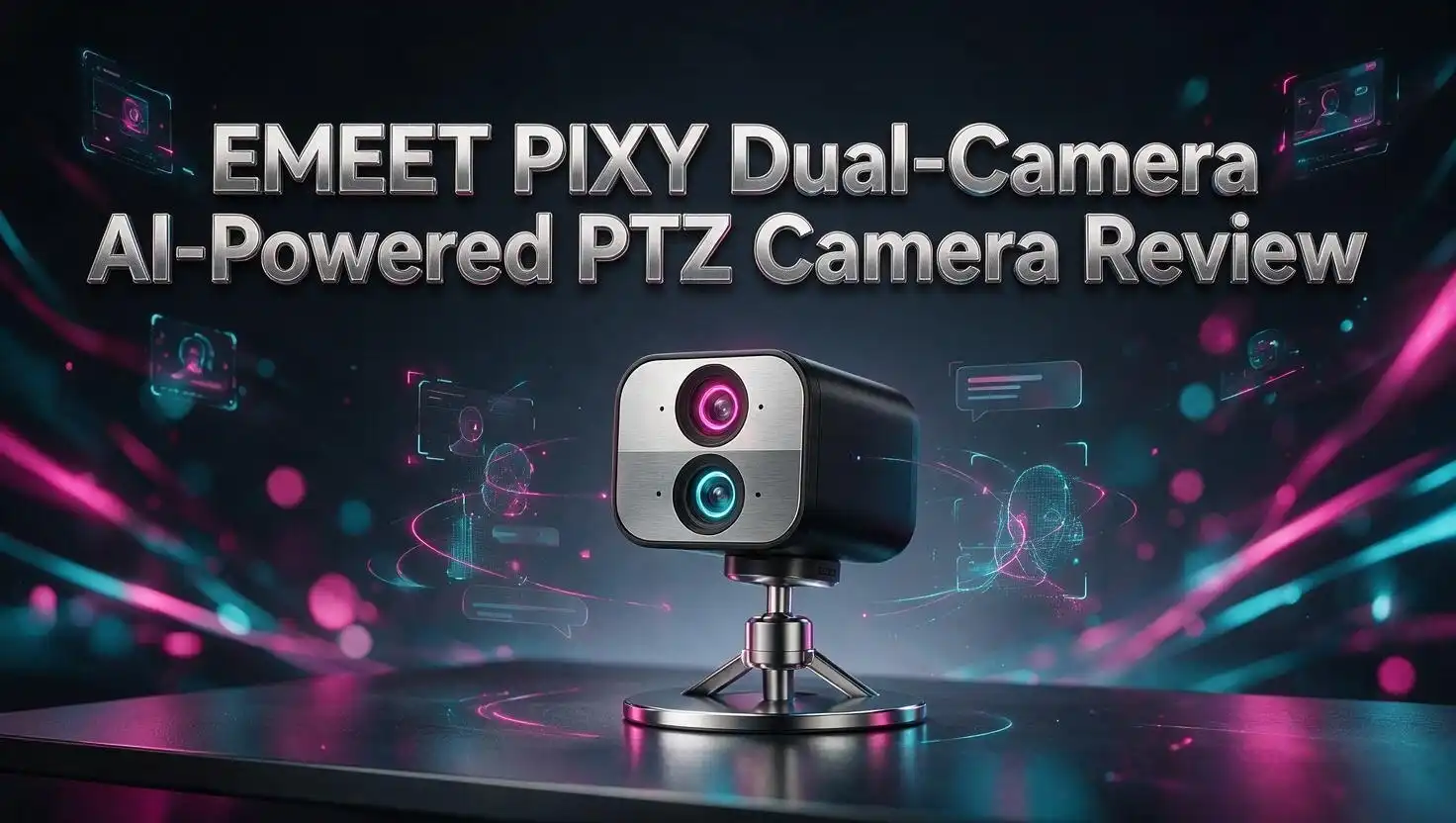
EMEET PIXY Review: Dual Camera AI PTZ 4K Webcam Worth Buying?
Webcams stopped being boring. The EMEET PIXY proves it in a body smaller than a deck of cards.
This little camera carries two lenses, a motorised gimbal, an AI chip, and three microphones. EMEET calls it the world’s first dual camera AI powered PTZ 4K webcam.
That is a big claim for a device that weighs about 120 grams. So I spent time with the specs, the software, the user feedback, and the real world performance reports to see if the PIXY earns the hype.
If you stream, teach, record tutorials, or sit in video calls all day, this review will tell you exactly what you get. Keep reading, because the second camera changes more than you expect.
In a Nutshell
Short on time? Here is the fast version of everything you need to know about the EMEET PIXY.
- Two cameras, one job. A 4K imaging camera handles the picture while a second AI assisted camera watches your face, your movement, and the light. The result is faster focus and smarter exposure than any single lens webcam in this price class.
- Focus in 0.2 seconds. All 12 million pixels work as phase detection pixels. EMEET says this is three times faster than standard webcam autofocus, and it holds up in dim rooms.
- Real motorised PTZ. A 2 axis gimbal pans 310 degrees and tilts 180 degrees. You get genuine physical tracking, not a cropped digital fake.
- Sony sensor with 4K at 30fps. The 1/2.55 inch sensor also shoots 1080p at 60fps with an F/1.8 aperture, which suits low light rooms and fast movement.
- Extras that matter. Gesture control, three PTZ presets, whiteboard correction, portrait mode, a tilt down privacy mode, and a three microphone array with three audio profiles.
- Priced to tempt. It regularly sells near $105 to $160, which undercuts most rival AI PTZ webcams by a wide margin.
What Is the EMEET PIXY?

- World's 1st Dual-Camera AI-Powered PTZ 4K Webcam - EMEET PIXY combines a 4K main imaging camera with PDAF...
- 3-chip Smoother Intelligent Tracking - PIXY streaming camera uses 3-chip AI for faster, smoother performance...

Last update on 2026-07-31 / Affiliate links / Images from Amazon Product Advertising API
The EMEET PIXY is a compact USB webcam with a motorised head. It clips to a monitor or screws onto a tripod using the 1/4 inch thread on the base.
What separates it from every other webcam is the second lens. Most webcams use one sensor for both imaging and subject detection, which forces the camera to split its attention.
The PIXY splits the work instead. The main imaging camera captures your video, and the AI assisted camera handles detection, focus data, and exposure decisions in parallel.
EMEET packages this under the name BlinkFocus. It is marketing language, but the underlying idea is sound and borrowed from smartphone camera design.
The body measures 56 by 43 by 22 millimetres. That is genuinely small, and it sits on a slim monitor bezel without wobbling.
Inside sits a dedicated AI chip. That chip runs tracking, face detection, and gesture recognition on the camera itself rather than eating your computer’s processing power.
Connection happens over USB C. EMEET includes a 1.5 metre USB C to USB C cable plus a USB C to USB A adapter for older machines.
There is also a PIXY 2K version and a PIXY Wireless model. The 2K trades the 4K ceiling for a lower price while keeping the same dual camera design and the same gimbal.
For most buyers, the 4K version is the one worth attention. It is the flagship, and the price gap is small.
Design and Build Quality
The PIXY looks like a tiny robot head. The upper section rotates on the gimbal while the base stays fixed.
Build quality feels solid for the money. The plastic shell has a matte finish that resists fingerprints, and the gimbal moves without any grinding noise.
The included monitor mount folds flat and grips laptop lids as well as desktop displays. It holds steady, which matters because the head physically moves during tracking.
The 1/4 inch threaded hole on the bottom is a small detail with big value. It means the PIXY drops onto any standard tripod, boom arm, or desk clamp you already own.
At around 120 grams, the camera adds almost nothing to a laptop bag. Travelling streamers and consultants will appreciate that.
The gimbal motion is quiet. You hear a faint whirr during large pans, but a normal microphone will not pick it up during speech.
One design choice deserves praise. Tilting the camera head down manually triggers privacy mode, which cuts the feed instantly.
No sliding shutter to lose, no software toggle to forget. It is a physical action with obvious feedback.
The USB C port sits at the rear of the base. Cable management stays clean, and the port position keeps the cord away from the moving head.
There is no status ring or bright LED to distract you. A small indicator confirms power and nothing more.
The Dual Camera System Explained
This is the headline feature, so it deserves a proper explanation. Two lenses sit side by side behind the front glass.
The imaging camera uses a Sony 1/2.55 inch sensor with an F/1.8 aperture and a 73 degree field of view. It handles the picture you actually see.
The AI assisted camera does something different. It constantly scans the scene, finds your face, maps the contours, and feeds that data to the AI chip.
Why does this matter? Because a single sensor webcam has to interrupt its own imaging to hunt for focus, which creates the hunting and pulsing you see on cheap cameras.
The PIXY never interrupts the main feed. The second camera supplies depth and position data while the first one keeps shooting.
Exposure works the same way. The AI camera detects your facial region and optimises exposure for your skin specifically, not for the average brightness of the whole frame.
That fixes the classic backlit window problem. Sit with a bright window behind you and your face stays visible instead of turning into a silhouette.
Low light rooms benefit too. The system knows where your face is, so it brightens that region without blowing out the rest of the shot.
Tracking accuracy improves as well. A dedicated detection camera loses the subject far less often during quick movement than a single sensor system does.
The concept is not new in phones. Seeing it inside a webcam under $160 is genuinely unusual.
Top 3 Alternative for EMEET PIXY
The PIXY has strong competition. If you want to compare before buying, these three are the models most shoppers cross shop.
The OBSBOT Tiny 2 is the premium pick with a larger 1/1.5 inch sensor and voice control. It costs considerably more but delivers superior image quality.

- 【OBSBOT Tiny 2 - New Era of Webcam】Our 4K Webcam is equipped with 1/1.5" CMOS Sensor, which is the largest...
- 【Superior AI-Tracking, Up 4 Tracking Modes】Our Tracking Webcam has fully upgraded the AI algorithm to make...
Last update on 2026-06-09 / Affiliate links / Images from Amazon Product Advertising API
The Insta360 Link 2 offers a 1/2 inch sensor, gesture control, and excellent noise cancelling microphones. Insta360 software is polished and stable.

- Premium Image Quality: Upgrade to Link 2 4K webcam with a 1/2" sensor. Captures true-to-life webcam 4K visuals...
- Professional Audio: Experience best-in-class audio with advanced AI noise-canceling algorithms. Filter out...
Last update on 2026-06-15 / Affiliate links / Images from Amazon Product Advertising API
The Anker PowerConf C300 skips the motorised gimbal but delivers reliable 1080p at 60fps with AI framing at a lower price. It suits meeting focused buyers on a budget.

- Look Like a Pro: Make a great first impression with clients and impress your boss with PowerConf C300’s...
- Clear Voice Pickup: Be heard loud and clear via HD webcam while working from home thanks to the...
Last update on 2026-07-31 / Affiliate links / Images from Amazon Product Advertising API
Each of these takes a different approach. OBSBOT chases image quality, Insta360 chases balance, and Anker chases value.
The PIXY sits in an interesting gap. It offers real mechanical PTZ and dual camera AI at a price closer to the non motorised options.
If your budget stretches past $300, the OBSBOT Tiny 2 will out resolve the PIXY in bright light. Its bigger sensor simply gathers more information.
If you want the safest software experience, the Insta360 Link 2 has the most mature desktop app of the group.
If you never move from your chair, the Anker saves you money you do not need to spend on motors.
Video Quality in Real Use
The PIXY records 4K at 30fps as its default resolution. It also supports 1080p at 60fps, 1440p at 30fps, and a long list of lower options.
Detail at 4K is strong for a webcam. Fabric texture, hair strands, and text on a page all resolve cleanly under decent lighting.
Colour handling leans natural rather than punchy. Skin tones look accurate without the orange cast that plagues budget cameras.
The F/1.8 aperture helps in dim conditions. A single desk lamp produces a usable image, though noise appears in the shadows as light drops further.
One verified buyer summed it up neatly, saying the camera handles lighting issues much better than the previous camera they owned. That matches the design intent of the AI assisted exposure system.
The 73 degree field of view is deliberately tight. You get a head and shoulders framing rather than a wide room shot.
That is a good choice for solo creators. It hides messy backgrounds without needing a virtual blur.
There is a 1.5x digital zoom, but note the limitation. Zoom is unavailable at 4K and at 1080p60, so you only get it at lower resolutions.
Video encoding uses MJPEG and YUY2. Both are widely supported, so OBS, Zoom, Teams, Meet, and Streamlabs all recognise the camera without special drivers.
Motion at 1080p60 looks smooth. Streamers who move around while talking will prefer this mode over 4K.
BlinkFocus Autofocus Performance
Autofocus is where the PIXY earns its keep. EMEET claims 0.2 seconds against roughly 1.1 seconds for traditional webcam autofocus.
The reason is pixel level. All 12 million pixels on the sensor act as phase detection points, which gives the system 100 percent pixel utilisation.
Compare that with a typical webcam using around 1.4 million focus pixels. The difference in available focus data is enormous.
In practice, focus snaps rather than drifts. Hold up a product, a book, or a phone and the camera locks on almost instantly.
This matters most for unboxing videos and tutorials. Nothing kills a demo faster than three seconds of blurry hunting.
Low light focus holds up too. Phase detection does not depend on contrast the way older systems do, so dim rooms cause fewer misses.
EMEET STUDIO offers three focus modes. Face Focus finds and tracks faces automatically, which suits solo streaming.
Center Focus locks the focal plane to the middle of the frame. This works well for fixed setups where you want zero surprises.
Custom Area Focus lets you pick the exact region. Product reviewers and craft creators will use this constantly.
Switching modes takes two clicks in the app. The change applies immediately without restarting your streaming software.
AI Auto Tracking in Action
The 2 axis gimbal pans 155 degrees each direction for a 310 degree total range. Tilt covers 90 degrees each way for 180 degrees total.
That is a wide arc. You can walk from one side of a desk to the other and stay in frame.
Tracking uses the AI assisted camera rather than cropping the main image. You keep full resolution while the camera physically follows you.
Movement is smooth rather than jerky. The gimbal eases into turns and slows as it approaches your new position, which looks natural on camera.
Fast movement is where dual camera detection shines. Stand up quickly or turn away and the PIXY reacquires you far faster than crop based trackers.
The camera keeps you centred by default. There is no aggressive re framing every second, which prevents the seasick effect some tracking webcams produce.
Teachers and presenters get the most benefit. You can write on a board, step back, gesture at a screen, and stay perfectly framed.
Fitness creators and musicians will also find it useful. The camera follows without a human operator behind it.
Tracking can be disabled entirely in EMEET STUDIO. Some users prefer a locked frame for talking head content, and the option is there.
Reddit discussions around the PIXY focus heavily on tracking reliability for work from home meetings. Feedback generally points to steady performance during normal desk movement.
Gesture Control and Preset Modes
Gesture control lets you operate the camera from across the room. Raise a hand in the right shape and the PIXY responds.
You can start and stop tracking without touching a keyboard. This is genuinely useful when you record alone.
The recognition works at conversational distance. You do not need to lean toward the lens or make exaggerated movements.
Gestures can be switched off in EMEET STUDIO. That prevents accidental triggers if you talk with your hands a lot.
Preset positions are the other productivity feature. You can save three PTZ positions and jump between them instantly.
Think of it as three virtual camera angles from one device. Preset one covers your face, preset two covers your desk, preset three covers a whiteboard.
Switching happens in one click. For live streams, this creates the feel of a multi camera production with a single unit.
Educators use this heavily. Teach to the camera, switch to the board, switch to a document, then switch back.
The movement between presets is animated rather than instant. Viewers see a smooth pan, which looks intentional and professional.
Presets survive reboots. Set them once and they remain available every time you plug the camera in.
Audio Quality and the 3 Mic Array
Three microphones sit inside the PIXY body. EMEET pairs them with AI powered noise cancellation.
For a webcam, the audio is better than expected. Voices come through clear and centred without the hollow tunnel sound many built in mics produce.
Three audio modes are available in the software. Live Mode applies general noise cancellation for streaming.
Noise Cancelling Mode applies strong suppression. This is the mode for a room with a fan, an air conditioner, or traffic outside.
Original Sound Mode applies only light processing. Musicians and podcasters who want natural tone should pick this one.
Strong noise cancellation always costs some voice quality. The PIXY is no exception, so choose the lightest mode your room allows.
For meetings, the built in mics are perfectly adequate. Zoom and Teams calls sound clean without any extra hardware.
For serious content, a dedicated microphone still wins. No webcam mic array competes with a proper USB or XLR microphone.
The value here is convenience. EMEET markets the PIXY as achieving studio versatility without extra mics, and for casual creators that is a fair description.
Audio and video stay in sync. There is no noticeable drift during long recordings.
EMEET STUDIO Software
EMEET STUDIO is the companion desktop app. It runs on Windows 10 and above plus macOS 10.14 and above.
Note one limitation. Windows machines built on ARM architecture are not supported, so Snapdragon laptops are out.
The app handles everything. You adjust focus modes, audio modes, presets, gesture settings, image parameters, and firmware updates in one place.
Core camera functions work without the app. Plug the PIXY in and it operates as a standard webcam immediately.
You only need EMEET STUDIO for advanced control. Disabling gestures or switching audio modes requires the software.
Multicam support is built in. EMEET STUDIO connects up to four devices at once, which lets you build a multi angle setup.
If you run several cameras at 4K, avoid a single USB hub. EMEET recommends spreading devices across separate ports on your machine.
The app also includes AI scriptwriting. It connects to ChatGPT, Claude, Grok, and Gemini so you can draft content without leaving the interface.
That feature will divide opinion. Some creators will use it daily, and others will ignore it completely.
Firmware updates arrive through a pop up prompt. The process runs inside the app and takes a few minutes.
Whiteboard, Portrait, and Privacy Modes
Three specialty modes round out the feature set. Each solves a specific problem.
Whiteboard Mode detects a whiteboard in frame and corrects the perspective. Angled boards become rectangular and readable.
Trainers and teachers get the clear benefit here. You no longer need to position the camera perfectly square to the board.
The correction happens in EMEET STUDIO. It applies to the outgoing feed, so your viewers see the corrected image live.
Portrait Mode turns the PIXY into a vertical camera. You physically rotate the unit and flip the image in the software.
This is a real advantage for social creators. TikTok, Reels, and Shorts all want vertical footage, and most webcams cannot deliver it properly.
You get full sensor resolution in vertical orientation rather than a cropped landscape frame. The difference in quality is obvious.
Privacy Mode activates when you tilt the head downward. The feed cuts immediately.
No app needed, no shutter to slide. The gesture is instinctive and you can confirm it at a glance.
For anyone who works from a bedroom or shared space, that physical certainty matters more than any software toggle.
Nintendo Switch 2 Compatibility
EMEET made a smart bet here. The PIXY works as a camera for the Nintendo Switch 2.
Switch 2 supports USB cameras for GameChat, and most console owners default to cheap generic webcams. The PIXY brings 4K imaging and AI tracking to that use case.
Auto tracking on a games console is a genuinely fun feature. Move around your living room during a session and the camera follows you.
Gesture control works too. You can toggle tracking without putting down a controller.
The built in microphones handle voice chat. Noise cancellation helps in a living room with background sound.
EMEET maintains a dedicated setup page with Switch 2 tutorials. Configuration is straightforward and requires no PC.
This matters because it widens the audience. A device bought for work calls now doubles as a console camera on weekends.
Families streaming co op sessions will get real value. The camera frames multiple people and adjusts as they move.
Image quality far exceeds what typical console webcams deliver. The Sony sensor and F/1.8 aperture handle dim living room lighting well.
Few competing AI webcams advertise console support at all. It is a meaningful differentiator at this price.
Pros and Cons of the EMEET PIXY
Here is the honest balance sheet after weighing every feature and limitation.
Pros
- Dual camera design delivers real benefits. Focus and exposure both improve because a dedicated sensor handles detection full time.
- Autofocus at 0.2 seconds is class leading. All 12 million pixels work as phase detection points, which is rare at any webcam price.
- Genuine mechanical PTZ. The 310 degree pan and 180 degree tilt beat digital crop tracking on quality and range.
- Excellent value. Street prices near $105 to $160 undercut most AI PTZ rivals by a large margin.
- Versatile modes. Whiteboard correction, portrait orientation, three presets, and instant privacy cover a wide range of jobs.
- Solid audio. Three microphones with three selectable profiles remove the need for a separate mic in casual use.
- Switch 2 support. A rare bonus that extends the camera beyond desk work.
Cons
- Field of view is narrow. At 73 degrees, the PIXY struggles with group shots and small meeting rooms.
- Digital zoom is limited. The 1.5x zoom does not work at 4K or 1080p60, which are the two modes most people use.
- No ARM Windows support. Snapdragon laptop owners cannot use EMEET STUDIO.
- Sensor is smaller than premium rivals. The 1/2.55 inch sensor cannot match the 1/1.5 inch chip in the OBSBOT Tiny 2.
- Advanced control needs the app. Audio modes and gesture toggles are locked behind EMEET STUDIO.
- No dedicated remote in the box. Some competitors bundle one.
Who Should Buy the EMEET PIXY?
This camera fits several groups very well and a few groups poorly. Knowing which you belong to saves money.
Solo streamers are the obvious target. Tracking, presets, portrait mode, and fast focus all serve one person talking to a camera.
Teachers and trainers get strong value from whiteboard correction and preset switching. Those two features alone justify the price for classroom use.
Remote workers who move around during calls will like the tracking. Standing desks and pacing habits stop being a problem.
Product reviewers benefit from the 0.2 second autofocus. Holding items up to the lens produces instant sharp results.
Content creators making vertical video should look closely at portrait mode. Very few webcams do this properly.
Switch 2 owners who use GameChat get a large quality upgrade over generic console cameras.
Who should skip it? Teams filming group meetings need a wider lens, because 73 degrees will not cover a conference table.
Buyers chasing maximum image quality with a budget above $300 should look at larger sensor options instead.
ARM Windows laptop owners cannot run the software, which removes half the feature set.
For everyone else, the PIXY represents an unusually complete package. You are getting hardware features that normally cost twice as much.
Price and Value Verdict
EMEET lists the PIXY around $159.99 with frequent discounts near $104.99. Amazon pricing moves within a similar band.
At that price, nothing else offers this combination. Mechanical PTZ plus dual camera AI plus 4K plus a three mic array is not a normal sub $160 spec sheet.
The OBSBOT Tiny 2 costs substantially more. The Insta360 Link 2 sits above the PIXY too.
Value is the PIXY’s strongest argument. You accept a smaller sensor and a narrower lens, and in exchange you save real money.
The 2K version exists if you want to spend less. It keeps the dual camera design, the gimbal, and the AI features while capping resolution at 1440p.
Most people never stream at 4K anyway. Twitch, Zoom, and Teams all compress heavily, so the 2K model is a rational choice for meeting focused buyers.
The 4K model still makes sense for recorded content. YouTube uploads and edited tutorials benefit from the extra resolution.
EMEET backs the camera with a warranty of up to two years through its own store. Amazon purchases carry standard manufacturer coverage.
Overall the PIXY earns a recommendation. It is not the sharpest webcam available, but it is one of the smartest, and the price makes the compromises easy to accept.
Verdict: an excellent buy for solo creators, teachers, and remote workers who want AI tracking without paying flagship prices.
Frequently Asked Questions
Is the EMEET PIXY a true 4K webcam?
Yes. The PIXY records 3840 by 2160 at 30fps as its default resolution using a Sony 1/2.55 inch sensor. It also supports 1080p at 60fps for smoother motion.
Does the EMEET PIXY work without software?
Core functions work immediately as a plug and play USB camera. You need EMEET STUDIO only for advanced settings such as audio modes, gesture toggles, presets, and firmware updates.
What is the field of view on the EMEET PIXY?
The field of view is 73 degrees. That suits one person at a desk but is too narrow for group shots or conference room coverage.
How fast is the autofocus?
EMEET rates it at 0.2 seconds. All 12 million sensor pixels act as phase detection points, which the company says is three times faster than typical webcam autofocus.
Does the EMEET PIXY have a physical privacy cover?
There is no sliding shutter. Instead you tilt the camera head downward and it enters privacy mode instantly, cutting the video feed.
Can the EMEET PIXY be used with the Nintendo Switch 2?
Yes. The PIXY is compatible with Switch 2 for GameChat, including auto tracking and gesture control during play sessions.
Does it work on Mac?
Yes. EMEET STUDIO supports macOS 10.14 and above along with Windows 10 and above. Windows systems built on ARM architecture are not supported.
How many cameras can EMEET STUDIO run at once?
The software supports up to four connected devices simultaneously. For multiple 4K feeds, connect each device to a separate USB port rather than a single hub.
Is there a cheaper version of the PIXY?
Yes. The EMEET PIXY 2K keeps the dual camera system, gimbal, and AI features while capping video at 2560 by 1440 at 30fps.
Does the PIXY come with a tripod?
The standard package includes a monitor mount, a 1.5 metre USB C cable, and a USB C to USB A adapter. A separate kit version bundles a tripod, and the 1/4 inch thread accepts any standard tripod.

DK is a technology expert who specializes in AI tools, software, and tech gadgets. He writes for How to Tech Info, providing detailed reviews and practical guides. DK helps readers discover the best AI applications, navigate new software, and choose the right tech gadgets.