TimeTec SSD Review: Is This Budget Drive Worth Buying?
Solid state drives changed how computers work. They boot faster. They load games quicker. They make old laptops feel new again. TimeTec is a brand that many people spot while shopping for cheap storage. The prices look low. The specs look decent. But the name is not as famous as Samsung or Crucial. So people wonder if the drive is safe to trust.
This review answers that question. I looked at TimeTec SATA drives, M.2 drives, and NVMe drives. I checked real user feedback. I compared speeds, warranty terms, and value. By the end, you will know if a TimeTec SSD fits your build and your budget. Let us start with a quick summary for readers in a hurry.
In a Nutshell
Short on time? Here are the main points from this TimeTec SSD review.
- TimeTec offers strong value. The drives cost less than big name brands while giving similar everyday speed for normal users.
- SATA models hit up to 550 MB/s read speed. This is the SATA ceiling, so you get full performance for boot drives and general storage.
- NVMe models reach up to 2,000 MB/s read speed. These are Gen3 drives, fast enough for gaming and daily work but not the fastest on the market.
- Warranty runs three to five years. TimeTec backs its SSDs with a solid warranty and decent TBW endurance ratings.
- Best for budget builds and upgrades. Choose TimeTec when you want cheap, reliable storage and do not need record breaking speeds.
- Not ideal for heavy pro workloads. Video editors and data heavy users may want a premium drive with higher endurance.
What Is a TimeTec SSD?
TimeTec is a US based memory and storage brand. The company sells RAM, memory cards, and solid state drives. It focuses on affordable products for regular buyers. You will find TimeTec drives on Amazon, Newegg, and the official TimeTec website.
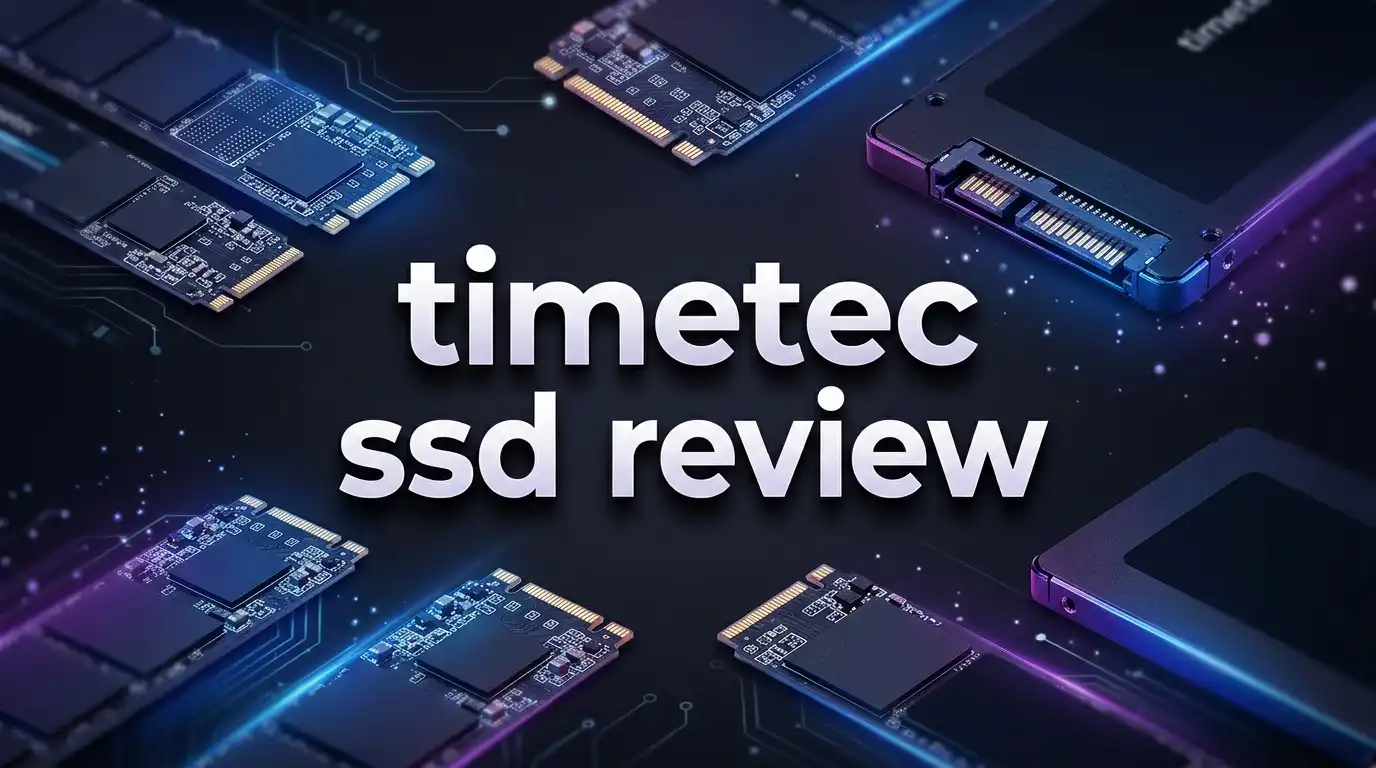
The SSD lineup covers several types. There are 2.5 inch SATA drives for desktops and laptops. There are M.2 SATA drives for thin laptops. And there are M.2 NVMe drives that use PCIe for higher speed. This range means you can find a TimeTec drive for almost any machine.
The brand sells itself on price. A TimeTec drive often costs less than a Crucial or Samsung model of the same size. For buyers on a tight budget, this gap matters a lot. You save money and still get a real SSD instead of an old spinning hard drive.
TimeTec uses 3D NAND flash in its drives. This is the same type of memory found in many mainstream SSDs. The drives also use SLC cache technology. This cache gives a short speed boost during writes. It helps the drive feel snappy during normal tasks like copying files or opening apps.
So TimeTec is a value brand that makes standard SSDs at low prices. It is not a premium name. But it aims to give you working, reliable storage without the high cost.
TimeTec 2.5 Inch SATA SSD Review
The 2.5 inch SATA drive is the classic SSD shape. It fits in any laptop or desktop with a SATA port. This is the model most people buy for an old computer upgrade.

- 3D NAND Enhanced Read and Write Speeds: Sequential Read Speed up to 550MB/s and Write Speed up to 500MB/s, the...
- An industry-leading 1,000,000 hours mean time before failure (MTBF)
Last update on 2026-07-20 / Affiliate links / Images from Amazon Product Advertising API
The TimeTec 1TB SATA SSD reads up to 550 MB/s and writes up to 500 MB/s. These numbers sit right at the top of what SATA allows. So you are not losing speed compared to more expensive SATA drives. The drive is four times faster than a traditional hard drive, which means quicker boots and faster loads.
The drive uses 3D NAND and SLC cache. During normal use it feels fast and smooth. Boot times drop. Apps open quickly. File copies move at a good pace. For web browsing, office work, and light gaming, this drive handles the job well.
Endurance is respectable for the price. The higher capacity models carry strong TBW ratings, which means they can handle plenty of writes over their life. For a home user, the drive should last many years of daily use without trouble.
The 7mm height fits most laptops. You can drop it into an old notebook to bring it back to life. The metal casing feels sturdy in the hand. Overall, this is a smart pick for a cheap and easy storage upgrade.
TimeTec M.2 SATA SSD Review
Some laptops use an M.2 slot instead of a 2.5 inch bay. But not all M.2 slots support NVMe. Many older machines only accept M.2 SATA drives. TimeTec makes a drive just for these systems.
The TimeTec M.2 SATA SSD uses the 2280 form factor. This is the standard M.2 length. It reads up to 550 MB/s, the same as the 2.5 inch model. The speed is capped by the SATA interface, not the drive itself.
No products found.
This drive is a great fix for thin laptops that lack a 2.5 inch bay. It saves space and weight. The small stick slots right into the board with one screw. Installation takes only a few minutes.
Check your laptop before you buy. M.2 SATA and M.2 NVMe look almost the same but are not the same. If your slot needs SATA, this TimeTec drive works. If it needs NVMe, you must pick the NVMe model instead. Read your manual or check online to be sure.
Performance matches the 2.5 inch version. You get the same fast boots and quick app loads. The 3D NAND and SLC cache do their job well. For an older ultrabook or a compact PC, this drive brings a real speed boost at a low price.
The endurance ratings are solid for daily use. Most home users will not come close to the write limits. This makes the M.2 SATA drive a safe long term choice.
TimeTec NVMe PCIe SSD Review
For real speed, you want NVMe. These drives use the PCIe bus instead of SATA. That opens the door to much faster transfer rates. TimeTec makes a Gen3 NVMe drive for this purpose.
The TimeTec NVMe PCIe Gen3x4 SSD reads up to 2,000 MB/s and writes up to 1,600 MB/s. That is roughly four times faster than a SATA drive. Big file transfers finish quicker. Games with large maps load faster. The whole system feels more responsive.

- NVMe PCIe Gen3x4 3D NAND Breakthrough Read and Write Speeds: Sequential Read Speed up to 2,000MB/s and Write...
- An industry-leading 1,500,000 hours mean time before failure (MTBF)
Last update on 2026-07-20 / Affiliate links / Images from Amazon Product Advertising API
This is a Gen3 drive, not Gen4. Newer Gen4 drives can hit 5,000 MB/s or more. So the TimeTec is not the fastest NVMe on the market. But Gen3 speed is plenty for most people. You will not notice the difference in normal use, and you pay far less.
The drive fits M.2 2280 NVMe slots. Most modern laptops and desktops from the last several years support this. Check that your slot supports NVMe before buying. The drive is ideal for gamers and creators who want speed on a budget.
The 3D NAND and SLC cache keep the drive smooth during heavy tasks. Reading and writing large game data feels quick. Complex graphics work loads without long waits. For the price, this is a strong performer.
If you want fast storage but do not want to pay premium NVMe prices, this TimeTec drive is worth a look. It gives you most of the speed at a fraction of the cost.
Top 3 Alternatives for TimeTec SSD
TimeTec is a good value pick, but it helps to compare it with proven big name drives. Here are three strong alternatives. Each one costs a bit more but adds brand trust, higher endurance, or extra speed. Look at these if you want a name you already know.
The Crucial MX500 is a favorite SATA drive with great reliability and hardware encryption. The Samsung 870 EVO is one of the best SATA SSDs ever made, with top tier endurance and software support. The WD Blue SN570 is a fast NVMe drive that beats TimeTec on peak speed.

- Sequential reads/writes up to 560/510 MB/s and random reads/writes up to 95K/90K on all file types
- Accelerated by Micron 3D NAND technology
Last update on 2026-07-20 / Affiliate links / Images from Amazon Product Advertising API

- THE SSD ALL-STAR: The latest 870 EVO has indisputable performance, reliability and compatibility built upon...
- EXCELLENCE IN PERFORMANCE: Enjoy professional level SSD performance which maximizes the SATA interface limit...

Last update on 2026-07-20 / Affiliate links / Images from Amazon Product Advertising API

- Read speeds up to 3,300 MB/s² (250GB¹ model)
- Remarkable reliability features to help protect your content
Last update on 2026-07-20 / Affiliate links / Images from Amazon Product Advertising API
All three come from major brands with long warranties. They cost more than TimeTec, but they carry a stronger track record. If your budget allows, these are safe upgrades. If you want the lowest price, TimeTec still wins on cost.
TimeTec SSD Speed and Performance
Speed is the reason people buy an SSD. So how fast is a TimeTec drive in real use? The answer depends on which model you pick.
SATA models top out at 550 MB/s. This is not slow. It is the SATA limit. Every SATA SSD from every brand hits about the same ceiling. So a TimeTec SATA drive feels just as fast as a pricey one for boots and app loads.
NVMe models reach 2,000 MB/s. This is a big jump over SATA. Large file copies finish faster. Games load quicker. The system feels sharper during heavy work. For most users, this Gen3 speed is more than enough.
The SLC cache gives a short burst of speed during writes. When you copy a big file, the first part moves fast. If the file is very large, speed may drop once the cache fills. This is normal behavior for value SSDs. It rarely affects normal daily tasks.
For everyday use, TimeTec drives feel quick and smooth. Boot times shrink. Programs snap open. Web pages load without lag. The difference from a hard drive is huge and instantly clear.
Only heavy pro users will feel the limits. If you move terabytes of video daily, a premium drive with more cache and higher endurance serves better. For everyone else, TimeTec delivers the speed you need.
TimeTec SSD Reliability and Durability
Reliability matters more than speed for storage. A fast drive is useless if your data disappears. So how does TimeTec hold up over time?
TimeTec uses 3D NAND flash, the same memory type in mainstream drives. This tech is mature and stable. It handles many write cycles before wear becomes a problem. For normal home use, the drive should last many years.
The drives carry solid TBW ratings. TBW means total bytes written. It tells you how much data you can write before the drive wears out. Higher capacity TimeTec drives have high TBW numbers. Most users write far less than the limit in a normal lifetime.
User feedback is mostly positive. Many buyers report drives working fine after months and years of use. Some tech forums note that TimeTec is a smaller brand, so long term data is thinner than for Samsung. But there are no widespread reports of early failure.
SSDs have no moving parts. This makes them more shock resistant than hard drives. A TimeTec drive survives bumps and drops better than a spinning disk. This helps in laptops that travel a lot.
To stay safe, always keep a backup of important files. This rule applies to every SSD from every brand. No drive lasts forever. But for the price, TimeTec offers dependable storage that most users can trust.
TimeTec SSD Warranty and Support
A good warranty shows a brand stands behind its product. TimeTec offers coverage that competes with bigger names, which adds peace of mind to a budget buy.
TimeTec SSDs come with a three year or five year limited warranty. The length depends on the model. The warranty covers the original buyer against defects in materials and workmanship. This is a fair term for a value brand.
The warranty is limited, not lifetime. Normal wear over time is not covered. Damage from misuse or accidents is not covered either. But real defects fall under the warranty. If a drive fails early through no fault of yours, TimeTec should help.
The brand offers support through its official website. You can find warranty details, refund policy, and contact info there. Support is US based, which helps buyers in North America get faster answers.
Keep your proof of purchase safe. You need it to claim warranty service. Save your Amazon order or receipt in a folder. This small step makes any future claim much easier.
Compared with rivals, the TimeTec warranty is competitive. Samsung and Crucial also offer five year terms on many drives. So TimeTec matches them here. For a budget brand, this level of coverage is a real plus and a sign of confidence in the product.
TimeTec SSD Installation Guide
Installing a TimeTec SSD is simple. You do not need to be a tech expert. Most people finish the job in under fifteen minutes with basic tools.
For a 2.5 inch SATA drive, open your PC or laptop case. Find a free 2.5 inch bay or SATA port. Connect the SATA data cable and power cable. Mount the drive with screws. Close the case. Done.
For an M.2 drive, find the M.2 slot on your board. Line up the notch on the drive with the slot key. Push the drive in at a slight angle. Press it flat and secure it with the small screw. That is all.
Back up your data first. If you plan to move your operating system, use cloning software before you start. Many free tools can copy your old drive to the new SSD. This saves you from a full reinstall.
After you install the drive, turn on your PC. Open Disk Management on Windows. Initialize the new drive if it shows as empty. Then format it and assign a letter. Now the drive is ready to use.
Update your firmware if needed. Check the TimeTec site for any firmware tool. Keeping firmware current can improve stability. For most users, the drive works right away without any extra steps. It is a fast and easy upgrade.
TimeTec SSD for Gaming
Gamers care about load times. Long waits break the fun. A good SSD cuts those waits and keeps you in the action. So how well does TimeTec handle games?
The NVMe model is the best pick for gaming. With up to 2,000 MB/s read speed, it loads game maps fast. Open world titles with huge levels benefit the most. You spend less time on loading screens and more time playing.
The SATA model also works well for games. It is slower than NVMe but still much faster than a hard drive. Games install quicker and load faster than on old spinning disks. For many players, a SATA TimeTec drive is enough.
Modern games take up a lot of space. A 1TB drive holds a decent library. If you play many large titles, look at bigger capacities. TimeTec offers several sizes, so you can match the drive to your collection.
Console gamers should check compatibility first. Some consoles need Gen4 NVMe drives with specific speed levels. The Gen3 TimeTec drive may not meet those exact rules. It is aimed more at PC gamers on a budget.
For PC gaming on a budget, TimeTec gives strong value. You get fast loads without paying premium prices. Pair the NVMe model with a decent PC and your games will feel smooth and quick.
TimeTec SSD vs Big Name Brands
How does TimeTec stack up against the giants? The honest answer is that it wins on price and holds its own on everyday speed. But the big brands lead in a few areas.
On speed, SATA drives are nearly equal. Every SATA SSD hits the same 550 MB/s wall. So a TimeTec SATA drive matches a Samsung or Crucial SATA drive in daily use. You do not lose real world speed by going with TimeTec here.
On NVMe, big brands can be faster. Samsung and WD offer Gen4 drives that beat the Gen3 TimeTec. If you need top speed, the premium brands win. But those drives cost more, and most users never feel the difference.
On endurance, premium drives often lead. Samsung 870 EVO and Crucial MX500 carry very high TBW ratings and long track records. TimeTec endurance is solid but the brand history is shorter. Heavy users may prefer the proven names.
On software, big brands offer more. Samsung Magician and Crucial Storage Executive give handy tools for health checks and updates. TimeTec has less software support. For basic users this does not matter much.
On price, TimeTec wins clearly. It almost always costs less than the big names for the same size. If saving money is your top goal, TimeTec is the smart choice. If you want brand trust and extra features, the giants earn their higher price.
Who Should Buy a TimeTec SSD?
Not every drive fits every person. TimeTec suits some buyers perfectly and others less well. Here is a clear picture of who should pick it.
Budget builders should buy TimeTec. If you build a PC on a tight budget, this drive saves real money. You get working SSD speed without paying premium prices. The savings can go toward a better GPU or more RAM.
Laptop upgraders benefit a lot. If you have an old laptop with a slow hard drive, a TimeTec SSD brings it back to life. The boost is huge and the cost is low. It is one of the best cheap upgrades you can make.
Casual users and students will be happy. For web browsing, office work, streaming, and light gaming, TimeTec handles everything with ease. You do not need a premium drive for these tasks.
Home users who want simple storage also do well. A TimeTec drive stores files, photos, and media reliably at a low cost. It is a fine second drive for extra space.
Heavy pros should think twice. Video editors, data engineers, and server users write huge amounts of data daily. They need the highest endurance and speed. For them, a premium drive is the safer bet. But for everyone else, TimeTec delivers great value.
Pros and Cons of TimeTec SSD
Every product has strong points and weak points. Here is a balanced look at what TimeTec does well and where it falls short. This helps you decide with clear eyes.
On the plus side, the price is very low for the performance you get. SATA models hit full 550 MB/s speed. NVMe models reach a fast 2,000 MB/s. The warranty runs three to five years, which is generous for a budget brand. The drives use proven 3D NAND flash. And they come in many sizes and form factors.
The build quality feels solid. The casings are sturdy. Installation is easy. User feedback is mostly positive. Support is US based, which helps buyers in North America.
On the minus side, the brand is less famous than Samsung or Crucial. So long term reliability data is thinner. The NVMe drives are Gen3, not Gen4, so they are not the fastest. Software support is limited compared to big brands.
Endurance is good but not class leading. Heavy users may want higher TBW. And once the SLC cache fills, write speed can drop during very large transfers. This is normal for value drives but worth knowing.
Overall, the pros beat the cons for most buyers. If you want cheap, reliable storage for normal use, TimeTec is a smart pick. If you need top speed and the highest endurance, look at premium drives instead.
Final Verdict on TimeTec SSD
After looking at the full range, my verdict is clear. TimeTec makes solid, affordable SSDs that fit most everyday needs. The brand is not the flashiest, but it delivers real value.
The SATA drives give full speed for boots and daily tasks. The NVMe drives offer fast Gen3 performance for gaming and work. The warranty is fair. The build quality is good. And the prices beat the big names again and again.
The main trade off is brand history. TimeTec is smaller than Samsung or Crucial. So it lacks the long track record and rich software. But there are no signs of major problems, and user feedback is positive.
I recommend TimeTec for budget builds, laptop upgrades, and casual users. If you want the most storage for the least money, this brand delivers. Just keep a backup, as you should with any drive.
For heavy pro work, I suggest a premium drive with higher endurance. But for the rest of us, TimeTec is a smart, wallet friendly choice. It proves you do not need to spend big to enjoy fast, reliable SSD storage.
Frequently Asked Questions
Is TimeTec a good SSD brand?
Yes, TimeTec is a good value brand for most users. It makes reliable SSDs at low prices. The drives use proven 3D NAND flash and carry a three to five year warranty. They suit budget builds, laptop upgrades, and everyday use well.
How fast is a TimeTec SSD?
TimeTec SATA drives read up to 550 MB/s, the top SATA speed. NVMe models read up to 2,000 MB/s, which is about four times faster. Both are plenty quick for gaming, work, and daily tasks for most people.
Does TimeTec SSD come with a warranty?
Yes. TimeTec SSDs come with a limited three year or five year warranty. The length depends on the model. The warranty covers defects but not normal wear or accidental damage. Keep your receipt to claim service.
Is TimeTec SSD good for gaming?
Yes, especially the NVMe model. It loads games fast with its 2,000 MB/s read speed. The SATA model also works well and beats any hard drive. For budget PC gaming, TimeTec offers strong value and quick load times.
How long does a TimeTec SSD last?
A TimeTec SSD should last many years of normal use. The drives have solid TBW endurance ratings. Most home users write far less than the limit over the drive’s life. Always keep a backup, as with any storage device.
Is TimeTec SSD compatible with my laptop?
It depends on the model. TimeTec makes 2.5 inch SATA, M.2 SATA, and M.2 NVMe drives. Check your laptop’s slot type before buying. M.2 SATA and M.2 NVMe are not the same, so match the drive to your slot.
Where can I buy a TimeTec SSD?
You can buy TimeTec SSDs on Amazon, Newegg, and the official TimeTec website. Amazon often has the best prices and fast shipping. Compare capacities and models to find the drive that fits your needs and budget.

DK is a technology expert who specializes in AI tools, software, and tech gadgets. He writes for How to Tech Info, providing detailed reviews and practical guides. DK helps readers discover the best AI applications, navigate new software, and choose the right tech gadgets.