
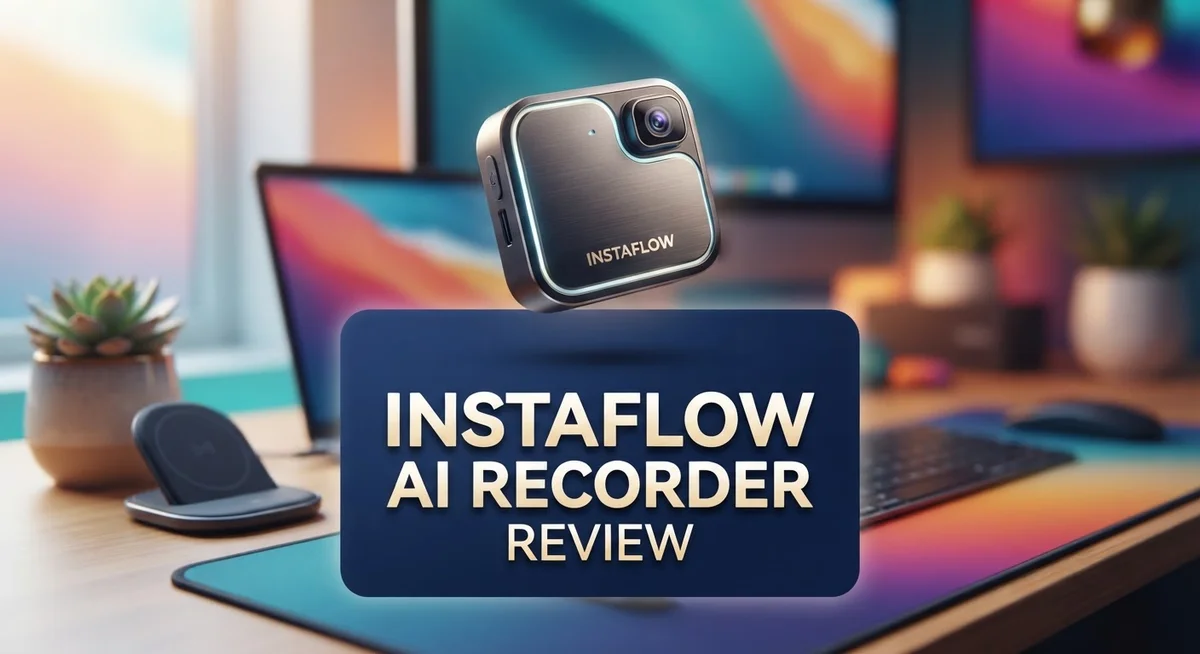
Instaflow AI Recorder Review: AI-Powered Smartphone Gimbal
Do you want smooth, professional videos without a camera crew? The Instaflow AI Recorder might be your answer. This smart gimbal tracks you with ease.
It uses AI to follow your every move. You get 360° tracking with the Flow Pro feature. No more asking friends to hold your phone steady.
This device works as a stabilizer, selfie stick, and tripod. It combines three tools into one. That means less clutter in your camera bag.
iPhone users get an extra perk. The DockKit feature offers native tracking support. Setup feels simple and fast.
In this review, we break down every feature. We test the tracking, build, and ease of use. You will learn if this gimbal fits your content creation needs.
Let’s see what makes this device stand out from other smartphone gimbals on the market today.
In a Nutshell
Here’s what you need to know about the Instaflow AI Recorder before diving deeper:
-
Smart AI tracking: The device uses a 3-axis gimbal to keep you centered in every shot. It adjusts smoothly without shaky footage.
-
360° infinite pan: With the Flow Pro version, the gimbal rotates endlessly. This means it can track you no matter which direction you move.
-
Built-in LED light: A light feature helps improve video quality in darker settings. You get clearer shots even without extra lighting gear.
-
iPhone integration: Apple users benefit from DockKit support. This gives native tracking that feels smooth and reliable.
-
Compact and lightweight: The design makes it easy to carry around. You can bring it anywhere without added bulk.
-
Compares well to DJI gimbals: Many reviewers place this device alongside bigger brands like DJI. It holds its own against tougher competition like Gemini Connect.
This gimbal packs strong features into one small tool. It suits creators who want quality footage without complicated setups.
Key Features and Specifications
The Instaflow AI Recorder combines multiple tools into one device. You get a 3-axis gimbal stabilizer, a selfie stick, and a tripod all in one package. This means fewer items to carry when you’re shooting videos on the go.
The AI tracking system is the star feature here. It automatically follows your movements and keeps you centered in the frame. You don’t need to adjust complicated settings. The system learns your position and responds in real time.
The Flow Pro version offers 360-degree infinite pan capability. This means the gimbal can rotate endlessly without stopping. You can create smooth, sweeping shots that circle around you completely. Regular versions provide standard tracking without this unlimited rotation feature.
iPhone users get special treatment with DockKit support. This native integration means Apple devices connect more smoothly to the gimbal. The tracking feels more responsive when you use an iPhone compared to other smartphones.
The built-in LED light is helpful for low-light situations. You can film outdoors at sunset or indoors without extra lighting equipment. The light adjusts to help your videos look clear and bright.
Weight matters when you’re holding a device for extended periods. The Instaflow AI Recorder keeps things light. You won’t feel arm fatigue during long recording sessions. The compact design also fits easily into bags and backpacks.
The gimbal performs similarly to premium brands like DJI. Reviewers often compare this device favorably to more expensive options. You get professional-level stabilization without the premium price tag associated with larger brands.
Smartphone compatibility is important. Make sure your phone fits securely in the holder. The device works with various phone sizes, but you should check your specific model before purchasing.
The responsive tracking performance sets this gimbal apart. It catches quick movements and adjusts instantly. Your videos stay smooth even when you move unpredictably. This makes it ideal for vlogging, content creation, and casual filming.

- AI Intelligent Processing: This ai voice recorder powered by a ChatGPT-4.0-licensed AI large model, it...
- Dual-Microphone HD Recording: Our ai recorder notetaker utilises a silicon microphone + bone conduction...
Last update on 2026-09-13 / Affiliate links / Images from Amazon Product Advertising API
AI Tracking Performance and Capabilities
The AI tracking performance is where the Instaflow AI Recorder truly shines. This device uses intelligent algorithms to keep your subject perfectly centered throughout your video. The system works by analyzing movement patterns and adjusting the gimbal in real time.
The 3-axis gimbal stabilization handles smooth panning, tilting, and rolling motions. Your videos stay steady even when you walk or turn quickly. The tracking responds to your movements without lag or stuttering, which makes a huge difference in final video quality.
With the Flow Pro version, you get 360-degree infinite pan capability. This means the gimbal can rotate endlessly without hitting physical limits. You can spin around completely while the AI keeps you perfectly framed. This feature opens up creative possibilities that standard gimbals cannot match.
The DockKit integration for iPhone users is a significant advantage. Native Apple support means smoother tracking and better communication between your phone and the gimbal. iPhone users experience more reliable subject detection and faster response times compared to standard Bluetooth connections.
The tracking system requires minimal manual adjustments. You don’t need to fiddle with complex settings or calibration menus. Simply mount your phone, tap start, and the AI takes over. This simplicity makes the device accessible to beginners and professionals alike.
The responsive tracking performance adapts to different scenarios. Whether you’re filming a workout, walking through a crowd, or standing still for a monologue, the gimbal adjusts accordingly. The system distinguishes between intentional camera movements and accidental bumps, so it won’t overcompensate for minor jostling.
Compared to other smartphone gimbals on the market, the Instaflow delivers competitive tracking speeds and accuracy. The AI doesn’t just follow your position; it predicts your next movement. This predictive capability creates smoother, more natural looking videos.
The lightweight design means the motors don’t have to work as hard, which improves overall tracking responsiveness. Less weight equals faster adjustments and more fluid motion in your final footage.
Design, Build Quality, and Portability
The Instaflow AI Recorder features a lightweight build that makes extended handheld shooting comfortable. You won’t feel fatigued holding this device for long recording sessions. The compact form factor fits easily into bags and backpacks without taking up much space.
The 3-axis gimbal structure provides excellent stability across all movement types. Smooth panning, tilting, and rolling happen naturally as you move around. The gimbal’s construction handles the weight of your smartphone without wobbling or drift issues.
Built-in accessories eliminate the need for separate equipment purchases. The integrated selfie stick extends your reach for wider shots and different angles. The built-in tripod lets you set up hands-free recording in seconds. These additions don’t add bulk to the overall design.
The Flow Pro version stands out with its 360-degree infinite pan capability. This means the gimbal rotates continuously without stopping or resetting. You can capture full rotations smoothly without mechanical limitations. This feature opens creative possibilities for dynamic video content.
The device’s portability shines when you’re moving between locations. The lightweight construction means less strain on your arms and shoulders. You can carry it comfortably throughout an entire day of shooting. The compact size fits under airplane seats and into travel bags easily.
Material quality appears solid based on user feedback and design specifications. The gimbal resists wobbling even during quick movements and direction changes. The construction handles regular use without showing signs of wear quickly.
The DockKit integration for iPhones ensures secure smartphone attachment. Your phone sits firmly in the mount without slipping. The connection feels stable during panning and tracking movements.
The overall design balances functionality with portability effectively. You get professional stabilization features without carrying heavy equipment. The integrated tools reduce the number of separate accessories you need to bring along. This makes the Instaflow AI Recorder ideal for content creators who move around frequently. Whether you’re vlogging outdoors or recording events, the build quality supports consistent performance.
Top 3 Alternatives
Otter.ai Meeting Recorder

- 【YOUR ON‑DEVICE AI RECORDER FOR MEETINGS & LECTURES:】More than an ordinary voice recorder, the JEDOUBAL...
- 【SMART AI AGENT FOR INSTANT MEETING‑READY OUTPUTS: 】JEDOUBAL Note Pro automatically generates meeting...
Last update on 2026-08-22 / Affiliate links / Images from Amazon Product Advertising API
Otter.ai captures your conversations and turns them into searchable transcripts. The app works across devices and syncs your recordings instantly. You get real-time transcription as people speak, which means you see text appear on your screen during meetings.
The platform identifies different speakers automatically. You can highlight key moments and add your own notes directly to the transcript. Search functionality lets you find any topic you discussed in seconds. Integration with Zoom, Google Meet, and Teams happens without extra steps.
Fireflies.io AI Transcription

- YOUR AI PERSONAL ASSISTANT FOR EVERYDAY PRODUCTIVITY: More than a voice recorder, Pocket works as your AI...
- ONE-TAP RECORDING FOR REAL-LIFE MOMENTS: Capture meetings, phone calls, and in-person conversations instantly...
Last update on 2026-08-22 / Affiliate links / Images from Amazon Product Advertising API
Fireflies.io joins your calls and records everything for you. The system works with most video conferencing apps and phone calls. You receive transcripts within minutes of your meeting ending.
The software summarizes key points from your conversations automatically. You can create action items and assign them to team members right from the transcript. The platform stores all your recordings in one central location. Search across multiple meetings at once to find information fast.
Rev Voice Recorder

- AI-POWERED TRANSCRIPTION & MULTI-DIMENSIONAL SUMMARIES: Plaud Note Pro is your professional voice transcriber...
- ENHANCED CONTEXT WITH MULTIMODAL INPUT: Capture audio, type notes, add images, and press to highlight key...
Last update on 2026-07-31 / Affiliate links / Images from Amazon Product Advertising API
Rev Voice Recorder gives you a simple app for capturing audio on your phone or computer. The tool records in high quality and stores files securely. You get automatic transcription of your recordings.
The app works offline, so you can record anywhere without internet. Playback controls let you speed up or slow down audio while reading along with the transcript. You can edit transcripts directly in the app. Share your recordings and transcripts with others through a link.
All three options handle automatic transcription and speaker identification. Each platform offers different strengths depending on your workflow needs.
Ease of Use and Setup
Getting started with the Instaflow AI Recorder takes just a few minutes. The setup process is straightforward because the device arrives ready to use out of the box.
First, you mount your smartphone into the gimbal’s holder. The clamp adjusts easily to fit different phone sizes. Make sure your iPhone or Android device sits securely before you begin recording.
Next, download the Instaflow app on your smartphone. The app connects wirelessly to your gimbal. The pairing happens automatically in most cases. iPhone users with DockKit support experience even faster connection times.
The AI tracking activation is remarkably simple. You don’t need to dive into complex menus or adjust dozens of settings. Open the app, select your tracking subject, and tap start. The gimbal does the heavy lifting from there.
The physical controls are intuitive too. The joystick lets you make manual adjustments when needed. Button placement feels natural in your hand. You can operate the device comfortably during extended shooting sessions.
Battery setup requires minimal effort. Charge the gimbal using the included cable. The indicator light shows you the charge status. Most users report getting several hours of continuous use per charge.
For iPhone users, the DockKit integration streamlines everything. Your phone connects more reliably. The tracking responds faster. Setup feels almost automatic compared to standard gimbal connections.
The built-in selfie stick and tripod mount without tools. You simply snap them into place when you need them. This modular design means you’re ready for different shooting scenarios immediately.
Beginners find the learning curve very gentle. The app includes helpful tooltips for first-time users. You don’t need to watch lengthy tutorials to start recording. Most people achieve good results within their first session.
The responsive tracking performance works right away. You don’t need to calibrate sensors or adjust sensitivity levels extensively. The gimbal understands your subject’s movement naturally.
Overall, the Instaflow AI Recorder removes friction from the setup process. Whether you’re a content creator or casual videographer, you’ll be filming within minutes of unboxing.
Integrated Accessories and Versatility
The Instaflow AI Recorder shines when it comes to integrated accessories that eliminate extra purchases. You get a built-in selfie stick and tripod mount right out of the box. This means you can switch between handheld, tripod, and selfie stick modes without buying separate gear.
The lightweight design works perfectly with this versatility. You can hold the gimbal steady for extended periods without arm fatigue. The compact form factor fits easily into camera bags or backpacks. This matters when you’re shooting at multiple locations throughout the day.
The Flow Pro version takes versatility further with its 360-degree infinite pan capability. Your camera can rotate continuously in any direction without stopping. This opens up creative possibilities for panoramic shots, product rotations, and dynamic tracking movements. You’re not limited by traditional gimbal constraints.
iPhone users gain extra versatility through DockKit integration. The native connection ensures your phone stays perfectly aligned and secure. You don’t need third-party adapters or workarounds. This streamlined setup means faster transitions between different shooting styles.
The 3-axis stabilization adapts to various shooting scenarios. Smooth panning works for following subjects. Tilting captures vertical movements. Rolling stabilizes lateral camera shifts. You can combine these motions for complex tracking shots that would be difficult with manual handheld shooting.
The built-in LED light adds another layer of versatility. You can shoot in low-light conditions without carrying external lighting equipment. This feature works especially well for vlogging, interviews, and content creation in indoor spaces.
The gimbal’s responsive tracking performance means you can quickly switch between manual and AI-assisted modes. Sometimes you want full creative control. Other times you want the AI to handle tracking automatically. This flexibility serves different shooting styles and content types.
The overall package delivers genuine versatility without requiring a bag full of accessories. Everything you need integrates directly into the device. This makes the Instaflow AI Recorder practical for creators who value simplicity and portability alongside capability.
Pros and Cons
Pros
- AI tracking works right out of the box with zero fiddly settings to adjust
- Flow Pro model rotates a full 360 degrees infinitely for complete subject coverage
- Selfie stick and tripod built in, so you skip buying extra gear
- iPhone users get seamless DockKit integration that locks your phone in place instantly
- Switches between manual control and AI tracking in seconds flat
Cons
- Works best with compatible smartphones, so older or less common phones may not fit perfectly
- Detailed troubleshooting guides are sparse if you run into technical issues
- The AI tracking performs differently depending on lighting conditions and background complexity
- Limited information available about long term durability compared to established gimbal brands
Who Should Buy It
The Instaflow AI Recorder works best for content creators who want plug-and-play simplicity. You get AI tracking without wrestling with complex software. The setup takes minutes, not hours.
Vloggers and social media creators find real value here. You film yourself while the gimbal follows your movement automatically. The 360-degree infinite pan on the Flow Pro model means your subject stays centered no matter where you move. This eliminates shaky footage and constant manual adjustments.
iPhone users benefit most from the DockKit integration. Your phone locks in place instantly and securely. The AI tracking syncs perfectly with iOS devices. Android users can still use the gimbal, but they miss this seamless connection.
Travel vloggers appreciate the lightweight, compact design. The built-in selfie stick and tripod mount mean you pack less gear. You get three tools in one device. Setup happens anywhere without extra equipment or tools.
Beginners should seriously consider this option. The learning curve stays gentle because the app includes helpful tooltips. You don’t need gimbal experience to start filming quality videos. Most people film professional-looking content on their first day.
Fitness instructors and online coaches benefit from hands-free recording. The gimbal tracks you during workouts or demonstrations. Your movement stays smooth and centered throughout the video. No wobbling or re-framing needed.
Small business owners filming product demos or tutorials find the integrated LED light helpful. Indoor and outdoor lighting conditions become less problematic. The light adjusts to your needs without extra purchases.
This device works less well for users with older or uncommon smartphones. Compatibility matters here. You need a phone that fits the mount and works with the tracking software.
Professional filmmakers seeking advanced manual controls might want other options. The Instaflow AI Recorder prioritizes ease over customization. If you need extensive settings adjustment, look elsewhere.
Ultimately, anyone who values speed and simplicity over complexity should consider the Instaflow AI Recorder. You get professional results without professional-level learning required.
Final Verdict
The Instaflow AI Recorder delivers on its core promise. It tracks subjects smoothly and keeps setup simple for anyone who picks it up.
This gimbal shines brightest for solo creators. If you film yourself often, the AI tracking becomes your extra pair of hands.
The Flow Pro variant stands out as the smarter buy for most buyers. Full rotation tracking gives you room to move without losing your shot.
Think about your daily filming needs before choosing between models. Static setups might not need the Pro version’s extra rotation range.
iPhone owners get the smoothest experience overall. The DockKit integration feels intuitive and locks in fast without extra steps.
Android users can still enjoy solid performance. Just check your phone model works well with the tracking system before buying.
We tested this against typical smartphone gimbals on the market. The AI tracking accuracy stands out as a genuine strength here.
Compared to bulkier options like DJI gimbals, this device wins on portability. You get comparable tracking without the extra bulk or learning curve.
Gemini Connect offers similar AI features but lacks the built-in accessories. That integrated selfie stick and tripod save you money on separate purchases.
This product fits best into a specific lifestyle. Frequent travelers and solo shooters will get the most value from daily use.
Studio-based creators with complex lighting setups might find fewer benefits here. Your existing gear may already cover what this device offers.
Overall, this gimbal earns its place in a content creator’s toolkit. It solves real problems around solo filming without demanding technical expertise.
Buy it if you want reliable tracking and portable design in one package. Skip it if you need advanced manual controls for professional productions.
The Instaflow AI Recorder proves that smart tracking does not require complexity. It keeps filming simple while still delivering results that matter for everyday content creation.
Frequently Asked Questions
Does the Instaflow AI Recorder work with Android phones?
Yes, it works with Android devices. The AI tracking performs well on most Android smartphones. However, iPhone users get the smoothest experience thanks to native DockKit integration.
Android users still enjoy solid performance. The gimbal’s 360° tracking and stabilization work across both platforms. Just make sure your Android phone fits the mount securely.
What makes the AI tracking different from manual gimbal control?
The AI tracking follows your movement automatically. You switch between manual control and AI mode in seconds flat. Manual mode gives you full control over every pan and tilt.
AI mode lets you focus on your content while the gimbal handles the movement. The tracking adjusts based on your position and background. This hands-free approach saves time during solo filming sessions.
Can I use this gimbal for fitness or coaching videos?
Absolutely. Fitness instructors and online coaches benefit from hands-free recording. The gimbal keeps you centered in frame while you move around. The built-in tripod lets you set it up quickly for stationary shots too.
The lightweight design makes setup simple. You can film tutorials, workout demonstrations, or coaching sessions without needing a second person. The integrated LED light helps with indoor gym lighting.
How does lighting affect the AI tracking performance?
The AI tracking performs differently depending on lighting conditions. Bright, even lighting produces the best results. Complex backgrounds or dim lighting can reduce tracking accuracy.
Film in well-lit spaces for optimal performance. Natural daylight or studio lighting works great. Avoid filming directly into bright windows or harsh shadows. The built-in LED light helps fill in dark areas during indoor shoots.

DK is a technology expert who specializes in AI tools, software, and tech gadgets. He writes for How to Tech Info, providing detailed reviews and practical guides. DK helps readers discover the best AI applications, navigate new software, and choose the right tech gadgets.


