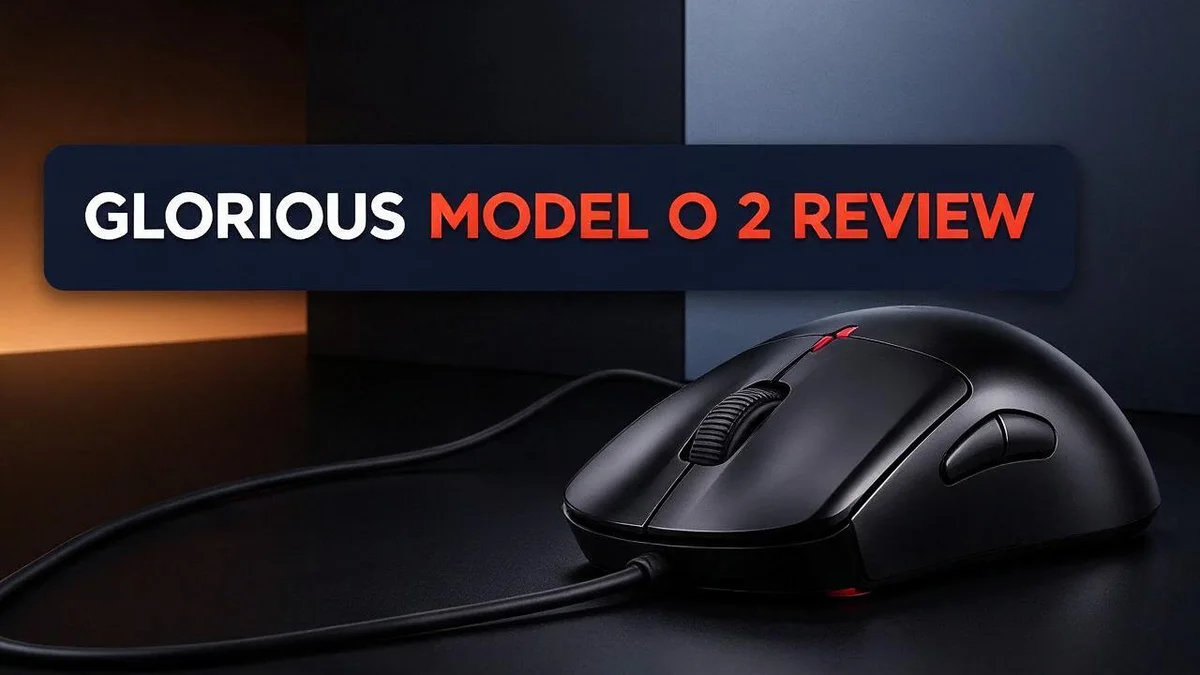
Glorious Model O 2 Review: Sensor, Weight, and Wireless Performance Explained
Gaming mice get better every year, and the Glorious Model O 2 is one of the newest names to watch. If you want a light mouse that feels quick in your hand, this one deserves a look.
It keeps things simple with three ways to connect. You can use 2.4GHz wireless, Bluetooth, or a wired cable, so you can pick what fits your setup.
The mouse uses the new GLORIOUS BAMF 2.0 sensor. The wired version weighs 59 g, which is 8 g lighter than the original Model O.
Battery life also gets a boost. The wireless model promises a longer run time than its predecessor. Glorious describes the 2.4GHz mode as low lag, which matters when every millisecond counts.
This review covers the key features, the strengths, and the open questions. We also compare it with rivals like the Razer Viper V4 Pro.
In a Nutshell
-
Lightweight design: The wired version weighs just 59 g. That makes it 8 g lighter than the original Model O, which many players will notice during fast flick shots and quick direction changes.
-
Low lag wireless mode: Sources describe the 2.4GHz connection as low lag. This helps quick movements feel smooth and responsive during intense matches, especially when you cannot stay plugged in.
-
Strong rivals: The Razer Viper V4 Pro, Logitech G305 X Superlight, and Gear OP1 v2 all compete in this space. Each one offers its own strengths, so compare them side by side.
-
Honeycomb alternative: The Tecware Exo Elite uses a honeycomb shell. Players who like airy designs may want to compare its feel with this mouse before deciding.
-
Open quality questions: One Reddit thread raises concerns about quality control. No answer appears in the research, so check recent user feedback before you make your choice.
-
Best fit: Gamers who want a light mouse with flexible connection options should give the Glorious Model O 2 a close look.
Sensor Performance and Tracking

- Lightning fast: Built with hybrid 2.4GHz wireless & Bluetooth connectivity, the Model O 2 Wireless has blazing...
- Next Generation Sensor: Built for blazing fast speeds, the BAMF 2.0 Sensor features 650 IPS tracking, 50G...

Last update on 2026-09-25 / Affiliate links / Images from Amazon Product Advertising API
The sensor is the heart of any gaming mouse. The Glorious Model O 2 uses the new GLORIOUS BAMF 2.0 sensor. It reads movement from your desk and sends it to the screen.
Good tracking means your cursor follows your hand. Fast flicks and slow, careful aim both need to feel smooth. Shooter fans notice this most.
The wired version weighs just 59 g. Less weight lets your hand move with less effort. A light body paired with a strong sensor makes quick turns feel easier.
Wireless play matters too. Sources describe the 2.4GHz mode as low lag, which means movement reaches your PC quickly. Many players want freedom from cables without losing speed.
Testing tracking at home takes only a few minutes. Move the mouse in small circles on your mousepad. Then try long, straight swipes across the desk. Watch for jitter, stutter, or sudden jumps.
Your surface choice also changes how the sensor behaves. Glossy or uneven pads can cause small errors. A clean, smooth mousepad gives the sensor the best chance to perform.
Your grip style shapes how tracking feels, too. Light mice often suit claw and fingertip grips. Try a few grips to see what feels right.
The research does not list sensor specs like DPI or maximum tracking speed. Lift off distance and angle snapping also remain unclear. Check these details before you decide.
Here is the big takeaway. The sensor looks promising on paper. Real use will reveal how steady it feels over long sessions. Test it on your own setup to judge it fairly.
Overall, the sensor and light frame give the Glorious Model O 2 a strong start. Open questions remain, but a real world test will answer many of them. Give it a close look if tracking matters most to you.
Weight and Ergonomics
Weight is only part of the story. The way a mouse fits your hand matters just as much during long gaming sessions.
Your grip style decides which shape feels right. Palm grip players usually want more surface to rest on. Fingertip grip players often prefer a smaller and more nimble feel.
Many players find that a lighter body reduces strain. Less effort goes into each flick and turn. Over several hours, that difference can feel real.
Hand size matters too. A small hand may feel stretched on a large shell. A bigger hand may feel cramped on a compact one.
The research does not list exact dimensions for the Glorious Model O 2. Measure your hand length and width before you decide.
Button placement deserves attention. Your thumb should rest naturally near the side buttons. Reaching too far can slow your reactions in fast moments.
Cable behavior also changes comfort in wired mode. A flexible cable should move freely with your arm. Keep it clear of the desk edge so it never tugs at your hand.
Wireless play removes that cable drag entirely. Your hand can sweep wide arcs without interference. This freedom suits players who move a lot across their pad.
The research also lacks a wireless weight figure. The 59 g number applies only to the wired variant. Check the wireless weight before you commit to that mode.
Test the mouse in your usual position first. Hold it for a few minutes and click a few times. Notice any pressure points or fingers that feel stretched.
In short, comfort depends on your own hand. The Glorious Model O 2 looks promising on paper, but your grip gives the final answer.
Wireless Modes and Connectivity
The Glorious Model O 2 offers three ways to connect. You can use 2.4GHz wireless, Bluetooth, or a wired cable. Each mode fits a different setup, so the right choice depends on where you play.
The 2.4GHz mode suits desktop gaming best. It usually relies on a small USB receiver plugged into your computer. Keep that receiver close to the mouse for a steady signal. A USB extension cable can help if your desk setup blocks the connection.
Bluetooth works well for everyday tasks. You can pair the mouse with laptops, tablets, or other devices you use during the day. It is a practical option for browsing, office work, or media, even if you save the fastest connection for games.
Wired mode gives you a direct link with no wireless setup. Plug in the cable and the mouse starts working right away. This mode is useful when you want a simple connection or a backup if the wireless signal acts up.
Battery life matters when you go wireless. The sources say the Model O 2 has a longer advertised battery life than its predecessor. However, the research does not give an exact number of hours. Check the official product details before you rely on a specific figure.
Switching between modes should be simple. Look for the mode switch on the mouse and follow the manual for pairing steps. Pairing steps can differ by device, so read the instructions for each connection type.
Your environment can affect wireless performance. Thick desk surfaces, metal objects, and crowded wireless networks may cause interference. If your mouse feels unstable, move the receiver, clear nearby clutter, or try another USB port.
In short, the Model O 2 covers most connection needs. Wireless gives freedom, Bluetooth adds flexibility, and wired mode offers a dependable backup. Test each mode in your own setup to find the one that feels smoothest for you.
Top 3 Alternatives
If you want a lightweight mouse with a similar feel, these three options are worth a look. Each one offers fast tracking and comfortable shapes. Here is a quick guide.
Logitech Superlight 2

- Better Performance: The Logitech Superlight 2, our championship winning wireless mouse gaming is now even...
- Wireless Mouse for Gaming: A pro gaming icon—now faster and more precise; it is designed in collaboration...
Last update on 2026-06-09 / Affiliate links / Images from Amazon Product Advertising API
The Logitech Superlight 2 is one of the lightest gaming mice on the market. Its sleek shape fits many hand sizes. Fans of quick flicks often enjoy its precise sensor.
It also offers strong battery life for long sessions. Its clicks feel crisp and responsive.
Razer DeathAdder V3

- 63G ULTRA-LIGHTWEIGHT DESIGN — Enjoy a level of speed and control favored by the world’s top players with...
- FOCUS PRO 30K OPTICAL SENSOR — Flawless tracking performance on a wider variety of surfaces including...
Last update on 2026-11-07 / Affiliate links / Images from Amazon Product Advertising API
The Razer DeathAdder V3 has an ergonomic design. Many players choose it for its comfortable grip during long matches. It works well for palm grip and claw grip users.
Its accurate sensor tracks movement smoothly. The buttons feel firm and clear. This mouse suits fans who want a familiar, classic shape.
Pulsar X2V2

- Revamped X2V2 mini - Our X2 mini structure remains true to the philosophy of "Simple but not simpler" The X2V...
- Upgraded internal structure - Perfected through learning from the previous version, ensuring a shell rigidity...
Last update on 2026-11-07 / Affiliate links / Images from Amazon Product Advertising API
The Pulsar X2V2 focuses on light weight and clean performance. Its shape works well for people who prefer a smaller build. Many users praise its smooth glide on most surfaces.
Pulsar gives you plenty of control for fast aim. Its simple design keeps things easy to use. It makes a great pick for competitive players who want speed.
Pick the mouse that fits your grip and play style. Try each one in your hand if you can. You will know quickly which one feels right.
Battery Life and Charging
Battery life matters a lot for wireless players. The research says the Glorious Model O 2 offers a longer advertised battery life than its predecessor. The exact figure is not given, so check the official product page for current numbers.
Real runtime depends on your habits. Advertised numbers often come from set test conditions. Your play style shapes how long one charge lasts in daily use.
Long gaming sessions drain power faster than quick web browsing or document work. Plan charging around your schedule so you never start a match with low power.
Charge before the battery runs low. Waiting for an empty battery can cause sudden interruptions. Plug in during breaks or overnight to keep it ready for surprise matches.
Short charging sessions also help. A few minutes on the charger can add enough power for a quick round. Keep the cable handy near your desk.
Wired mode works as a backup. If the battery dies during a match, plug in the cable and keep playing. This gives you a fast fallback without waiting for a full charge.
Turn off the mouse when you step away for a long time. If your model offers a power switch or sleep behavior, use it to save energy. Sleep modes can also extend runtime during idle time. Check the manual for the exact steps.
Store the mouse with some charge left. Storing it completely empty for months can harm the battery over time. Top it up before you put it away for a long break.
When you compare rivals such as the Razer Viper V4 Pro, read each official runtime claim closely. Test conditions vary, so real results may differ from the advertised numbers.
Good habits keep the Model O 2 ready for play. Plan your breaks, use wired mode in a pinch, and check the official numbers against your own needs.
Build Quality and Durability
Build quality shows up in small details. The Glorious Model O 2 weighs 59 g in its wired form, which raises a common question: does a light shell feel sturdy enough for daily use?
The research does not confirm the exact shell materials or coatings. That means you need to judge the build through hands on checks.
Start with the main buttons. Press each one several times and listen for rattles. A solid click feels tight and even, while a loose one may wobble.
Pay attention to the scroll wheel too. Roll it slowly and then fast. Smooth movement without grit or wobble is a good sign.
The research also flags one concern. A Reddit thread asks about quality control issues, but no answer appears. That gap means buyers should inspect their unit when it arrives.
Wired cables can wear out over time. The cable takes a lot of stress at the connector. Bend it gently near that point and look for fraying. Careful handling helps it last longer.
Feet, also called skates, wear down as they slide across pads and desks. Check them for scratches or peeling after a few weeks. Peeling or deep scratches signal that the feet need attention soon. Smooth glide depends on healthy feet.
Durability also depends on how you treat the mouse. Keep it away from drops and spills. Wipe away dust and skin oils often. Gentle care helps any mouse last longer.
The new GLORIOUS BAMF 2.0 sensor handles tracking, so a stable sensor matters for consistent aim. Watch for jitter or missed movement during the first few sessions.
In short, the Model O 2 looks promising on paper. Real confidence comes from testing the buttons, wheel, cable, and feet yourself. Check the unit early so any issue gets handled quickly. Your mouse should feel solid from day one and stay that way.
Pros and Cons
Pros
- Weighs just 59 g in the wired version
- Sits 8 g lighter than the original Model O
- Advertised battery life beats the predecessor
- The 2.4GHz mode is described as low lag
- A light frame makes quick movements feel easier
Cons
- The speed claims come from marketing, not tests
- No independent battery runtime figure is available yet
- Rivals like the Razer Viper V4 Pro and Logitech G305 X Superlight are strong options
- The research shows no verified drawbacks, so hands-on testing matters
Who Should Buy It
This mouse suits players who want speed and quick control. Shooter fans often prefer a light frame because it makes sudden flicks feel easier. The Model O 2 gives that feel right out of the box.
Players who switch between wireless and wired play will like the flexibility. One mouse can handle a wireless session at the desk and a plugged in backup.
Casual gamers can benefit too. Someone who browses the web, edits documents, and plays a few matches each night can use one device for everything. Bluetooth helps when connecting to a laptop or tablet.
Buyers who want long term proof may prefer to wait. The research shows no verified drawbacks, but it offers little long term feedback. Waiting for more reviews can bring extra confidence.
Players with small desks or unusual grip styles should check fit first. Measure your hand and compare the shape with your current mouse. A quick test in a store or with a friend can save regret.
Owners of rival mice should compare carefully. The Razer Viper V4 Pro, Logitech G305 X Superlight, Tecware Exo Elite, and Gear OP1 v2 all compete in this space. Each one offers a different shape, sensor setup, or feel.
Shoppers who enjoy trying gear will find this mouse worth a look. Light weight and strong wireless options make it stand out in its class. Still, your own hands will judge it best.
Players who want one mouse for every setup should consider it closely. Its three connection modes keep options open at home, on the road, or during a long tournament. That flexibility suits both casual and serious players.
Players who dislike heavy mice will feel right at home. Those who want a fast flick feel tend to prefer lighter designs. This mouse keeps that feel without asking for compromises on connectivity.
Final Verdict
The Glorious Model O 2 earns a strong place on the shortlist. It brings a light frame, three connection modes, and a fresh sensor to the table. Those strengths make it a solid pick for many players.
Shooter fans will feel the benefit first. Casual players can enjoy it too, since the setup takes little effort.
Overall, the mouse fits best for players who value speed and flexibility. The research shows no verified drawbacks, yet that does not mean the mouse is flawless. Think of this verdict as a strong starting point, not a final guarantee.
Before you commit, weigh your own habits. Ask yourself how you play most often. If you switch between a wireless session and a wired match, this design makes sense. If you rarely leave one setup, another mouse may serve you better. Test the mouse in your own setup whenever possible.
Our bottom line is simple. The Model O 2 works well for competitive play and daily use alike. It stands out for quick reactions, but it lacks a long track record. Give it time in your hands before you decide.
A mouse should feel natural from the first session. It should not need weeks of adjustment. Fit, feel, and reaction time all matter here.
Here is a smart way to decide. Make a short list of must-have features. Compare each rival against that list, including the Razer Viper V4 Pro and Logitech G305 X Superlight. Then pick the mouse that checks the most boxes.
Keep an eye on future updates. Long term reviews, firmware changes, and community reports will reveal more. Those details can shape your final choice over the coming months.
Need a quick answer? Choose the Model O 2 if you want a light, fast, and flexible mouse. Wait if you need proof from years of use. Either way, your own testing will settle the question.
Frequently Asked Questions
Can I use the Model O 2 for work too?
Yes, the mouse handles everyday tasks well. Bluetooth mode suits browsing, email, and documents. Switch to 2.4GHz when you want a faster response in games.
How can I test it before I commit?
Play a few matches in your favorite game first. Try small aim drills to see how the light frame feels in your hand. Check the scroll wheel and side buttons on day one.
Is there a known quality issue?
The research includes one Reddit question about quality control. No answer appears in the sources. Buy from a seller with clear return rules, so you can send the mouse back if something feels wrong.
Does wired mode change how the mouse feels?
Wired mode never needs charging, so you can play without interruptions. A cable holder or mouse bungee can keep the cord from pulling during fast moves. Wired use keeps the mouse ready at all times.

DK is a technology expert who specializes in AI tools, software, and tech gadgets. He writes for How to Tech Info, providing detailed reviews and practical guides. DK helps readers discover the best AI applications, navigate new software, and choose the right tech gadgets.