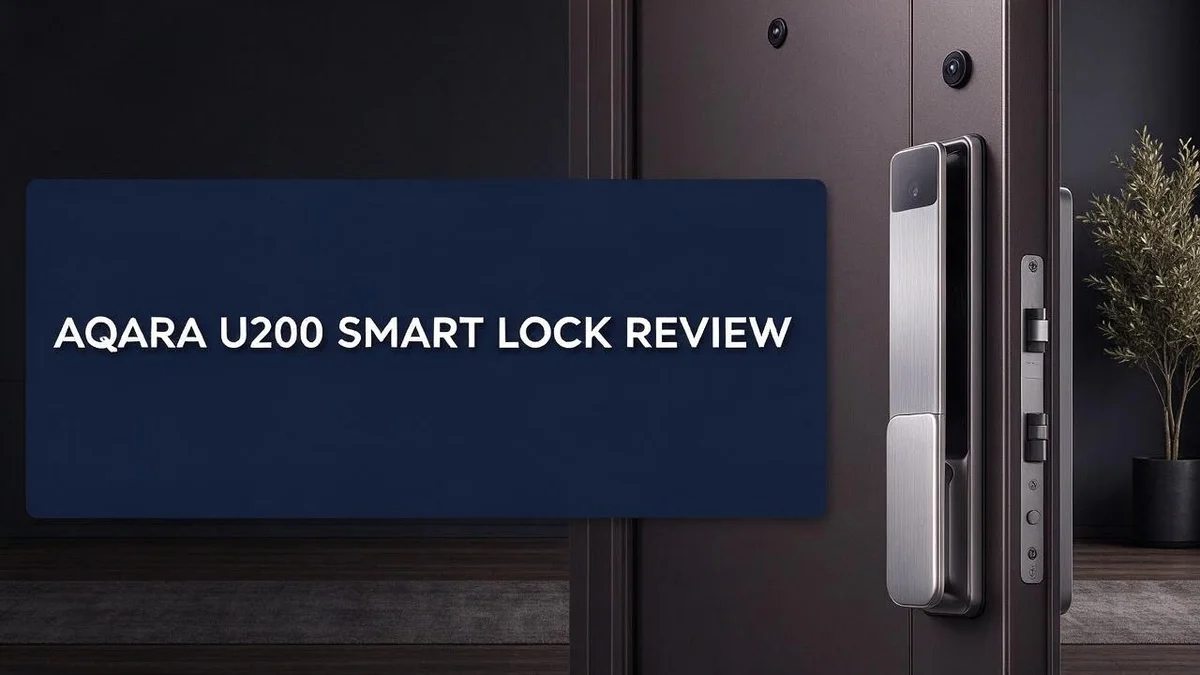
Aqara U200 Smart Lock Review: Features, Setup, Weather Rating, and Real-World Performance
Tired of fumbling for keys every evening? A smart lock can fix that fast. The Aqara U200 offers keyless entry, app control, and a slim profile for modern doors.
Is it worth your time? This review covers what the U200 does well and where it falls short. We look at its weather resistance, unlock options, and installation process.
Here is the quick takeaway. The keypad carries an IPX5 rating, so light rain should not stop you. It also works in temperatures from minus 15°C to 66°C. One reviewer even says it is ready for Matter.
Setup takes patience, though. Many people find the process complicated. Locking is also not very quiet, so keep that in mind. The lock does pack plenty of features, which makes the trade-off worth weighing.
In a Nutshell
-
Handles extreme temperatures: The U200 works from -15°C to 66°C. Cold winters and hot summers should not affect daily use.
-
Built for smart home fans: Matter support makes it a strong pick if you use other connected devices. One reviewer says it shines most for Matter users.
-
Pull latch adds convenience: This feature gives you an extra way to open the door. Keep your phone in Bluetooth range so it works well.
-
Smoother fitting process: One reviewer found the mechanism smoother than a rival model. Drilling is also quieter during the install.
-
Locking is loud: The lock itself is not quiet when it turns. Expect some noise, especially in a shared building or at night.
-
Compare with Nuki: One reviewer draws a favorable comparison with Nuki, so look at both options. Also check whether you need a hub before you buy.
Build and Weather Resistance
No products found.
The build feels solid in daily use. One reviewer says the lock feels sturdier and more reliable than rival models. That matters because a front door lock faces wear every single day.
The slim profile suits modern doors well. It sits close to the surface, so it does not look bulky from the street. Clean lines also help it blend in with contemporary door designs.
Weather resistance goes beyond the keypad rating. Rain can reach the latch, the strike plate, and the gap around the door. Checking those areas after storms helps keep the lock working well.
Dust, grime, and salt air can build up on the keypad over time. A soft, dry cloth once in a while keeps the buttons clear. Avoid harsh chemicals, because they can wear down the finish and leave marks.
Cold weather deserves extra attention. Low temperatures can shorten battery life in most electronic locks. Keep a spare set of batteries nearby and check the battery level each month during winter months.
Heat matters too. Direct afternoon sun can warm the exterior panel quickly. An overhang or porch roof can shade the lock and ease that effect for many homes.
Good installation also protects the lock. A door that sags or rubs against the frame can strain the mechanism over time. Make sure the door closes square before you mount the lock, so the bolt lines up cleanly.
Look for signs of wear. Stiff movement, slow locking, or a loose faceplate deserve a quick check. Tightening the screws and cleaning the latch often solves small issues before they grow into bigger problems.
Overall, the build gives most homeowners confidence. Pair regular care with a careful installation, and the U200 can handle everyday weather with ease. Think of these simple checks as part of normal home upkeep, and the lock should serve you well for years.
Installation and Setup
Before you start, gather a few basic tools. A drill, a screwdriver, and a tape measure handle most of the work.
Read the manual fully before you open any parts. It helps you spot small differences between your door and the instructions.
Next, measure your door carefully. Check the thickness and the backset, which is the distance from the door edge to the center of the bore hole.
Remove the old lock with patience. Keep the old screws in a small cup so you can compare them with the new hardware.
Now mount the new faceplate and latch. Keep the parts level so the bolt slides in and out without force.
Route any cables or connectors through the door gently. Nothing should pinch or rub once the door closes.
Insert the batteries next. Wait until the keypad lights up before you continue.
Pair the lock with the app while you stand near the door. A strong Bluetooth signal matters here, because the pull latch and app unlock depend on range.
Test the bolt many times. Lock and unlock the door from both sides, and watch for any catch, drag, or delay.
If the bolt does not slide smoothly, adjust the strike plate slightly. Small shifts often solve the problem.
Take a few minutes to check the door alignment before you fix anything permanently. A level door closes with less effort and puts less stress on the lock.
Add your personal access codes last. Test each code once so you never get locked out on a busy evening.
Write down each step as you go. Clear notes make troubleshooting much easier if something feels off later.
Finally, save your app login and any recovery details in a safe place. You will thank yourself later when you need a new phone.
Once the lock works well, store the spare screws and the manual in one labeled box. Future repairs will go faster.
Unlocking Options and Bluetooth Range
The Aqara U200 smart lock gives you a few ways to open your door. Most people start with the app. Others prefer the keypad or the pull latch.
Bluetooth range plays a big role in how the lock behaves. The app unlock and the pull latch both need your phone to connect over Bluetooth. If you stand too far away, the connection may fail.
Walls and metal doors can weaken the signal. Thick brick or a steel frame often reduces the distance you can cover. Stand close to the door when you open the app.
Test the range before you rely on it. Stand inside, then walk outside slowly. Note the spot where the connection drops. This quick check saves frustration later.
Your phone matters too. Older devices may have weaker Bluetooth hardware. Keep Bluetooth turned on for steady results.
Once you learn your range, daily use feels simple. Open the app near the door and the lock responds without fuss. Short trips to the mailbox become easier.
Think about your daily path too. If you usually reach the door from the kitchen, test the signal from that spot. Your routine matters as much as the distance.
Keep your phone charged. A dead phone means no app unlock. Carry a small power bank when you travel or leave the house for long periods.
Plan for a backup. Phone batteries run low, and signals drop. Keep the keypad code ready so you never get stuck outside.
Think about who needs access. Children, visitors, and helpers may not carry a phone. Give each person a method that suits their routine.
Give guests a clear plan. Share the access code before they arrive. Explain that the phone must sit close to the door.
Good planning turns a weak signal into a small issue. You can solve most range problems with a few smart habits. Start with the test, then adjust your routine.
Top 3 Alternatives
Eufy Smart Lock

- Palm Vein Unlocking: Unlock with advanced security and ultra-fast recognition in just 0.6 seconds...
- This all-in-one device: A 2K HD camera with an f/1.8 lens for sharp, clear visibility—even at night. A video...
Last update on 2026-11-05 / Affiliate links / Images from Amazon Product Advertising API
The Eufy Smart Lock suits people who want simple setup. It opens with a fingerprint, a keypad, or a mobile app. You can share access with family members and get alerts when the door locks or unlocks.
Most standard doors fit this model, so installation stays easy. Battery life lasts a long time, and the lock sends clear low battery warnings.
Yale Assure Lock 2

- KEY-FREE ACCESS, YOUR WAY: Everyone that needs access can choose their own way to unlock, whether it's the...
- NO LOCKSMITH NEEDED: The lock replaces your deadbolt on most standard US entry doors using just a screwdriver...

Last update on 2026-06-09 / Affiliate links / Images from Amazon Product Advertising API
The Yale Assure Lock 2 focuses on security and a classic look. It offers several entry options, including a keypad, a physical key backup, and app control. Many homeowners trust the Yale name for dependable locks.
It works with voice assistants, so you can lock your door with a simple spoken command. Setup takes a bit more time, but the lock feels sturdy and well made.
Schlage Encode Smart

- ANYWHERE ACCESS: With built-in WiFi compatibility, you can easily and securely connect your Schlage Encode...
- ADVANCED SECURITY: Secure, encrypted connection; built-in, customizable alarm for door movement and forced...
Last update on 2026-11-05 / Affiliate links / Images from Amazon Product Advertising API
The Schlage Encode Smart fits people who want a sleek design. It connects to Wi-Fi directly, so you do not need a separate hub. You can control the lock from anywhere using your phone.
It supports touchscreen entry and stores many access codes. Guests can receive temporary codes that expire on a set date. This feature keeps your home secure when you have visitors or service workers.
Locking Mechanism and Noise Level
The locking mechanism decides how your door feels every single day. One reviewer found the U200 mechanism smoother than a model they compared it with. A smooth bolt feels more dependable when you lock up at night.
Good movement also helps you spot problems early. Watch how the bolt moves from start to finish. A steady pace feels solid, while a jerky motion needs attention.
The pull latch feature adds another way to secure the door. Test it several times before you trust it. Lock and unlock the door several times in a row. Notice any change in sound or speed during these cycles.
Noise is the other side of the story. Locking is not quiet. Expect a clear sound each time the bolt slides into place. The lock is not a silent gadget, so plan for some sound.
One reviewer said the lock is quieter than drilling. That comparison gives you a simple way to picture the sound. Still, the sound may bother light sleepers. If your bedroom sits near the front door, consider the noise carefully.
Listen for the sound during a quiet evening. This test shows how the lock behaves in your own home. Quiet operation matters most at night when the house is calm.
Some online posts call the U200 not a serious product. The complaints do not point to any mechanical fault, though. Read those posts with care and look for real evidence. Real evidence matters more than a single harsh title.
The bolt itself deserves a close look. A bolt that slides with ease shows the door and frame work together well. Compare the sound with your expectations. Some users may find the click louder than they like.
Try a few test locks at different times of day. Traffic outside can change how the sound seems.
Matter Readiness and Hub Requirements
Matter is a shared smart home standard. It helps devices from different brands work together. One reviewer describes the Aqara U200 as Matter ready.
Matter ready does not mean plug and play. Your other devices and your controller must support the standard too. Otherwise, the label gives you little benefit.
Hub requirements are the big open question. The research does not say whether the standard U200 needs a hub. It only confirms that the U200 Lite is hub free.
Do not assume either answer. Check the product box, the printed manual, and the official Aqara website. Written specs give the most reliable answer.
A hub usually links the lock to your home network. If your model needs one, plan for it early.
Think about your home setup before you commit. Count your smart devices and note which brands they use. This simple list shows whether Matter will help you.
Setup difficulty matters too. One reviewer said the lock is only truly great if you are ready for Matter. That means the lock suits owners who want a connected home.
Beginners should expect extra steps. Matter pairing can take longer than basic app setup. Read the instructions slowly and keep your phone close.
Also consider your future plans. Matter support can help when you add new gear later. Choose a lock that fits the smart home you want next year.
Some buyers skip this step and regret it later. Ask yourself whether you want one app for every device. A clear answer makes the choice easier.
Check whether the maker releases software updates. Updates can improve compatibility over time.
Contact the support team with questions before you purchase. A quick answer can save hours of trouble during setup.
Pros and Cons
Pros
- The keypad has an IPX5 rating, so it handles rain well.
- It works in temperatures from -15°C to 66°C.
- Many features come packed into one device.
- The mechanism runs smoother and installs more easily than a compared model.
- One reviewer says it is quieter than drilling.
Cons
- Setup can feel complicated for first time users.
- The best experience needs a Matter ready home.
- Locking is not quiet.
- The pull latch and app unlock depend on Bluetooth range.
Who Should Buy It
This lock suits people who enjoy a DIY project. Some buyers like working through each setup step and testing the settings. If that sounds fun to you, this device may be a good match.
Families with teenagers often find keyless entry helpful. Kids can get inside after school without hunting for a spare key. You also avoid the mess of handing out copies.
Renters should check their rules first. Some landlords do not allow changes to doors. Get written approval before installing, so you avoid problems with your deposit.
People who often lose keys may appreciate the change. Your phone can open the door, so there is no bunch of keys to carry. Keep your phone charged and within Bluetooth range.
Owners of modern slim doors have a good starting point. The slim profile suits many newer door designs. Measure your door thickness first, and compare it with the printed manual.
Buyers who want a plug and forget device may feel let down. Setup takes patience, so rushed installs can cause frustration. This choice suits people who can spare an afternoon.
Shared households benefit from clear rules. Everyone should know how to lock and unlock the door. A short family guide can prevent a lot of confusion.
Pet owners who walk dogs at odd hours may also find it useful. Friends or pet sitters can get in without a physical key. Remove their access once the job is done.
Home workers who receive frequent parcels may also benefit. A keypad code lets couriers reach the door without a spare key. Keep the code private, and change it often.
Think about your daily routine before you decide. If you like quick entry, use your phone, and enjoy tech, this lock may suit you well. If not, another option may feel easier. Your answers will show whether this lock fits your life.
Final Verdict
The Aqara U200 is a strong choice for the right buyer. It offers plenty of features and a mechanism that feels smooth in daily use. However, it asks more from you than a simple lock would.
Your daily habits should guide the decision. Ask yourself how often you come and go. A lock that feels perfect for a commuter may feel like overkill for someone who works from home.
The locking sound deserves a closer look. Reviewers note that the lock is not quiet when it engages. If you live in an apartment, consider how the sound might bother neighbors.
The Reddit criticism needs context. One thread calls the product “not a serious product,” yet the posts do not name any mechanical fault. Treat that title as an opinion rather than proof of failure. Look for patterns across several reviews instead.
Compare it with Nuki before you buy. One reviewer rates Nuki favorably against this model. Read a few side by side reviews, and focus on setup time, noise, and your door type.
Write down your top three needs first. A short list keeps you focused on what matters most. It also stops you from chasing the longest feature list.
Give yourself time to learn the app. Early use shows how the lock responds in daily life. Keep your old keys nearby until you feel sure.
Weigh the trade offs honestly. Good features come with real effort and some noise. Honest trade offs lead to happier owners.
The final call comes down to patience and priorities. If you enjoy tech and want many features, this lock can deliver. If you want quick, quiet, simple access, look at other options first. Both paths can lead to a good result.
Final thought. The U200 rewards careful buyers who plan ahead. Take your time, check your door, and decide with confidence. Your future self will thank you for doing the homework.
Frequently Asked Questions
Does the Aqara U200 need a hub?
The research does not confirm this for the standard model. Check the product page or manual before you buy. The Lite version is listed as hub free, so it may suit you if you want fewer parts to manage.
How can I test Bluetooth range first?
Stand where you usually stand when you unlock the door. Open the app and see if the connection stays steady. Strong range makes daily use far less frustrating.
How do I know if my home is Matter ready?
Look at the smart devices you already own. Many newer products support Matter, but older gadgets may not connect well. If your home has few smart products, expect some extra setup work.
What should I prepare before installing?
Gather a screwdriver, a clear afternoon, and the exact measurements of your door. Take photos of your current lock so you can compare each part. Read every step before you begin. Rushing often leads to mistakes that take longer to fix.

DK is a technology expert who specializes in AI tools, software, and tech gadgets. He writes for How to Tech Info, providing detailed reviews and practical guides. DK helps readers discover the best AI applications, navigate new software, and choose the right tech gadgets.