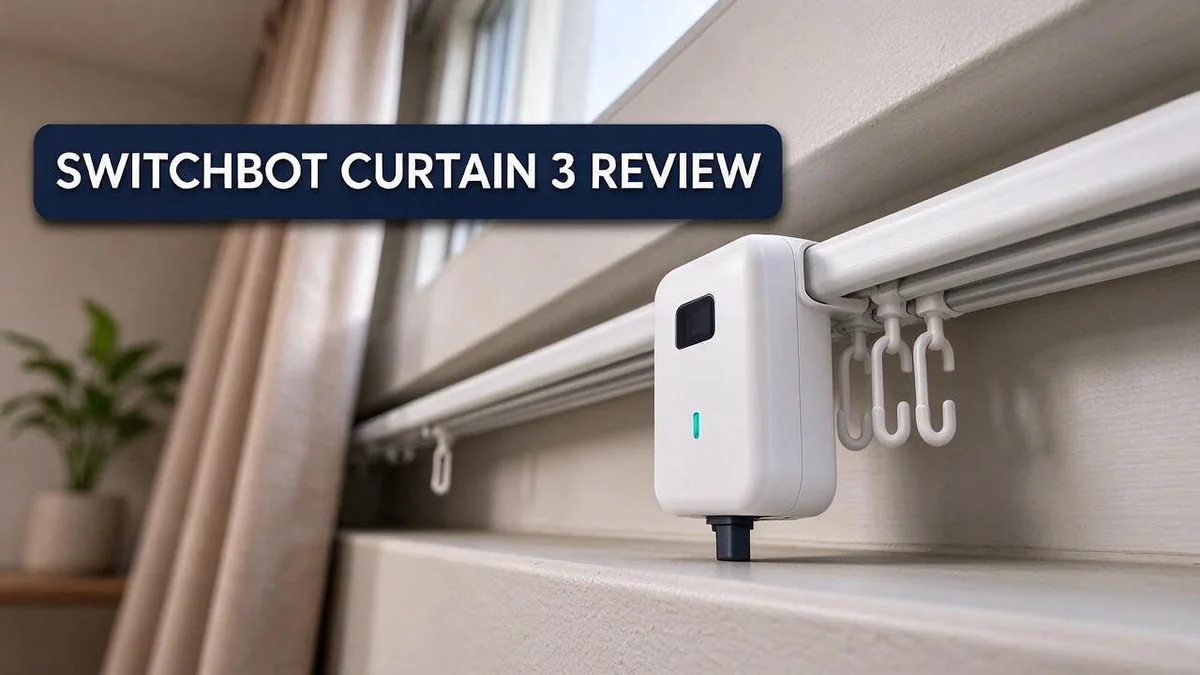
SwitchBot Curtain 3 Review: Setup, Load Capacity, Noise, and Smart Home Performance
Tired of pulling your curtains open by hand every morning? The SwitchBot Curtain 3 promises a simpler way to open and close your drapes. It fits into your daily routine with very little effort from you.
This smart curtain motor comes in a few versions, including a Matter Combo and a Rod Type 1 Solar Combo. Its RoverHook technology claims a 99.99% compatibility rate with rods from 10 to 40mm. Many people wonder if it will fit their setup, so this guide answers that question.
Early reports say the device runs quieter and stronger than the previous generation. It can handle curtains up to 15 kg, including blackout styles. Still, measuring your rod and curtain first saves a lot of frustration.
In a Nutshell
-
Fits most rods: RoverHook technology claims 99.99% compatibility with rods between 10 and 40 mm. Measure your rod before you order anything.
-
Handles heavy fabric: The motor supports curtains up to 15 kg, even with blackout lining included. Check your curtain weight first, because thick drapes still deserve a careful test.
-
Responds to your voice: You can control the curtains with Alexa, Google Assistant, Siri Shortcuts, IFTTT, or SmartThings. Routines can run without touching a single switch.
-
Adds a security layer: The device can simulate occupancy, so your home looks lived in while you travel. This feature gives extra peace of mind during long trips.
-
Plans for hub limits: Hub 2 handles 8 Matter devices, or up to 32 through grouping. Large smart homes need to plan ahead for their setup.
-
Watches calibration: One user reported coverage drifting from 100 to 90 percent, which required recalibration. Heavier curtains also caused some trouble for this user.
Installation and Rod Compatibility

- Effortless No-Tool Setup: Simply attach to your existing rod and it's ready! No drilling, no tools...
- 2025 Upgrade: Main guide wheel is enlarged, allowing for easy passage over 4mm bumps, with an 8kg load...
Last update on 2026-11-05 / Affiliate links / Images from Amazon Product Advertising API
Setting up the SwitchBot Curtain 3 takes less time than most smart home gear. Still, a little planning makes the job much easier.
Start by measuring your rod. Use a ruler or tape to find the outer diameter. Write the number down before you install anything.
Many people skip this step. That mistake can leave a motor that does not sit flat on the rod, so check the measurement twice.
Check the space above the rod too. The motor needs clear room for its body and attachment. A tight corner or a low ceiling can block that space.
Look at the curtain track next. A bent or loose track can cause the motor to stall, so fix any problems first. Make sure the track runs straight from end to end.
Clean the rod before you mount the motor. Dust and oil can cause slipping. A quick wipe with a dry cloth helps the motor grip well.
Setup without tools is a real benefit. In many homes, you can attach the unit without drills or screws. This makes it a good choice for renters who want a clean install.
Think about how your fabric hangs. Thick lining and heavy folds add weight and friction. Open the curtain by hand first to see if it glides smoothly.
Compare your measurements with the product details on the box. Matching numbers help you avoid surprises during setup and save you extra effort later.
Plan the first test run. After mounting, open and close the curtains several times. Watch for catching, jerking, or uneven movement along the rod.
Small problems are easier to fix early. If the motor struggles, check the rod alignment and the curtain hooks before you adjust any settings.
Good preparation makes setup quick and calm. Measure the rod, clear the space, and test the first run. Then you can enjoy your easy morning routine.
Motor Power and Load Capacity
Motor power decides how well the SwitchBot Curtain 3 handles real curtains. Every panel adds weight, and the motor must pull that weight along the rod each day.
The research mentions a reported lift of up to 36 lb. That number sounds higher than the official guidance, so treat it as a best case result. Your daily use may land closer to the lower end.
Two modes change how hard the motor works. QuietDrift runs slower and softer, which suits bedrooms and night use. Performance sends more force through the drive, so it helps when your drapes feel heavy.
The battery also plays a role under load. A larger battery gives the motor more energy for repeated openings. Heavy curtains drain power faster, so a bigger reserve keeps the schedule on track.
Friction adds to the strain. Thick lining, deep pleats, and wide panels all slow the carriage along the track. The motor then works harder for the same movement.
Calibration matters even more when curtains weigh more. A heavy load can make the motor stop a little short of the set position. Check the travel limits after the first week of use, and adjust them if the curtains stop early.
A simple test gives you a clear answer. Weigh one panel with its lining on a kitchen scale. Multiply that weight by the number of panels, then compare the total with the rating in the product details.
If your total weight sits near the limit, choose lighter sheers for the daytime layer. Keep the heavier blackout panels for nighttime use. This split reduces strain and gives you privacy when you need it.
Leave a small safety margin whenever possible. A motor that never runs at full strain tends to last longer and move more smoothly over time.
Noise Levels and Operating Modes
Think about where the curtains sit. A bedroom wall or a home office makes every small sound easier to hear. Pick the mode that fits the room before you set any schedule.
QuietDrift works best at night. Use it in bedrooms, nurseries, or living rooms where people watch TV. It keeps movement gentle, so it rarely wakes anyone in the next room.
Performance suits daytime tasks. Choose it for heavy blackout panels or rooms that get bright sun early. It moves more firmly, so expect a bit more sound during the change.
Schedule the noisy moments wisely. Set the curtains to open at a time when you are awake. Early morning routines feel natural with a gentle opening. Avoid running the motor during a call or a movie.
Test the sound in your own space. Run a full open and close cycle at different times of day. Stand in the spot where you usually sit or sleep. Listen for rattling, grinding, or uneven movement.
Dirty rods make more noise. Friction creates extra sound along the track. Wipe the rod with a dry cloth every few months. Smooth rods glide quietly and reduce strain on the motor.
Heavy fabric changes the sound too. Thick linings add drag, and drag can make the motor hum longer. Lighter sheers let the motor run with less effort. Keep your curtain weight well below the rated limit for the quietest result.
Use the app to fine tune timing. Spread movements out so the motor does not run back to back. Give the curtains a short pause between cycles when you can.
Good habits keep the noise low. Clean the track every season and check the mounting bracket. Loose parts can rattle during each run. A quick check every month keeps the motor calm and the room peaceful. Small steps make a big difference over time.
Top 3 Alternatives
Aqara Curtain Driver E1

- [Notes]An Aqara Hub is required and sold separately.(NOTE:Hubs from alternative brands are not compatible...
- [Compatiblility] The Aqara Curtain Motor E1 Rod Version supports most popular rods with uniform thickness and...
Last update on 2026-11-05 / Affiliate links / Images from Amazon Product Advertising API
The Aqara Curtain Driver E1 is a simple choice for anyone who wants smart curtains without a big setup. It attaches to most standard curtain rails and opens or closes your drapes on a schedule. You can control it with the Aqara app or with your voice through popular assistants.
Setup takes only a few minutes. It works well in bedrooms and living rooms where daily routines matter. Many people also like its quiet motor and clean look. If you want a basic option that just works, this one is a strong starting point.
Zemismart Curtain Motor

- FITS 66"-114" WINDOWS & PATIO DOORS — NO CUTTING NEEDED: Telescoping aluminum track extends to cover wide...
- MATTER SMART HOME — WORKS WITH APPLE HOME, ALEXA & GOOGLE: No hub required. Connect via Matter over Wi-Fi...
Last update on 2026-11-05 / Affiliate links / Images from Amazon Product Advertising API
The Zemismart Curtain Motor fits a wide range of rail styles. It supports app control and works with many voice assistants. This flexibility makes it a good pick for renters who want an easy install that does not require major changes.
Scheduling and remote control help you keep your home private. You can set the curtains to close each evening or open each morning. Before you buy, check your rail type and measure the space. This simple step helps you avoid fit problems later.
Eve MotionBlinds

- Enjoy the convenience of smart shading: upgrade your existing blinds and control them conveniently via voice...
- Effortlessly set automations to open and close your blinds according to your daily routine, and combine...

Last update on 2026-08-22 / Affiliate links / Images from Amazon Product Advertising API
The Eve MotionBlinds offers a clean option for people who use Apple devices. It works with the Apple Home app, so you can manage your window coverings from an iPhone or iPad. Siri can also open or close them with a short voice command.
This option suits anyone who wants a neat, connected setup. It uses a battery operated motor, so you do not need to run extra wiring for most installs. Choose it when you want smooth control and a simple daily routine.
Smart Home Integration
The SwitchBot Curtain 3 fits neatly into a connected home. It works with the voice tools and apps many people already use.
Voice control is the easiest win. Say “Alexa, open the living room curtains” and the motion starts right away. Google Assistant and Siri Shortcuts handle simple commands too.
The Matter Combo variant helps the curtain join Matter compatible systems. That means fewer workarounds when you mix brands in one home.
Plan your hub setup before you buy. The Hub 2 supports up to 8 Matter devices. Grouping can stretch the total to 32, so larger homes need a clear layout.
Automation brings real comfort. Through IFTTT or SmartThings, you can link curtains to sunrise times, motion sensors, or door locks. Morning light arrives on your schedule.
Occupancy simulation adds a security layer. When you travel, the curtains can open and close at random times. Empty houses look lived in, which discourages curious visitors.
Naming matters more than most people expect. Try names like Kitchen Left or Bedroom Right in the app. Clear names keep voice commands accurate and prevent mix ups between rooms.
Group curtains that share a room for one tap control. Your evening routine can close every window treatment at once. Simple routines make daily life feel effortless.
Before you connect everything, test each command once. Ask the assistant to open and close each curtain. Fix any naming errors right away so routines run smoothly.
Keep your wireless network strong near the curtain. A weak signal can delay commands and make routines feel slow. A simple router check or a mesh node often solves this problem.
Good integration saves time every day. Start small, test often, and expand once everything runs well.
Security and Occupancy Simulation
Curtains can make an empty house look lived in. Lights alone do not fool many people. Moving curtains add a quiet sign that someone is home.
The SwitchBot Curtain 3 can run this kind of simulation. Its schedules let you set open and close times for each window. From the street, the house looks active and normal.
Calibration matters for security too. A curtain that stops at the wrong point can look strange from outside. The research notes that one user saw coverage drop from 100 to 90 percent over time. A half open curtain may signal that the house is empty.
Check the position after each update. Open the app once a week. Look at each window and confirm that the curtain stops where you expect.
Think about which windows you cover first. Front rooms and bedrooms often matter most. Living room windows that face the street are a smart place to start.
Vary the timing each day. A rigid schedule can look like a machine. Shift the open and close times by a few minutes, or change them on different days. This keeps the routine believable.
Curtains also work best with other tools. Smart lights, a soft TV glow, or a radio can add more layers. Each part helps the house look occupied.
Keep your internet connection and hub online. If the connection drops, the schedule may stop without warning. Test the full routine before a trip so you know it runs as planned.
Remember that curtains do not replace locks or alarms. They add a helpful layer of deterrence. Keep your doors locked and your entry points secure for the best protection.
Pros and Cons
Pros
- Installs without tools, so setup takes very little time.
- The larger battery keeps the curtain running longer between charges.
- Movement feels smooth along the rod.
- Works with Google Assistant, Siri Shortcuts, and SmartThings too.
- Fits a wide range of rod sizes from 10 to 40mm.
Cons
- Heavier curtains can strain the motor and slow the movement.
- Coverage position may drift, so you might need to recalibrate now and then.
- Buying before you measure the rod and curtain often leads to a poor fit.
Who Should Buy It
The SwitchBot Curtain 3 suits a few types of people best. Think about your daily routine first. Busy workers who leave early and return late often gain the most from it.
Morning people may enjoy this device too. A gentle opening light can ease the start of the day. Sunlight wakes the room before the alarm does, which feels natural.
Sun-facing rooms are a strong match. The solar variant suits windows that get steady daylight. Fewer battery trips mean less hassle for you.
People with mobility limits can benefit. Opening heavy drapes by hand can be tiring. A quick command removes that effort. Someone with limited grip strength will feel the change.
Renters often like this device. It mounts on a rod without drilling into walls. Moving it to a new home takes only a few minutes, so it travels well.
Owners of light curtains get the best results. Thin or medium fabrics glide with less strain. This match helps the motor work calmly.
Pet owners may find it useful. Pets often sit near windows. A timed schedule can close them during hot afternoons.
Families with children often appreciate the peace. Kids can wake and sleep at set times with less fuss. Quiet movement at night helps too.
Skip it if your curtains are very heavy. Thick drapes may be too much for this model. Check the weight before you buy.
Beginners can still succeed. You do not need deep tech skills. Follow the app steps slowly and take your time.
Experienced smart home fans will feel right at home. They often want more control and fewer manual tasks. This device rewards that style of setup.
In short, this device suits people who value routine and comfort. Busy workers, pet owners, and light curtain fans will likely be happy. Check your setup first and enjoy a more relaxed home.
Final Verdict
The SwitchBot Curtain 3 is a strong pick for many smart homes. It moves smoothly and runs quietly. Still, it suits some setups better than others.
Pick the variant that matches your home. The Matter Combo suits people who want wide compatibility across smart home platforms. The Rod Type 1 Solar Combo fits homes that want less manual charging.
Plan your hub before adding more devices. Each Hub 2 handles up to 8 Matter devices. Grouping can stretch that to 32. Larger homes should map out their setup early so control stays simple.
Match the strength claims with the official rating. Some reports mention 36 lb of curtain weight. The official rating sits at 15 kg, which is about 33 lb. Stay within the official rating for the most reliable results.
Think about long-term use. Motors can wear down over time. Check how the curtain performs every few months. Early signs of strain are easier to fix than a stalled motor.
Make the final call with your own home in mind. Choose this model if your curtains are light to medium weight. Your rods should measure between 10 and 40mm. Your hub should also have room for your devices.
Look at other options if you want a different ecosystem. Compare it with the Tuya Curtain Driver and Aqara E1 before you buy. Seeing them side by side helps you spot the best fit for your windows.
With the right fit, this device can make daily life easier. Take a few minutes to check your setup first. Your curtains will likely run smoothly, and your routine will feel more relaxed.
Frequently Asked Questions
Can the Curtain 3 help my home look occupied when I am away?
Yes, the device can simulate occupancy. It opens and closes your curtains at different times, so your home looks lived in to people passing by. This adds a simple layer of home security while you travel.
What is the difference between QuietDrift and Performance modes?
QuietDrift mode focuses on low noise, which suits bedrooms and early mornings. Performance mode focuses on power, so it works better for stubborn or heavier fabrics. Test both modes with your own curtains to see which one feels right.
Can I link the Curtain 3 to IFTTT for custom routines?
Yes, the device works with IFTTT. You can connect curtain movement to other gadgets, such as lights or other smart devices. This lets you build routines that run on their own, so you spend less time on manual tasks.
Does the Curtain 3 need tools for installation?
No tools are needed for the initial setup. Still, measure your rod before you start. A quick check helps you avoid a weak fit and keeps the installation smooth.
How should I start using the Curtain 3 for the first time?
Run a few open and close tests first. Check that the curtain glides freely along the rod. Once you feel confident, add schedules or routines to match your daily habits.

DK is a technology expert who specializes in AI tools, software, and tech gadgets. He writes for How to Tech Info, providing detailed reviews and practical guides. DK helps readers discover the best AI applications, navigate new software, and choose the right tech gadgets.