SwitchBot Hub 3 Review: Matter, IR Control and Smart Home Hub Performance
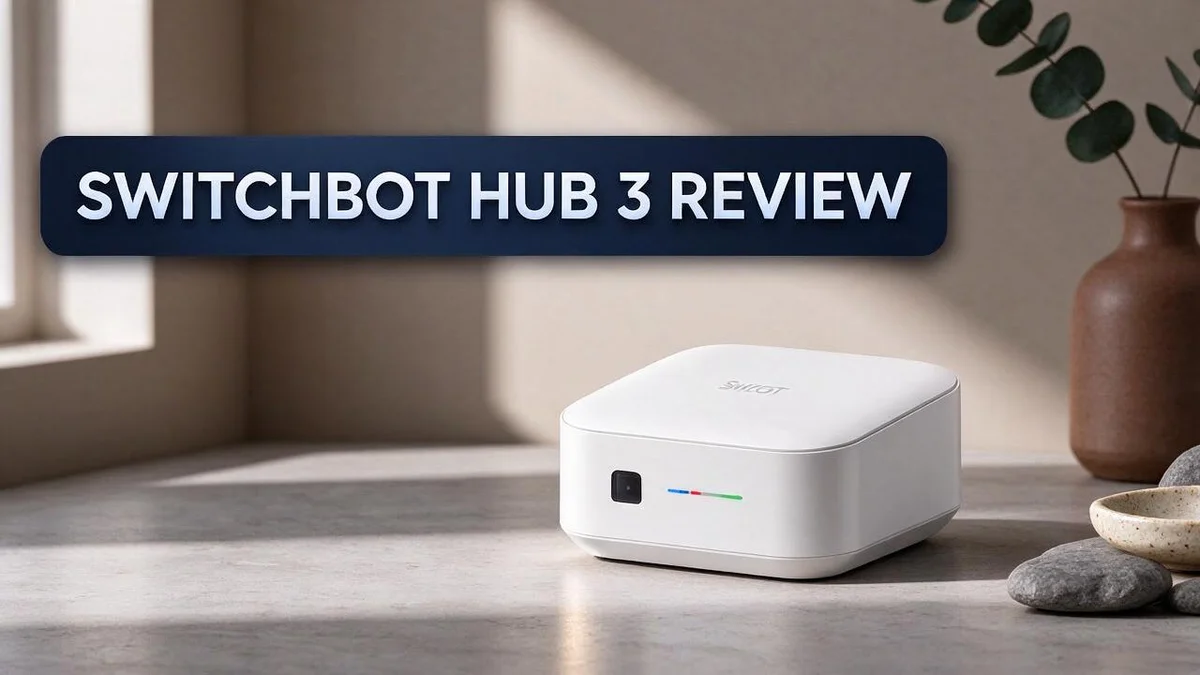
Are you ready to turn your home into one smart space? The SwitchBot Hub 3 might be the device you need. It brings your gadgets together in one easy place.
This hub speaks the language of Matter. It links your SwitchBot devices to Apple Home and Google Home. Your gadgets then work together as one team.
Its color display and control dial make life easier. You can check your devices with a quick glance. You can also tap the touch screen to act fast.
Want to control your TV or air conditioner too? The hub uses IR blasting with over 100,000 codes. It reaches up to 30 meters, and it works with Alexa, Google Home, Fire TV, and Apple TV.
In a Nutshell
-
Controls up to 25 devices in total, with 10 IR devices and 15 Bluetooth devices. This makes it a strong choice for a growing setup.
-
Works with Alexa, Google Home, Fire TV, and Apple TV. You can manage your entertainment and voice assistants from one hub. Your favorite gadgets stay in sync.
-
Supports enhanced local automation. Routines run faster because the hub handles more tasks on its own. You spend less time waiting for your lights or fans to react.
-
Reaches farther than the Mini. The 30 meter signal range is about 150 percent stronger, according to SwitchBot. Place it in a central spot and it covers more rooms with ease.
-
Needs a separate sensor for CO2 readings. If air quality matters to you, add the SwitchBot Meter Pro CO2 Monitor. This extra step gives you full environmental data.
-
Stands out from the Hub 2. Both models act as CSA certified Matter bridges, but the Hub 3 adds stronger IR range and a more modern look.
Key Features and Specifications

- Unify Your Smart Home with One Hub—Your “Command Center” for Everyday Control: Transform your living...
- Full Home Status “At a Glance” on the IPS Screen: Stay updated with real-time data on a vivid IPS screen...
Last update on 2026-11-05 / Affiliate links / Images from Amazon Product Advertising API
Spec sheets can feel dense, so let us break down what matters most. Each number tells a practical story about daily use.
The touch screen acts as a quick control panel. The 2.4 inch display responds to taps and the dial. You can adjust a device without opening your phone.
Bluetooth slots need careful planning. The hub handles 15 Bluetooth devices, which can include locks, plugs, and sensors. Map out your gear first so you know how many slots remain.
IR slots fill up fast in busy rooms. Ten IR slots might cover a TV, a soundbar, and an air conditioner. Count your remote controlled equipment before you set anything up.
Range depends on your room layout. The 30 meter range sounds generous. Walls, cabinets, and thick furniture can still weaken signals, so test a few spots first.
Matter support simplifies daily routines. Linked devices appear in your usual home app. You spend less time switching between apps and more time enjoying your space.
Local automation keeps your home responsive. Many actions can run on the hub itself. They can still work when your internet connection slows down.
Mixed device counts give you flexibility. You can combine IR and Bluetooth gear in one hub. This means your setup can grow as you add new products.
Consider your air quality goals early. The hub does not read CO2 on its own. Plan for the separate monitor if you want those readings in your routines.
Plan your layout before mounting. Place the hub where it can reach your main devices. A central spot often works better than a corner behind a cabinet.
Check your current gear first. Write down each remote controlled and Bluetooth device you own. This quick list shows whether the hub fits your home today.
Think about future upgrades too. Smart homes often grow over time. Spare capacity gives you room to experiment, and it can save you from buying another hub too soon.
Matter and Ecosystem Compatibility
Matter changes how gadgets talk to each other. Many households mix brands and apps. The hub acts as a translator in the middle, so commands flow smoothly.
Start with the SwitchBot app to set things up. Then link the hub to your preferred home platform. Follow the on-screen prompts, and you are ready to go.
Voice commands work in both directions. You can ask a voice assistant to dim lights or start a scene. The same scene can also run from your phone, so no one feels left out.
Mixed ecosystems need a clear plan. If one person uses Apple devices and another uses Android, both can control shared gadgets. Each person can keep their own home app.
Shared households benefit most. Couples, roommates, and families often want one control point. The hub gives everyone a familiar way to act. Each person keeps their preferred app.
Firmware updates keep the link strong. Updates often bring fixes and better device support. Check for new versions every few weeks. This habit keeps your Matter link stable.
Think about your router before you buy. Matter devices depend on a steady home network. A weak signal can cause delays in routines. Place the hub where it can reach your router easily.
Many home apps let you share access. Visitors may want to use voice control without full access. You can grant limited permissions, so guests can switch lights without changing your settings.
Keep your ecosystem plan simple. Pick one main home platform for daily routines. Use the other one only for quick checks. Fewer moving parts mean fewer headaches.
Compatibility checks save time. Before you buy, list the platforms you use every day. Confirm each one supports the hub. This small step prevents frustration later.
Expect a short learning curve. Matter setups can feel new at first. Give yourself a weekend to test routines. Small tweaks often solve most issues quickly.
IR Blasting and Device Control
Many older TVs, fans, and air conditioners still rely on infrared remotes. The SwitchBot Hub 3 can speak that same language.
It learns codes from your existing remotes or pulls them from a large library. You can then control these devices from your phone.
Learning a code takes only a few taps. Point your original remote at the hub and press a button. The app saves the signal, and the button appears on your screen. This works well for gadgets that never shipped with smart features.
Line of sight still matters. Infrared light travels in a straight path, so the hub should face the device. Place it on a shelf near the TV rather than inside a cabinet. A small change in position can make a big difference.
Shared rooms benefit from clear labels. Name each button something obvious, such as “Living room fan high” or “Bedroom AC cool.” Family members can then tap the right option without guessing which remote does what.
Scenes bring IR devices into daily routines. You can set a bedtime scene that turns off the TV, lowers the air conditioner, and dims the lights in one step. The hub sends each command in order. Nobody needs to open several apps.
Some IR devices do not report their state. The hub cannot read whether the TV is on or the fan is running. Glance at the device after each command, and resend a button if something looks off.
Voice assistants can trigger IR commands too. Guests can ask for the bedtime scene without learning any app steps. That makes IR control feel natural for visitors and for people who prefer speaking over tapping.
Start with the remotes you use most. Teach the hub the buttons you press most. Skip rarely used functions so your slots stay open for new devices. Always test each button after setup.
Top 3 Alternatives
Looking for other options? These three picks each solve a different smart home need.
Aqara Hub M3

- [Multi-Protocol Hub with Matter Bridge] The M3 is a versatile hub supporting Aqara Zigbee and Thread devices...
- [Edge Compatibilities and Local Automations] The M3 serves as an Edge Hub, prioritizing local control and...

Last update on 2026-10-13 / Affiliate links / Images from Amazon Product Advertising API
The Aqara Hub M3 acts as a central hub for many smart devices. It supports Matter and Thread, so it connects with a wide range of gadgets.
It also gives you local control. Your automations keep running even when the internet drops. Setup takes only a few minutes in the app. Many users pick it for its wired Ethernet port and steady performance.
Broadlink RM4 Pro

- 【Universal RF & IR Control】 BroadLink Wi-Fi(2.4GHz Only, 5GHz or mesh networks not supported )Smart...
- 【Smart Voice & App Control】 Use Alexa, Google, IFTTT, or Siri to voice-control your TV (power, volume...
Last update on 2026-06-17 / Affiliate links / Images from Amazon Product Advertising API
The Broadlink RM4 Pro focuses on infrared control. It learns signals from your TV, air conditioner, and other remotes.
This makes it a great pick for older appliances. You can control them from your phone or with a voice assistant. Setup is simple, and you need no special wiring. The device fits well in a small apartment or a large house.
Philips Hue Bridge

- WHAT’S IN THE BOX: Includes one Hue Bridge that unlocks the full potential of your Philips Hue system...
- SECURE AND STABLE CONNECTION: With Zigbee advanced technology, the bridge ensures a reliable connection that...
Last update on 2026-11-05 / Affiliate links / Images from Amazon Product Advertising API
The Philips Hue Bridge is the core of the Hue lighting system. It lets you control bulbs, switches, and sensors from one app.
Many people love its color changes and scene settings. The bridge also supports routines that start with motion or timers. If better lighting is your goal, this bridge gives you deep control over every light at home.
Pick the option that fits your devices and daily habits.
Display and Physical Controls
The first thing you notice is the screen. Its 2.4 inch color display sits right on the hub, so you can check your setup at a glance. You do not need to open an app for quick checks.
Below the display sits a control dial. You turn it to move through options, then press to choose. This works well when your phone is across the room or your hands are full.
The touch screen responds to taps. Most people will tap for simple jobs and use the dial for fine adjustments. Both methods feel natural after a few days of use.
Physical controls matter in shared spaces. Guests can use the dial without downloading the app. Kids and older family members often find a single knob easier than scrolling through menus.
A physical dial also feels more direct than tapping small icons. You can make a change, look at the screen, and adjust again without leaving your seat. That simple loop saves time during busy mornings.
The clean face suits living rooms and kitchens. It can sit next to a TV stand or on a counter without looking out of place. Many owners will likely keep it in view rather than hiding it away.
Think about placement before you mount it. Pick a spot where you can reach the dial and read the screen easily. Keep the hub away from direct sunlight, which can make the display harder to read.
Reading the screen from across the room takes some practice. Text looks clearest when you stand close. Try a few spots in your home before you settle on a final location.
Overall, the display and dial give you a second way to control your home. Use touch for speed, the dial for precision, and the app for deeper settings. This mix suits people who want flexibility in daily use.
Automation and Local Performance
Automation is where the SwitchBot Hub 3 really shines. Many routines run inside the hub itself, so they can keep working when the internet slows down.
Local control keeps things fast. Commands travel from the hub straight to the device. Most people notice the difference when a scene starts right after a tap.
One hub handles many device types. It manages up to 25 devices, with 10 IR and 15 Bluetooth. You can mix a curtain motor, a smart plug, and an old TV in one routine.
Matter links the hub to other ecosystems. The hub bridges SwitchBot devices to Apple Home and Google Home. Family members can control devices from the app they already use.
Range matters in bigger homes. The IR signal reaches up to 30 meters. SwitchBot says this range is 150 percent stronger than the Mini.
Schedules add a timing layer. Set lights to rise each morning and fans to run each afternoon. The hub follows these times without any extra prompt.
Combined steps add variety. You can combine a time with a device action. For example, the hub can close a blind at sunset and turn off a TV at midnight.
Air quality needs an extra device. The hub has no built in CO2 sensor. A separate SwitchBot Meter Pro CO2 Monitor fills that gap.
Pairing the two lets you build rules that react to air quality, such as running a fan when levels climb.
Start small with three or four routines in your daily life. Add more after you see how the hub responds to each trigger.
Group frequent routines in one room first. This makes testing and fixing problems much easier, especially in shared homes.
Test each routine after setup. Watch whether the timing feels right and the device responds. Small tweaks often make a big difference.
Pros and Cons
Pros
– Works with Alexa, Google Home, Fire TV, and Apple TV for easy control.
– Lets you manage streaming boxes alongside TVs and fans.
– Fits well in living rooms and kitchens with its clean look.
– Gives you one place to control lights, fans, and TVs.
Cons
– Air quality tracking needs an extra SwitchBot device.
– Beginners may need time to learn the app.
– Some IR devices still need manual checks because they do not report back.
Who Should Buy It
The SwitchBot Hub 3 suits people with a mix of smart and older gadgets. If your home has lights, fans, and TVs from different brands, this hub can bring them together.
Renters often find it a practical choice. It needs no wiring work, and it keeps the remotes you already own.
Patient beginners can grow into it over time. Start with a few devices and add more later. The hub has room for many gadgets, so your setup can grow with your interest.
Households split between Apple and Google users also gain value. Family members can pick the app they prefer while the same lights and fans respond to both.
Small spaces also suit the hub well. A studio or apartment with one main room can control many devices from a single spot.
People who work from home may also value the hub. They can dim a lamp or switch on a fan during calls without reaching for a phone.
Frequent movers also gain from this setup. Pack the hub, plug it in at the new place, and set up routines again with less effort.
Anyone with a large collection of IR remotes will see quick value. Gathering those remotes into one app saves time.
Some buyers should look elsewhere. People who only need one or two smart plugs may not need a hub this capable. A simple Bluetooth device could do the job.
Think about your home first. Count devices and brands before you decide. Write down each device and its brand. Then compare that list with the hub’s limits. This simple check shows whether the hub fits your daily routine.
Start small and see how it feels. Test a few devices first. If the routine feels natural after a week, the hub is likely a strong match. Your daily habits will show the answer.
Final Verdict
Our final verdict is simple. The SwitchBot Hub 3 suits anyone who wants one central point for a growing smart home.
Think about the future first. Smart home gear changes fast, so this hub helps you stay flexible. Its broad device support means your setup can grow without starting over.
Compare it with the Hub 2. Both models carry CSA certification, so the choice depends on the features you need most. Owners of the older model may not need to rush into an upgrade.
Pick it for simplicity. Many people feel buried under apps, remotes, and cords. This hub brings everyday controls into one spot, which makes daily life feel calmer and more organized.
Give yourself time to settle in. Naming devices and building your first routines takes a little patience. The effort pays off once everything runs quietly in the background, saving you trips across the room.
Know when to look elsewhere. Simple needs rarely call for a hub like this one. If your home has only a few gadgets and little change planned, a basic option may fit better.
Start small and build slowly. Add a few devices first, then expand once you feel comfortable. This approach keeps frustration low and confidence high.
Make the most of your home. Families, renters, and people who work from home all find real value here. Each group gains a practical tool that adapts to daily routines and changing needs.
Our bottom line. The SwitchBot Hub 3 delivers a polished and flexible control center. It rewards people who plan to expand their setup and want one dependable place to manage it all.
Final thought. If you want a hub that grows with you, this model deserves a close look. It turns a scattered collection of gadgets into one clear, friendly system that feels like it was built for your home.
Frequently Asked Questions
Does the SwitchBot Hub 3 work with Apple Home and Google Home?
Yes, it does. The hub uses Matter support to bridge your SwitchBot devices to both platforms. Its CSA certification confirms that it follows the Matter standard.
How many devices can the hub control?
The hub controls up to 25 devices. That includes 10 IR devices and 15 Bluetooth devices. You can add new gadgets over time without buying a second hub.
Can it control older remote-based gadgets?
Yes. The hub includes over 100,000 IR codes, so it works with many TVs, fans, and other remote-based devices. Place it in a central spot so the signal reaches every room.
Does the hub track air quality on its own?
No, it does not. The hub has no built-in CO2 sensor. You need a separate SwitchBot Meter Pro CO2 Monitor to track air quality.
Is the display useful for daily control?
Yes, it can be. The 2.4″ color display has a control dial and a responsive touch screen. You can check your devices and make quick changes without opening your phone.

DK is a technology expert who specializes in AI tools, software, and tech gadgets. He writes for How to Tech Info, providing detailed reviews and practical guides. DK helps readers discover the best AI applications, navigate new software, and choose the right tech gadgets.