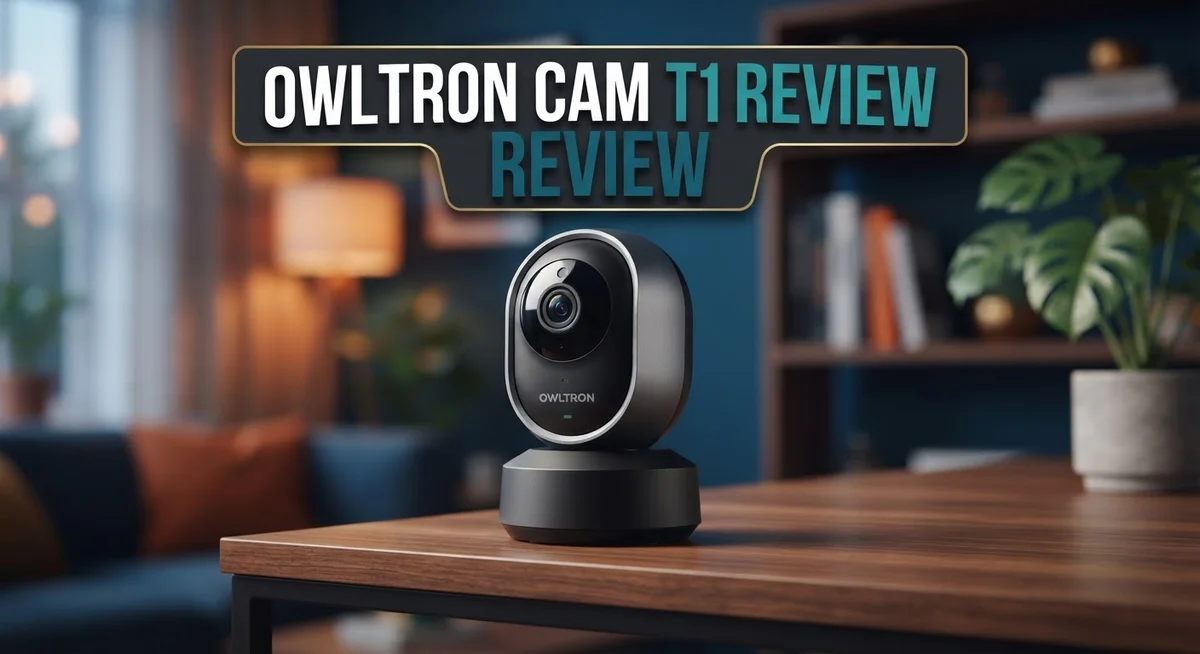
Owltron Cam T1 Review: 2K Indoor Security Camera Worth It?
Want a clear eye on your home at all times? The Owltron Cam T1 promises sharp 2K resolution and smart features for indoor safety.
This camera brings crisp 2560×1440 imaging to your living room or hallway. It captures details other cameras might miss.
Night vision keeps watch when lights go out. Motion detection alerts you the moment something moves.
Two way audio lets you talk to family or pets from anywhere. Just open the app and speak.
The T1 connects with Alexa for smooth smart home control. It works over 2.4GHz WiFi and supports cloud storage too.
This review breaks down what the Owltron Cam T1 does best. We also look at where it falls short.
Keep reading to see if this wired indoor camera fits your home security needs.
In a Nutshell
Here is the quick rundown of the Owltron Cam T1 for busy readers:
-
Wired setup only. This camera needs a power cord, so placement options are limited compared to battery models.
-
Motion detection alerts keep you informed. The camera sends notifications when it spots movement in your space.
-
Cloud storage support lets you save footage online. You can review past events without a physical SD card.
-
App control puts the camera in your pocket. Manage settings and view live feeds from your phone anytime.
-
Compared to the Owltron Cam W1 or the brand’s outdoor lineup (O1, R1, L1), the T1 sticks to indoor monitoring with a simple, no-fuss design.
-
Performance data is limited in current sources. Most available information comes from promotional and support materials, not independent testing.
This camera suits anyone wanting straightforward indoor security. It skips battery hassles and focuses on steady, wired performance. If flexible placement matters more to you, check out wireless alternatives first.
Key Features and Specifications
The Owltron Cam T1 delivers sharp imaging through its 2K resolution at 2560×1440 pixels. This clarity helps you spot details across your room with ease. Whether monitoring a hallway, bedroom, or living space, the extra pixel density beats standard 1080p cameras.
Night vision kicks in automatically when darkness falls. The infrared sensors work without needing extra light, so you stay protected around the clock. This feature proves useful for bedrooms, basements, or any low light area in your home.
The two-way audio function lets you communicate directly through the camera. You can hear what happens in the room and respond instantly. This works great for checking on family members, pets, or greeting visitors when you’re away.
Motion detection alerts notify you the moment activity occurs. The camera watches your space continuously and sends notifications to your phone when it spots movement. You control sensitivity settings through the app to reduce false alarms from pets or passing traffic outside windows.
The camera runs on 2.4GHz WiFi for stable connectivity. Wired power means you don’t worry about battery drain or recharging. This setup keeps the camera always ready without maintenance interruptions.
Cloud storage support lets you save important footage online. You access recordings anytime from any device, anywhere. This backup protects your footage even if someone damages the camera.
App control puts full management in your hands. You view the live feed, adjust settings, and review recordings directly from your smartphone. The interface stays simple and responsive.
Alexa compatibility integrates the T1 into your smart home routine. You can ask Alexa to show the camera feed on compatible Echo devices. Voice commands make hands-free operation possible.
The wired connection limits where you can place the camera. You need a power outlet and WiFi signal nearby. Installation requires some planning to hide cables neatly. Despite this constraint, the steady power supply and continuous operation make the T1 a solid choice for permanent indoor monitoring spots in your home.

- Ultra 2K Resolution & Enhanced Night Vision: Owltron indoor camera designed with ultra HD 2K resolution and a...
- Two-way Talk & Motion Detection: Upgrade your home security with the Owltron WiFi camera, designed for...
Last update on 2026-10-07 / Affiliate links / Images from Amazon Product Advertising API
Video Quality and Night Vision Performance
The Owltron Cam T1 delivers sharp imaging that makes a real difference in home security. The 2K resolution captures fine details across your space, letting you spot what matters most.
When daylight fades, the camera’s IR night vision takes over automatically. You get clear footage even in complete darkness, so your home stays monitored around the clock. The infrared system works silently and doesn’t disturb anyone nearby.
The two-way audio feature brings real convenience to your monitoring. You can hear what’s happening in your home and speak back through the camera instantly. This works great for checking on pets, greeting visitors, or communicating with family members who are home alone.
Motion detection keeps you alert without constant checking. The camera spots movement and sends you notifications right away. You decide what matters and set your alert preferences through the app.
Real world performance depends on your lighting setup and WiFi strength. The camera performs best when your connection is stable and your room has decent ambient light. In very dark spaces, night vision quality improves when there’s at least some infrared reflectivity in the room.
The 2.4GHz WiFi connection handles streaming smoothly for most home networks. However, distance from your router and interference from other devices can affect performance. Placing your router centrally helps maintain consistent video delivery.
Cloud storage support means your footage stays safe even if something happens to the camera itself. You can review past events and keep important clips backed up online. This adds an extra security layer beyond just live viewing.
The wired design means you won’t worry about battery drain or charging schedules. Your camera runs continuously without interruption. Just make sure you plan your installation near a power outlet for best results.
Overall, the T1 handles everyday indoor security well. It gives you the tools to watch your home, respond to activity, and keep records of important moments. The combination of clear video, night vision, and two-way communication makes this camera a solid choice for indoor monitoring.
Smart Home Integration and Connectivity
The Owltron Cam T1 connects seamlessly to your existing smart home setup. You get Alexa compatibility built in, which means voice commands work right out of the box. Just say what you need, and the camera responds.
WiFi connectivity uses the 2.4GHz band, a standard frequency found in most homes. This frequency offers solid range and works well through walls. Your camera streams footage without lag when your WiFi signal stays strong.
The app control feature puts everything on your phone or tablet. You can view live feeds, check recordings, and adjust settings from anywhere. The interface keeps things simple so you don’t need technical skills to operate it.
Cloud storage support lets you back up important footage online. Your videos remain safe even if someone damages or steals the physical camera. You access old recordings whenever you need them, without hunting through local files.
The two-way audio function deserves special attention for smart home integration. You speak through your phone, and sound comes out of the camera’s speaker. Someone at your door hears you clearly, making real-time communication possible. This feature works smoothly on most home networks.
Motion detection works alongside your smart home routine. The camera sends alerts the moment it spots movement. You can set up automation rules with other smart devices. For example, lights turn on when motion triggers, or your phone buzzes with a notification.
The wired connection does limit placement compared to wireless cameras. You’ll need an outlet nearby or a long power cable run. This constraint matters more for smart home integration since you can’t move the camera easily after installation.
Performance depends on your WiFi strength and network setup. A camera placed far from your router may experience buffering. Most users find the T1 performs reliably when positioned within typical home WiFi range.
Integration with Alexa and app control makes the T1 a straightforward addition to modern smart homes. The camera plays well with existing systems and doesn’t require complex setup procedures.
Top 3 Alternatives
Wyze Cam v3

- Motion & Sound Detection: Wyze Cam sends an alert to your phone when baby is crying. 24/7 Continuous video...
- Indoor/Outdoor: Wyze Cam v3 is a wired video camera with an IP65 rating so you can confidently install it...
Last update on 2026-08-22 / Affiliate links / Images from Amazon Product Advertising API
The Wyze Cam v3 offers clear night vision with infrared technology. You get 1080p resolution and a 110-degree wide-angle lens. This camera works indoors and outdoors, making it flexible for different spaces.
The app lets you view your feed from anywhere. Motion detection alerts notify you instantly when something moves. Two-way audio means you can talk through the camera. It connects easily to WiFi and starts working in minutes.
Eufy Indoor Cam

- ...
- 𝟑𝟔𝟎° 𝐏𝐚𝐧𝐨𝐫𝐚𝐦𝐢𝐜 𝐕𝐢𝐞𝐰 | Easily navigate your home’s view with...

Last update on 2026-10-07 / Affiliate links / Images from Amazon Product Advertising API
Eufy Indoor Cam brings advanced privacy features to your home. It records in 2K resolution with sharp, detailed footage. The camera has a 160-degree field of view, so you see more of your space.
This model includes person detection to reduce false alerts. You can set activity zones to monitor specific areas. Local storage options keep your videos private without cloud uploads. The night vision captures clear footage in complete darkness.
TP-Link Kasa Cam

- Live Stream from Anywhere with Pan/Tilt: Sharp and clear 1080p Full HD provides high quality video right in...
- Real-Time Motion/Sound Detection: Get alerts on your smart phone whenever motion or sound is detected even at...
Last update on 2026-06-09 / Affiliate links / Images from Amazon Product Advertising API
TP-Link Kasa Cam delivers reliable 1080p streaming with solid performance. The camera has a 130-degree viewing angle and excellent night vision. You control everything through the Kasa app on your phone.
Smart alerts notify you instantly when motion happens. You can talk through the two-way audio feature. The camera works with Alexa and Google Home for voice control. Setup takes just a few minutes with the quick WiFi connection process.
Installation and Setup Process
Getting the Owltron Cam T1 up and running takes just a few straightforward steps. The wired design means you’ll need to position the camera near a power outlet, which is different from wireless models that offer more flexibility.
Start by finding the right mounting location. You want a spot with a clear view of the area you want to monitor. Since this is a wired camera, plan your power cable route before you mount anything. Make sure the cable can reach your nearest outlet without creating a tripping hazard.
Next, download the Owltron mobile app to your smartphone or tablet. This app handles all your camera settings and lets you view live footage from anywhere. Create your account and follow the app’s setup wizard. The process walks you through each step, so you won’t feel lost.
Connect the camera to your home WiFi network. The T1 uses the 2.4GHz band, which most routers support. Enter your WiFi password when the app prompts you. A strong WiFi signal helps your camera stream smoothly and respond quickly to commands.
Once WiFi connects, mount the camera using the included bracket. The wired connection does require some planning since you need both power and good WiFi coverage in the same area. Test your video feed before you finalize the mounting to ensure you have the angle you want.
Enable motion detection and other features through the app. You can adjust sensitivity levels based on your space. If you use Alexa, link your Owltron account to your Amazon devices during setup. This integration happens right in the app settings.
The entire process typically takes 15 to 20 minutes for most users. The straightforward design means fewer technical headaches compared to more complex security systems. Once everything connects properly, you’ll have live monitoring, night vision, and two way audio all working together.
Two-Way Audio and Motion Detection
The two-way audio on the Owltron Cam T1 transforms how you interact with your home. You can speak through the camera and hear responses in real time. This feature works great when you want to communicate with family members or warn off visitors.
The audio quality stays clear during conversations. Your voice comes through without much delay. People on the other end hear you naturally. This makes the camera useful for more than just watching.
Motion detection is where the T1 really shines for active monitoring. The camera spots movement instantly and alerts you right away. You don’t need to watch the feed constantly. Instead, you get notifications when something happens.
The motion sensor works indoors and catches activity in different lighting conditions. You can adjust sensitivity settings through the app. This prevents false alarms from pets or shadows. Real motion gets your attention when it matters most.
Combining these two features creates a powerful security setup. Motion detection alerts you to activity. Then you can use two-way audio to respond immediately. This combination works especially well for monitoring entry points and main living areas.
The app lets you fine-tune motion detection settings. You choose which zones trigger alerts. You set the sensitivity level that works for your space. This customization prevents alert fatigue from constant notifications.
Response time matters with motion detection. The T1 sends alerts quickly to your phone. You get the notification before the motion event ends. This speed gives you a real chance to respond.
Two-way audio also helps with false alarm investigation. When motion triggers, you can speak through the camera. You might hear a family member moving around. Or you might hear something unexpected that needs attention.
The combination of these features makes the T1 a solid choice for indoor security. Motion detection keeps you informed. Two-way audio lets you take action immediately. Together, they create a responsive security system that fits into your daily life without demanding constant attention.
Pros and Cons
Pros
- 2K resolution captures sharp, detailed footage you can zoom into without losing clarity
- Two-way audio lets you speak through the camera and hear responses in real time
- Night vision works automatically when the room gets dark
- Motion detection triggers alerts so you know activity happens instantly
- Alexa compatibility connects smoothly with your existing smart home devices
Cons
- Wired power cable limits where you can place the camera in your home
- Placement flexibility suffers because you need an outlet or long extension cord nearby
- Installation requires running cables to your chosen location, which takes more effort than wireless options
Who Should Buy It
The Owltron Cam T1 works best for homeowners who need reliable indoor monitoring without complex setup requirements. You should consider this camera if you have a dedicated space with nearby power access.
Parents watching over children benefit from the two-way audio feature. You can speak through the camera to check on kids in another room. The motion detection catches unexpected movement, giving you instant alerts during the day or night.
Pet owners find value in the T1’s constant monitoring capability. Your pets trigger motion alerts when they move around. The night vision lets you see what happens after dark without any extra lighting.
This camera suits home security focused users who want detailed footage. The 2K resolution captures sharp images you can zoom into later. You’ll spot faces and details clearly when reviewing recordings.
Remote workers and business owners use the T1 to monitor indoor spaces. The Alexa integration lets you check the feed through voice commands. Motion detection alerts keep you informed without constant app checking.
You need a fixed mounting location with power nearby. The wired design means you can’t move the camera around easily. Running cables through walls or using extension cords takes planning before installation.
Smart home enthusiasts appreciate the Alexa compatibility. The T1 connects smoothly with your existing devices. You control the camera alongside other smart home products in one ecosystem.
The T1 works well if you accept the wired limitation. You’re not looking for outdoor or portable solutions. Your space has convenient outlet access where you want monitoring.
Skip this camera if you need wireless flexibility. Renters who can’t drill holes or run cables should look elsewhere. Outdoor monitoring requires a different Owltron model designed for weather resistance.
Budget conscious buyers should compare this against other 2K indoor options. The T1 delivers solid features without unnecessary extras. You get motion detection, two-way audio, and night vision as standard capabilities.
Final Verdict
The Owltron Cam T1 delivers where it counts most. Clear video quality, responsive motion alerts, and real time audio make it a dependable choice for indoor monitoring.
This camera shines brightest in homes that already have a strong WiFi setup and a fixed spot for a security camera. If your household fits this pattern, the T1 performs its core job well.
Compared to the Owltron Cam W1 and other wireless alternatives, the T1 trades flexibility for consistency. A wired connection means you never worry about battery life or signal dropouts caused by power saving modes.
That said, the lack of detailed third party testing makes it harder to judge long term durability. Buyers should treat this as a solid starting point rather than a fully proven product with years of user feedback behind it.
Smart home integration through Alexa adds convenience many competitors still lack at this level. This feature alone can tip the scale for households already using voice assistants daily.
We recommend the T1 for anyone prioritizing picture clarity and communication features over portability. It fits naturally into entryways, living rooms, or nurseries where a camera stays in one place long term.
If your priority is moving the camera often between rooms or taking it outdoors, look toward other models in the Owltron lineup instead. The O1, R1, and L1 outdoor cameras serve that need better.
Overall, the T1 earns its spot as a dependable indoor security tool. It covers the basics well and adds smart features that elevate everyday monitoring.
This camera works best as a steady, always on eye for your home rather than a flexible, movable gadget. Match that expectation, and the T1 delivers solid results without unnecessary complications.
For households wanting simple, effective indoor coverage with smart home ties, the Owltron Cam T1 stands as a reasonable pick worth considering today.
Frequently Asked Questions
Does the Owltron Cam T1 work in complete darkness?
Yes, the T1 has infrared night vision built in. You can see what happens in your room even when the lights are off.
The camera switches to IR mode automatically. Objects appear in black and white, but you still get clear details of the space.
Can I talk through the camera to someone in the room?
Absolutely. The T1 includes two way audio as a standard feature.
You speak through your phone app, and the person in the room hears you through the camera’s speaker. This works great for checking on kids, pets, or greeting visitors while you are away.
Is the Owltron Cam T1 wireless or wired?
The T1 is a wired camera only. It needs to stay plugged into a power outlet.
This means you cannot move it around easily like a wireless model. You pick a spot near an outlet and keep it there. The trade off is consistent power and stable performance without battery worries.
Will the T1 work with my smart home setup?
Yes, it connects to Alexa devices. You can view your camera feed and control features through Alexa compatible devices in your home.
This integration makes monitoring simple if you already use Alexa. You get one unified system instead of juggling separate apps.
What happens when motion is detected?
The camera sends you an alert instantly when it spots movement. You can then check your phone app to see what triggered the alert.
Motion detection runs automatically. You don’t have to do anything to turn it on. This keeps you informed the moment something happens in your space.

DK is a technology expert who specializes in AI tools, software, and tech gadgets. He writes for How to Tech Info, providing detailed reviews and practical guides. DK helps readers discover the best AI applications, navigate new software, and choose the right tech gadgets.