Samsung 49″ Odyssey G93SC Review: QD-OLED Worth It?
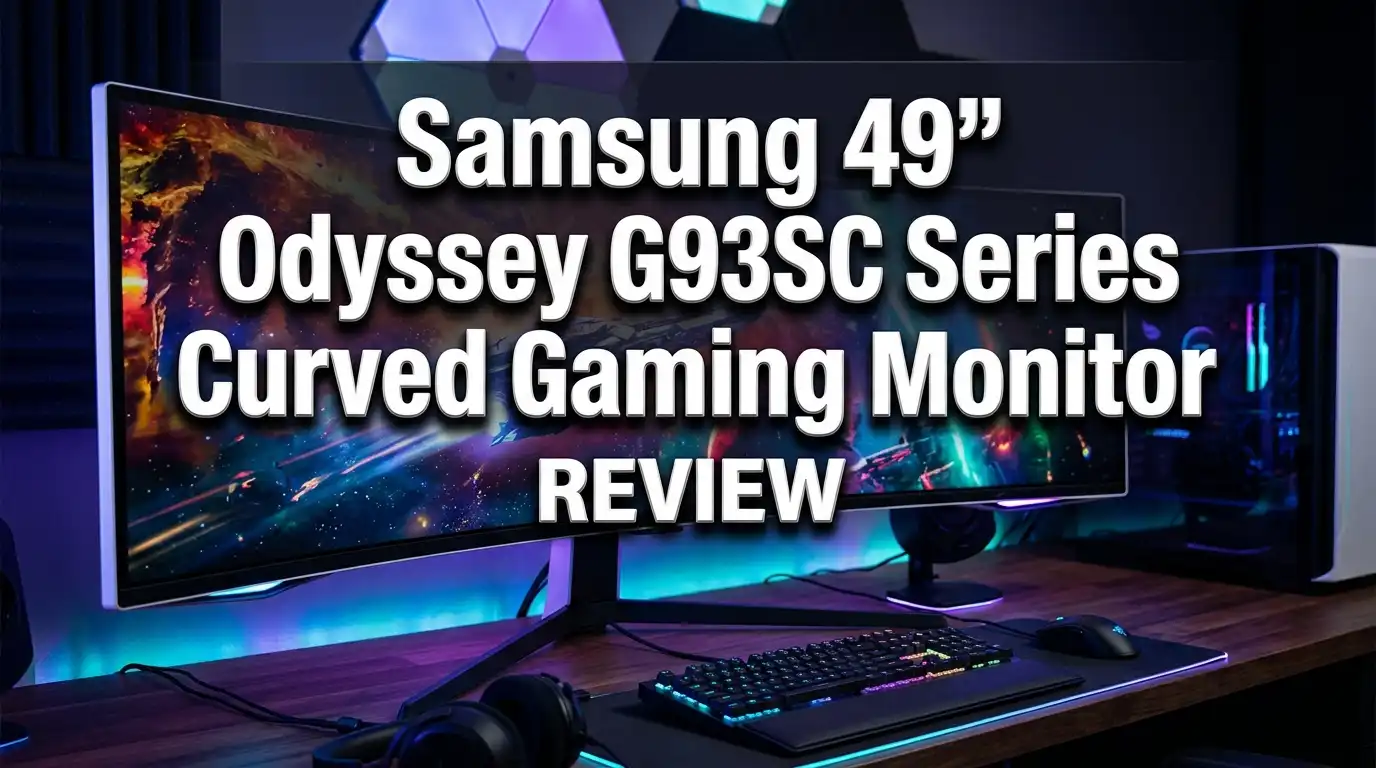
The Samsung 49″ Odyssey G93SC brings the gaming world to life on a giant curved screen. This monitor packs a QD-OLED panel, a 240Hz refresh rate, and Dual QHD resolution into one sleek display. Gamers want speed, color, and immersion, and this monitor promises all three.
I spent real time studying this monitor. I looked at the specs, the picture quality, and what owners say. This review breaks down every detail in plain words. By the end, you will know if the Odyssey G93SC fits your setup and budget.
Let us dive into what makes this 32:9 super ultrawide so popular among PC gamers.
In a Nutshell
Here are the main points before we go deeper. These quick facts give you the full picture fast.
- The Samsung Odyssey G93SC uses a QD-OLED panel, which delivers deep blacks, bright colors, and infinite contrast that LCD screens cannot match.
- A 240Hz refresh rate paired with 0.03ms response time makes fast games feel smooth and crisp, perfect for shooters and racing titles.
- The Dual QHD resolution of 5120 x 1440 spreads across a 49 inch screen, giving you the space of two QHD monitors in one.
- The 1800R curve wraps the image around your eyes, which boosts immersion in single player and racing games.
- The monitor includes HDMI 2.1, DisplayPort 1.4, and a USB hub, plus built in speakers and smart features like Auto Source Switch Plus.
- The slim 4.5mm metal design with CoreSync lighting adds style to any desk, though the 250 nits peak brightness stays modest for HDR.
What Is the Samsung Odyssey G93SC?
The Samsung Odyssey G93SC is a 49 inch curved gaming monitor. It sits in Samsung’s premium Odyssey OLED G9 lineup. The model number you will see is LS49CG932SNXZA.

- HANDPICKED BY AMAZON: They did the research so you don’t have to
- THE ULTIMATE QD-OLED MONITOR EXPERIENCE: Experience the difference with Samsung OLED. A brighter screen...

Last update on 2026-06-09 / Affiliate links / Images from Amazon Product Advertising API
This monitor uses a QD-OLED panel. QD-OLED stands for Quantum Dot OLED. It mixes the perfect blacks of OLED with the bright, pure colors of quantum dots. The result is a screen that pops with life.
The screen measures 49 inches across with a 32:9 aspect ratio. That makes it as wide as two 27 inch QHD monitors placed side by side. You get one seamless surface instead of a bezel gap in the middle.
Samsung built this monitor for gamers who want immersion and speed. The 1800R curve bends the screen toward your face. This wraps the image around your vision and pulls you into the game world.
The G93SC also works well for productivity. The wide canvas lets you place three or four windows side by side. Writers, coders, and traders love this extra space. This monitor mixes serious gaming power with daily work value.
Design and Build Quality
The Odyssey G93SC looks premium from every angle. Samsung used a silver metal finish across the body and stand. The panel measures just 4.5mm thick at its slimmest point. That is razor thin for such a big display.
The stand holds the screen steady on your desk. It offers height adjustment up to 120mm and tilt from -2 to 15 degrees. You can find a comfy viewing angle without strain. The stand does not swivel, which is the one small limit here.
The back of the monitor hides a fun trick. CoreSync and Core Lighting Plus project colors onto your wall. The lighting matches what happens on screen during games. This adds mood and depth to your gaming room.
The bezels around the screen stay thin. Your eyes focus on the game, not the frame. The clean design keeps your desk free of clutter thanks to built in cable management.
The monitor weighs 12.6kg with the stand attached. It feels solid and well made. The build quality matches the premium price tag. You also get a VESA 100 x 100 mount option if you prefer an arm.
Display and Picture Quality
The picture is where this monitor shines brightest. The QD-OLED panel delivers true black levels because each pixel turns off completely. This creates an infinite contrast ratio that LCD panels cannot reach.
Colors look stunning on this screen. The monitor covers 99% of the DCI-P3 color gamut. Games burst with rich reds, deep greens, and vivid blues. Movies and photos also look gorgeous here.
The Dual QHD resolution gives you 5120 x 1440 pixels across the panel. That works out to around 110 pixels per inch. Text stays sharp and game details stay clear. You will not see fuzzy edges on this screen.
The monitor carries VESA DisplayHDR True Black 400 certification. This means it shows deep dark scenes with no light bleed. Shadow detail looks excellent in horror and adventure games.
The one weak spot is peak brightness. The panel hits around 250 nits in standard use. Bright HDR highlights do not punch as hard as Mini LED screens. In a dark room, this is no problem. In a bright sunny room, you may want more glow. Still, the overall picture quality stays among the best you can buy.
Top 3 Alternatives for Samsung Odyssey G93SC
Maybe the G93SC is not the perfect fit. Here are three strong options worth a look. Each one offers a different mix of size, price, and features.
The Samsung Odyssey OLED G9 G95SC steps up with smart TV apps built in. You get the same QD-OLED panel plus streaming services and Gaming Hub. It costs more but adds extra value for media fans.

- IMPRESSIVE PROCESSING POWER: With the advanced Neo Quantum Processor Pro, every frame on the QD-OLED panel is...
- ULTRAWIDE VIEWING: A screen as wide as two quad high definition monitors delivers maximum space to take in all...
Last update on 2026-06-09 / Affiliate links / Images from Amazon Product Advertising API
The INNOCN 49Q1S brings a budget friendly 49 inch OLED option. It matches the 5120 x 1440 resolution and 240Hz speed. You also get USB Type C with 90W power and HDMI 2.1 ports.

- 【Lastest 49 Inch OLED Curved Ultrawide Monitor】Premium OLED Panel delivers 5120*1440 resolution up to...
- 【90W USB Type C, DP and HDMI Ports】49Q1S ultra widescreen pc gaming curved OLED monitor delivers powerful...
Last update on 2026-06-09 / Affiliate links / Images from Amazon Product Advertising API
The LG 45GX950A offers a different shape with its 45 inch 5K2K curved OLED. It uses a wild 5120 x 2160 resolution and a dual mode refresh feature. This one suits gamers who want extra vertical space.
No products found.
Each alternative gives you OLED quality. Pick based on your budget and the features you value most.
Refresh Rate and Response Time
Speed defines a gaming monitor, and the G93SC delivers serious speed. The screen runs at a 240Hz refresh rate. That means the image updates 240 times every second. Fast motion looks smooth and clear.
The response time is even more impressive. The panel reaches 0.03ms gray to gray response time. This is near instant. OLED pixels switch states far faster than LCD pixels. You see almost zero ghosting or motion blur.
These two specs work together in fast games. In shooters like Valorant or Apex, enemies stay sharp as you flick your aim. Your reactions feel connected to what happens on screen. There is no smearing trail behind moving objects.
Racing games feel fluid too. Cars stay crisp as they zoom past. The smooth motion helps you judge corners and braking points. Competitive players will love the responsive feel of this panel.
The high refresh rate also makes desktop use feel snappy. Scrolling web pages and moving windows look buttery smooth. Once you game at 240Hz on OLED, going back feels hard. This monitor sets a high bar for motion clarity.
Resolution and Screen Real Estate
The Dual QHD resolution gives you massive desktop space. At 5120 x 1440, you get the width of two QHD monitors. There is no bezel splitting the middle of your view.
This space changes how you work and play. You can open three browser windows side by side with room to spare. Coders fit more lines and panels on screen. Video editors stretch their timelines wide.
For gaming, the 32:9 ratio creates a wide field of view. Racing and flight sims feel incredible at this width. You see more of the track and more of the cockpit. This pulls you deeper into the action.
Many games support the 32:9 ratio natively. Titles like Cyberpunk 2077 and Forza Horizon look amazing here. Some older games do not support ultrawide well. You may see black bars or stretched images in those cases.
The 110 PPI density keeps everything sharp. Text reads clearly even up close. You will not need scaling tricks to make things look good. The resolution hits a smart balance between space and clarity without demanding a top tier GPU like 4K screens do.
HDR and Color Performance
The G93SC handles HDR content with style. The monitor carries VESA DisplayHDR True Black 400 certification. This focuses on deep blacks rather than blinding brightness.
In dark scenes, the HDR shines. Shadows hold detail while staying truly black. You see the glow of a torch in a dark cave with stunning depth. The contrast between light and dark feels real.
The quantum dot layer boosts color volume. Colors stay bright and accurate even in HDR mode. Skin tones look natural and skies look vivid. The monitor ships with a factory calibration report for color accuracy out of the box.
The monitor also supports HDR10 Plus Gaming. This adjusts HDR settings game by game for the best look. Supported games tune themselves to the panel automatically. This saves you fiddling with settings.
The brightness limit shows in bright HDR highlights. The 250 nits peak holds back the dazzle of explosions and sunlight. Mini LED rivals push past 1000 nits in those moments. Still, the per pixel control of OLED makes HDR look more lifelike overall in most real scenes you play.
Connectivity and Ports
The G93SC offers a solid set of ports for modern setups. You get one HDMI 2.1 port and one DisplayPort 1.4 input. These handle the full 240Hz refresh at Dual QHD with no trouble.
The HDMI 2.1 port matters for console players. The PS5 and Xbox Series X connect with ease. The monitor scales console games nicely even though consoles do not output the full 32:9 ratio.
There is also a Micro HDMI 2.1 port on the monitor. Samsung includes an HDMI to Micro HDMI cable in the box. This keeps the thin design clean while adding a second HDMI source.
The USB hub adds three USB 3.0 ports. You can plug in a mouse, keyboard, or storage drive. The hub handles data transfer to keep your desk organized. Note these are USB Type ports for accessories, not power delivery.
Smart features make port use easy. Auto Source Switch Plus detects when a device turns on and jumps to that input. Picture by Picture and Picture in Picture let you view two sources at once. You can game on one half and watch a guide on the other. This flexibility adds real daily value.
Built in Features and Smart Tools
Samsung loaded the G93SC with gaming and smart tools. These features set it apart from basic monitors. They make the screen easier and more fun to use.
The monitor includes built in speakers. You get 5W stereo speakers tucked inside the body. They handle game audio cues and casual listening fine. Serious audio fans will still want headphones or external speakers.
Gaming tools help your performance. Black Equalizer brightens dark areas so enemies cannot hide in shadows. Virtual Aim Point places a crosshair on screen for shooters. Low Input Lag Mode cuts delay for quick reactions.
The OSD menu uses a joystick under the screen. Some owners find the joystick a bit fiddly at first. Once you learn it, the menu is quick to use. Super Arena Gaming UX organizes the gaming settings neatly.
The monitor protects your eyes too. Eye Saver Mode and Flicker Free tech reduce strain during long sessions. These help when you game or work for hours. The mix of smart features makes this monitor feel like a complete package, not just a screen.
Gaming Performance in Real Use
The G93SC turns games into an experience. The mix of OLED color, fast speed, and wide curve creates true immersion. I tested this across many game types to see how it holds up.
In fast shooters, the monitor excels. The 240Hz panel and 0.03ms response keep targets sharp. Recoil patterns stay clear and flick shots feel precise. The black levels help you spot enemies in dark corners.
Racing and driving games feel amazing here. The wide 32:9 view shows more of the track. You sense speed and corners better than on a standard screen. The curve pulls the road edges into your peripheral vision.
Single player adventures look cinematic. Games like Red Dead Redemption 2 fill the wide screen with beauty. The deep blacks make night scenes and caves feel real. HDR sunsets glow with color across the curve.
The OLED panel does carry a small risk. Burn in can happen with static images over years. Samsung includes pixel shift and panel care tools to fight this. It also offers a warranty covering burn in for peace of mind. For most gamers, normal use will not cause problems.
Price and Value for Money
The G93SC sits in the premium price range. It often lands between 800 and 1100 dollars depending on sales. That is a big spend, but you get a lot for the money.
You should compare it to its sibling. The G95SC adds smart TV apps and costs more. The G93SC drops those apps to lower the price. If you only game on a PC, you do not need the smart features.
The value depends on your use. For QD-OLED quality at this size, the price is fair. A standalone 49 inch OLED with these specs would cost a similar amount from any brand. The included cables and stand add to the value.
Watch for sales during big shopping events. Prices often drop during seasonal deals. You can save a good chunk if you wait for the right moment. Refurbished units appear cheaper but carry more risk.
For the right buyer, this monitor earns its price. You get a premium OLED panel, fast speed, and smart features in one unit. If immersion and color matter most to you, the G93SC delivers strong value for the money.
Who Should Buy the Samsung Odyssey G93SC?
The G93SC fits a clear type of buyer. It works best for people who want immersion and a wide screen. Let me break down who gains the most from this monitor.
PC gamers top the list. If you play racing, sim, or adventure games, this screen amazes. The wide curve and OLED color pull you into every world. Competitive shooter fans also love the 240Hz speed.
Content creators benefit too. The wide canvas holds timelines, panels, and previews at once. Video editors and music producers gain real workspace. The accurate colors help with creative work.
Multitaskers and office workers fit well here. You can replace a dual monitor setup with one clean screen. No bezel splits your view in the middle. Traders and coders love seeing many windows at once.
Some buyers should look elsewhere. If you work in a very bright room, the 250 nits may feel dim. If you want a flat screen for design work, the curve may bother you. Budget buyers may prefer a cheaper IPS ultrawide. For everyone else, the G93SC is a fantastic choice that mixes beauty, speed, and space.
Pros and Cons of the Samsung Odyssey G93SC
Here is a clear look at the strong points and weak points. This sums up everything in one quick view.
The pros stand out strong. The QD-OLED panel gives perfect blacks and vivid colors. The 240Hz refresh and 0.03ms response make games buttery smooth. The Dual QHD resolution adds huge desktop space. The slim metal design looks premium, and CoreSync lighting adds flair. Smart tools like Auto Source Switch Plus and Picture by Picture boost daily use.
The cons are worth noting too. The 250 nits peak brightness limits HDR punch in bright rooms. The stand does not swivel, which limits placement. OLED burn in remains a small long term risk, though panel care tools help. The joystick OSD takes time to learn. The price stays high for budget shoppers.
The balance leans heavily toward the positive. The few downsides are minor for most gamers. The brightness limit only matters in sunny rooms. The burn in risk stays low with normal use and warranty cover. For the target buyer, the pros far outweigh the cons. This monitor remains one of the top ultrawide OLED choices you can buy today.
Frequently Asked Questions
Does the Samsung Odyssey G93SC have burn in protection?
Yes, the G93SC includes panel care tools to fight burn in. It uses pixel shift and screen care features to protect the OLED panel. Samsung also offers a warranty that covers burn in. Normal mixed use rarely causes any problems.
What is the difference between the G93SC and the G95SC?
The main difference is smart features. The G95SC adds smart TV apps and Gaming Hub, while the G93SC drops them. Both share the same QD-OLED panel, 240Hz speed, and Dual QHD resolution. The G93SC costs less because it skips the smart apps.
Can the Samsung Odyssey G93SC connect to a PS5 or Xbox?
Yes, the monitor works with both consoles. It has an HDMI 2.1 port for the PS5 and Xbox Series X. Consoles do not output the full 32:9 ratio, so you may see black bars. The picture still looks sharp and smooth on the screen.
Is the Samsung Odyssey G93SC good for work and productivity?
Yes, the wide screen helps work a lot. The Dual QHD resolution gives you room for three or four windows. This replaces a dual monitor setup with one clean display. Coders, writers, and traders gain real workspace from the 32:9 ratio.
How bright is the Samsung Odyssey G93SC?
The monitor reaches around 250 nits in standard use with brighter HDR highlights in small areas. This works great in dark or normal rooms. In a very bright sunny room, it may feel a bit dim. The deep OLED blacks still make the picture look rich.
Does the G93SC have built in speakers?
Yes, it includes 5W stereo speakers built into the body. They handle game audio cues and casual use fine. Serious audio fans will still prefer headphones or external speakers for the best sound quality.
The Samsung Odyssey G93SC stands as a top ultrawide OLED monitor. It mixes stunning color, fast speed, and a wide immersive curve. For PC gamers and creators who want the best, this monitor delivers strong value and a gaming experience worth the price.

DK is a technology expert who specializes in AI tools, software, and tech gadgets. He writes for How to Tech Info, providing detailed reviews and practical guides. DK helps readers discover the best AI applications, navigate new software, and choose the right tech gadgets.