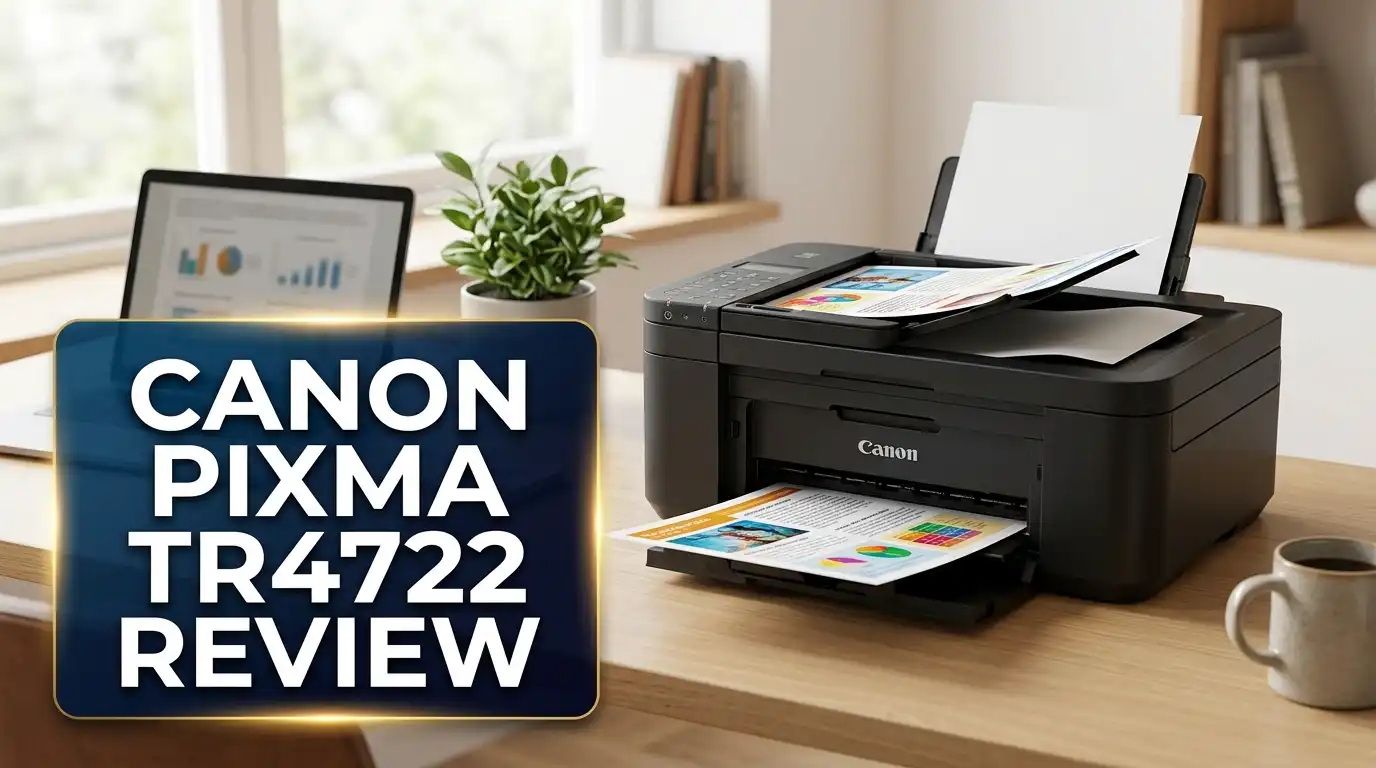
Canon PIXMA TR4722 Review 2026: All-in-One Printer Worth It?
Are you searching for an affordable all-in-one printer that handles printing, scanning, copying, and faxing without breaking the bank? The Canon PIXMA TR4722 has been a popular choice among home users and small office workers for a while now. But does it still hold up in 2026?
This printer promises a lot in a small package. It offers wireless connectivity, mobile printing, an auto document feeder, and automatic duplex printing. The price tag stays under $100 in most stores. That sounds like a dream come true for anyone who needs a reliable machine for basic tasks.
But there’s more to the story. Print speed, ink cost, and long-term reliability matter just as much as the sticker price. In this detailed review, we break down everything about the Canon PIXMA TR4722. We cover its design, performance, print quality, ink costs, setup process, and much more.
By the end of this post, you will know whether this printer deserves a spot on your desk or if a better option exists. Let’s dive in.

Key Takeaways: Canon PIXMA TR4722 at a Glance
- The Canon PIXMA TR4722 is a true 4-in-1 device that lets you print, copy, scan, and fax from one compact machine, making it ideal for home offices and students.
- Wireless and mobile printing come standard. You can print from your smartphone, tablet, or laptop through Wi-Fi, AirPrint, Mopria Print Service, and the Canon PRINT app.
- Auto duplex printing saves paper and money. The printer handles two-sided printing on letter-size documents automatically, cutting your paper usage by up to 50%.
- Print quality is solid for the price. The hybrid ink system uses pigment-based black ink for crisp text and dye-based color ink for vibrant photos, with a resolution up to 4800 x 1200 dpi.
- Print speeds are on the slow side. You get about 8.8 pages per minute in black and 4.4 pages per minute in color, which may frustrate users with high-volume printing needs.
- Ink costs can add up quickly. The Canon PG-275 and CL-276 cartridges have limited page yields. Each set may only last about 3 months with average home use. Subscribing to Canon’s PIXMA Print Plan can help reduce costs.
Canon PIXMA TR4722 Overview

- Wireless 4-in-1 (print | copy | scan | fax)..Power Consumption: 7W (0.8W Standby / 0.3W Off)
- Print speed up to: 4" x 6" Borderless Photo (PP-201): Approx. 65.0 Seconds / Black Document (Letter/Simplex...

Last update on 2026-07-10 / Affiliate links / Images from Amazon Product Advertising API
The Canon PIXMA TR4722 belongs to the Canon PIXMA TR4720 series. The TR4722 is the white color variant, while the TR4720 is the black version. Both models share identical specs and features. Canon designed this printer for home users and small home offices who need basic printing at an affordable price.
This is an inkjet all-in-one printer. It prints, copies, scans, and faxes. That makes it one of the most feature-packed printers in its price range. Most competing printers at this cost skip the fax function entirely.
The printer uses Canon’s FINE (Full-photolithography Inkjet Nozzle Engineering) print head technology. It has 1,280 total nozzles, split between 960 color nozzles and 320 pigment black nozzles. This setup gives the TR4722 a hybrid ink system that produces sharp text and vivid color output.
You also get an auto document feeder (ADF) that holds up to 20 sheets of letter-size paper. The front paper tray holds up to 100 sheets of plain paper. These capacities work well for light to moderate use.
Design and Build Quality
The Canon PIXMA TR4722 has a compact design that measures 17.2 inches wide, 11.7 inches deep, and 7.5 inches tall when closed. It weighs about 12.7 pounds. This small footprint fits easily on a desk, shelf, or small table.
The white finish gives the TR4722 a clean, modern look. It blends well with most home office setups. The body uses standard plastic construction. It feels lightweight but sturdy enough for daily home use.
On the front, you’ll find a 2-line LCD display with a numeric keypad. The display is basic but functional. You can adjust settings, start copies, and send faxes right from the control panel. The buttons respond well to presses, though the small screen takes some getting used to.
The front-loading paper tray slides out from the bottom of the unit. Loading paper is simple and quick. The output tray extends from the top front area. Paper handling feels smooth, and jams are infrequent during normal use.
The flatbed scanner sits under the top lid and handles documents up to letter/A4 size. The ADF sits on top of the scanner lid. The overall layout is well-organized for a printer at this price point.
Print Quality and Performance
Print quality is where the Canon PIXMA TR4722 shows its strengths and weaknesses. The 4800 x 1200 dpi maximum resolution produces impressive results for a budget printer. Text documents come out sharp and clear thanks to the pigment-based black ink.
Color prints look good on glossy photo paper. The dye-based color ink creates vibrant, rich images with decent color accuracy. A borderless 4×6 photo takes about 65 seconds to print, which is reasonable for this class.
However, color documents on plain paper can appear slightly washed out. This is common among budget inkjet printers. If you print mostly text documents and the occasional photo, the TR4722 performs well.
The biggest drawback is print speed. Black document printing tops out at roughly 8.8 images per minute. Color document speed drops to about 4.4 images per minute. These numbers place the TR4722 below average compared to other printers in its category.
The ADF scans multi-page documents slowly. Consumer Reports noted that five text pages took about 36 seconds to print. For light, occasional use, this speed is acceptable. For anyone printing dozens of pages daily, it may feel sluggish.
Top 3 Alternatives for Canon PIXMA TR4722
If the Canon PIXMA TR4722 doesn’t fully meet your needs, these three printers offer strong alternatives at similar or slightly higher price points.

- FROM AMERICA'S MOST TRUSTED PRINTER BRAND – Best for home printing, including basic color documents like...
- KEY FEATURES – Print, copy and scan in color, auto document feeder, mobile fax, mobile and wireless printing
Last update on 2026-07-11 / Affiliate links / Images from Amazon Product Advertising API

- Innovative Cartridge-Free Printing ― High-capacity ink tanks mean no more tiny, expensive ink cartridges...
- Dramatic Savings on Replacement Ink ― Save up to 90% with replacement ink bottles vs. ink cartridges...
Last update on 2026-06-17 / Affiliate links / Images from Amazon Product Advertising API

- FULL FUNCTIONALITY IN A COMPACT SIZE – Print, copy, scan, and fax with business-level features in a small...
- FAST PRINTING WITH DUPLEX CAPABILITY – Print up to 17 ppm black and 9.5 ppm color¹ plus automatic two-sided...
Last update on 2026-06-09 / Affiliate links / Images from Amazon Product Advertising API
The HP DeskJet 4155e provides a clean, simple printing experience with HP’s Instant Ink subscription service. It’s a solid pick for basic home printing. The Epson EcoTank ET-2800 uses refillable ink tanks instead of cartridges, which dramatically lowers long-term ink costs. It ships with enough ink to print up to 4,500 black pages. The Brother MFC-J1010DW offers faster print speeds (up to 17 ppm black) and supports duplex printing, making it a great pick for anyone who prints higher volumes regularly.
Scanning and Copying Features
The Canon PIXMA TR4722 includes a flatbed scanner with a Contact Image Sensor (CIS). The maximum optical resolution reaches 600 x 1200 dpi. This resolution produces clear scans of documents, receipts, and photos.
The flatbed surface accepts originals up to 8.5 x 11.7 inches (letter/A4 size). For multi-page documents, the auto document feeder holds up to 20 letter-size sheets or 5 legal-size sheets. This feature saves time because you don’t need to feed pages one by one.
Scanning works through the Canon PRINT Inkjet/SELPHY app or through IJ Scan Utility software on your computer. You can save scans directly to your PC or mobile device. The printer supports wireless scanning, so you don’t need a USB connection.
Copying features include 2-on-1 and 4-on-1 copy modes, ID card copy, fit-to-page, and frame erase copy. You can make up to 99 copies at a time. The reduction and enlargement range spans 25% to 400%, which gives you good flexibility.
One missing feature is auto duplex scanning. The printer cannot scan both sides of a page automatically. You must flip pages manually for two-sided scanning. This is a common limitation at this price level.
Wireless Connectivity and Mobile Printing
Connectivity is one of the Canon PIXMA TR4722’s strongest selling points. The printer supports Wi-Fi (802.11 b/g/n) at 2.4 GHz. You can also connect through USB if you prefer a wired setup.
Once connected to your Wi-Fi network, every device in your home can access the printer. There’s no need for separate drivers on each device in many cases. The printer supports AirPrint for Apple devices and Mopria Print Service for Android devices.
The Canon PRINT Inkjet/SELPHY app gives you full control from your phone or tablet. You can print photos, documents, and web pages. You can also scan directly to your mobile device. The app is free on both the App Store and Google Play.
The TR4722 also supports PIXMA Cloud Link, which lets you print from cloud services like Google Drive and Dropbox. You can access this through the Canon PRINT app.
For smart home users, the printer offers voice-activated printing through Amazon Alexa and Google Assistant. You can issue simple voice commands to start print jobs.
Wireless Direct Connection is available as well. This mode lets you connect devices directly to the printer without a router. It’s useful in locations without Wi-Fi access.
Fax Functionality
The built-in fax on the Canon PIXMA TR4722 is a standout feature at this price. Many budget printers skip the fax function. If you still need to send or receive faxes for work, medical forms, or legal documents, this printer has you covered.
The fax modem runs at speeds up to 33.6 kbps with automatic fallback. Black fax transmission takes about 3 seconds per page. Color fax transmission takes approximately 1 minute per page.
The fax resolution maxes out at 300 x 300 dpi for black documents and 200 x 200 dpi for color. The built-in memory stores up to 50 pages, so you can receive faxes even when the printer runs out of paper.
You get speed dialing for up to 20 locations and group dialing for up to 19 locations. The numeric keypad on the front panel makes dialing simple. You can also send faxes from your PC or Mac using the included software, though PC fax works in black and white only.
Additional fax features include answering machine connectivity, caller rejection, fax reception reject, and remote reception. These tools help you manage incoming faxes and avoid unwanted junk faxes.
Ink Cartridges and Running Costs
The Canon PIXMA TR4722 uses two ink cartridges: the Canon PG-275 (black) and the CL-276 (color). High-yield versions are available as the PG-275XL and CL-276XL. The printer needs only two cartridges, which keeps the installation process simple.
However, ink costs are a concern with this printer. The standard cartridges have limited page yields. Consumer Reports estimated that each set of cartridges lasts about 3 months with average monthly printing of 19 text and 8 graphic pages. That’s a short lifespan.
The cost per page for text documents sits at around 24.6 cents per page. Color graphics cost about 46.7 cents per page. These numbers are higher than average for this category. Over time, ink expenses can surpass the original purchase price of the printer.
To reduce costs, Canon offers the PIXMA Print Plan subscription service. Plans start as low as $4.49 per month. Canon claims subscribers save 20% to 70% on ink costs compared to buying cartridges at retail. The plan includes automatic ink delivery when supplies run low.
Third-party ink cartridges are also available at lower prices. However, using non-genuine cartridges may affect print quality and could void your warranty.
Setup Process and Ease of Use
Setting up the Canon PIXMA TR4722 is straightforward. Canon recommends using the Canon PRINT Inkjet/SELPHY app for initial setup. You download the app, connect to the printer, and follow the on-screen steps. Most users complete the process in 10 to 15 minutes.
The printer comes with starter ink cartridges in the box. These cartridges have lower page yields than standard retail cartridges. You’ll likely need replacement ink sooner than expected.
Installing the cartridges is easy. The front cover opens to reveal the cartridge slots. You snap the cartridges into place and close the cover. The printer runs an automatic alignment process after installation.
The 2-line LCD display is simple but functional. It shows basic status information, copy settings, and fax controls. There’s no touchscreen or color display. You navigate menus using the arrow buttons and OK button.
Day-to-day operation is intuitive. Loading paper into the front tray takes seconds. Printing from a mobile device works with just a few taps. Scanning to your phone requires the Canon PRINT app.
One helpful feature is the document removal reminder. The printer alerts you if you forget an original document on the scanner. This small detail prevents lost papers and missed scans.
Paper Handling and Media Support
The Canon PIXMA TR4722 accepts a wide range of paper types and sizes. The front paper tray holds up to 100 sheets of plain paper. It also accommodates 20 sheets of 4×6 photo paper or 10 sheets of 5×7 photo paper.
Supported paper sizes include 4×6, 5×7, 8×10, letter (8.5×11), legal (8.5×14), and U.S. #10 envelopes. Custom sizes range from 4 inches wide to 8.5 inches wide and 6 inches long to 26.6 inches long. This range covers most home and small office needs.
The printer supports Canon’s premium photo papers including Photo Paper Pro Platinum, Photo Paper Plus Glossy II, and Photo Paper Pro Luster. It also works with matte photo paper, high-resolution paper, and plain paper from other brands.
Borderless printing is available on sizes from 4×6 up to letter (8.5×11). This feature is great for printing photos and marketing materials without white borders. However, borderless printing does not work on envelopes, high-resolution paper, or transfer paper.
Paper weight compatibility ranges from 64 to 105 gsm for plain paper and up to approximately 300 gsm for Canon’s thickest photo papers. This range handles everything from standard copy paper to heavyweight glossy photo stock.
Energy Efficiency and Noise Levels
The Canon PIXMA TR4722 carries ENERGY STAR certification. This means it meets strict energy efficiency guidelines. In active use, the printer draws about 7 watts. Standby mode drops to just 0.8 watts. When powered off, it consumes only 0.3 watts.
The Auto Power On/Off feature adds convenience and saves electricity. The printer turns on automatically when you send a print job. It powers down on its own after a period of inactivity. You don’t need to remember to switch it off manually.
Noise levels sit at approximately 56.5 dB(A) during plain paper printing. This is noticeable but not disruptive in a home office setting. It sounds similar to a normal conversation.
For quieter operation, the TR4722 includes a Quiet Mode setting. This mode reduces printing noise by slowing down the print process. It’s useful for late-night printing or shared workspaces where noise matters.
The printer’s input voltage ranges from AC 100 to 240 volts at 50/60 Hz. This universal voltage support means the printer works in most countries without a voltage converter. The compact power supply keeps desk clutter to a minimum.
Who Should Buy the Canon PIXMA TR4722?
The Canon PIXMA TR4722 fits specific user profiles well. If you print occasionally at home and need basic copy, scan, and fax features, this printer delivers solid value. Students, remote workers, and families who print homework, forms, and the occasional photo will find it capable.
Budget-conscious buyers will appreciate the low upfront cost. The printer regularly sells for under $80 at most retailers. The white design of the TR4722 also appeals to users who want a printer that matches lighter-colored furniture and home decor.
Anyone who still needs a built-in fax machine should seriously consider this printer. Finding a budget all-in-one with fax capability is becoming increasingly difficult. The TR4722 fills that gap nicely.
However, this printer is not ideal for high-volume printing. The slow speeds and expensive ink cartridges make it a poor choice for busy offices or anyone printing more than a few dozen pages per week. Users with heavy printing demands should look at the Epson EcoTank ET-2800 or the Brother MFC-J1010DW for better long-term economics.
Photo enthusiasts who want premium quality prints may also want to explore dedicated photo printers or higher-end PIXMA models. The TR4722 prints good photos for casual use, but it can’t match the output of Canon’s TS or PRO series printers.
Pros and Cons Summary
The Canon PIXMA TR4722 brings several clear advantages to the table. The compact 4-in-1 design packs printing, copying, scanning, and faxing into a single small unit. Wireless connectivity works smoothly with Apple, Android, and Windows devices. The auto duplex printing saves paper on every two-sided document. Photo quality is surprisingly good for a printer in this price range.
On the downside, slow print speeds stand out as the biggest weakness. At 8.8 ppm for black and 4.4 ppm for color, this printer falls behind many competitors. The high cost per page for ink is another significant concern, especially for users who print regularly.
The ADF is slow when processing multi-page documents. The 2-line LCD display feels dated compared to printers with touchscreens. And the absence of auto duplex scanning means extra manual work for two-sided document scans.
The printer also requires regular use to prevent ink from drying and nozzles from clogging. If you leave it unused for weeks, you may need to run cleaning cycles that waste ink. This maintenance requirement is common across inkjet printers but still worth noting.
Overall, the Canon PIXMA TR4722 is a capable budget printer that does many things adequately without excelling at any single task. For its price, the feature set is generous.
Final Verdict: Should You Buy the Canon PIXMA TR4722 in 2026?
- Wireless 4-in-1 (print | copy | scan | fax)..Power Consumption: 7W (0.8W Standby / 0.3W Off)
- Print speed up to: 4" x 6" Borderless Photo (PP-201): Approx. 65.0 Seconds / Black Document (Letter/Simplex...
Last update on 2026-07-10 / Affiliate links / Images from Amazon Product Advertising API
The Canon PIXMA TR4722 remains a solid entry-level all-in-one printer in 2026. It offers an impressive feature set for its budget price point. You get wireless printing, mobile device support, auto duplex printing, an ADF, and a built-in fax machine for under $80.
The hybrid ink system produces sharp text and colorful photos. The compact white design looks clean on any desk. Setup is quick through the Canon PRINT app, and daily operation feels simple.
But the printer has clear limitations. Slow print speeds and high ink costs per page hold it back from being a great value over time. If you print more than 50 pages a month, the ink expenses will add up fast. The Epson EcoTank ET-2800 offers dramatically lower running costs with its refillable tank system.
For light, occasional use at home, the Canon PIXMA TR4722 gets the job done. If you need a fax machine and want to spend as little as possible upfront, this printer makes sense. Just be prepared to invest in ink cartridges regularly, or sign up for Canon’s PIXMA Print Plan to keep costs manageable.
Rating: 3.5 out of 5 stars. A good budget option for light home use with fax capability, but ink costs and slow speeds limit its overall value.
Frequently Asked Questions
What ink does the Canon PIXMA TR4722 use?
The Canon PIXMA TR4722 uses the Canon PG-275 black ink cartridge and the CL-276 color ink cartridge. High-yield versions are available as the PG-275XL and CL-276XL. These cartridges use a hybrid ink system with pigment-based black and dye-based color ink.
Can the Canon PIXMA TR4722 print on both sides automatically?
Yes, the Canon PIXMA TR4722 supports auto 2-sided (duplex) printing for letter-size plain paper. This feature saves paper by printing on both sides of each sheet without you needing to flip pages manually.
Does the Canon PIXMA TR4722 work with Mac and Chromebook?
Yes, the printer is compatible with macOS, Windows, and Chromebook. It also works with iOS and Android mobile devices. You can use AirPrint on Apple devices and Mopria Print Service on Android devices for driver-free printing.
How fast is the Canon PIXMA TR4722?
The Canon PIXMA TR4722 prints at approximately 8.8 pages per minute for black documents and 4.4 pages per minute for color documents. A borderless 4×6 photo takes about 65 seconds to print. These speeds are below average for its category.
Is the Canon PIXMA TR4722 good for photo printing?
The Canon PIXMA TR4722 produces good quality photos for a budget printer. It prints borderless photos from 4×6 up to 8.5×11 inches. Colors appear vibrant on glossy photo paper. However, it does not match dedicated photo printers in detail and color accuracy.
What is the difference between Canon PIXMA TR4720 and TR4722?
The Canon PIXMA TR4720 and TR4722 are the same printer in different colors. The TR4720 comes in black, while the TR4722 comes in white. All features, specifications, and performance are identical between the two models.
Does the Canon PIXMA TR4722 have a fax machine?
Yes, the Canon PIXMA TR4722 includes a built-in fax with a modem speed of up to 33.6 kbps. It stores up to 50 pages in memory and supports speed dialing for up to 20 locations. You can also send faxes from your computer using the included software.

DK is a technology expert who specializes in AI tools, software, and tech gadgets. He writes for How to Tech Info, providing detailed reviews and practical guides. DK helps readers discover the best AI applications, navigate new software, and choose the right tech gadgets.