
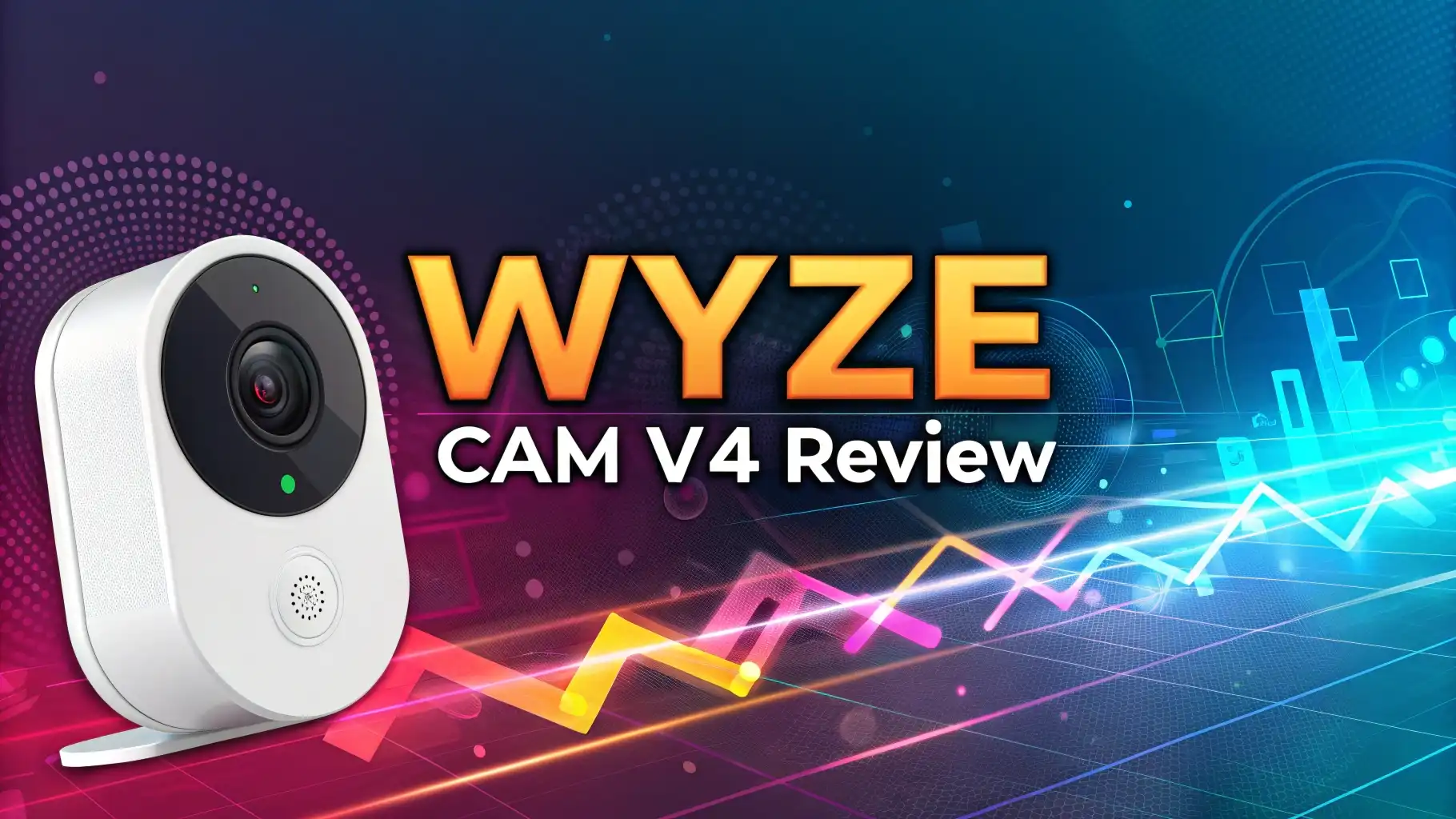
Wyze Cam v4 Review 2026: Budget-Friendly Security Camera?
Home security does not need to break your bank account. The Wyze Cam v4 proves this fact with outstanding features at a price that makes premium security accessible to everyone. This camera brings 2.5K resolution, color night vision, and smart AI detection to your doorstep without demanding a hefty investment.
You want real protection for your home. The Wyze Cam v4 delivers exactly that with crystal-clear video quality both day and night. This updated model takes everything users loved about the v3 and pushes it further with better resolution, improved audio, and enhanced connectivity through WiFi 6 support.
Many security cameras promise the world but deliver disappointment. The Wyze Cam v4 stands apart by offering genuine value. Your property deserves reliable monitoring, and this camera provides it with features typically found on cameras costing three times more.
This review digs deep into every aspect of the Wyze Cam v4. You will discover whether this camera fits your security needs, how it performs in real-world conditions, and what makes it different from competitors. Let’s explore why this camera has earned attention from budget-conscious homeowners and tech enthusiasts alike.
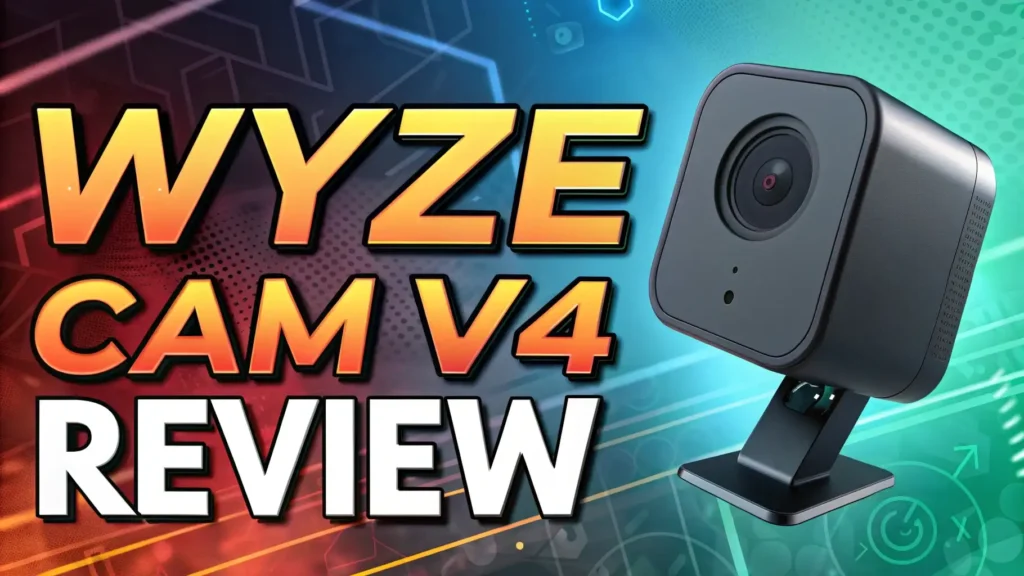
Key Takeaways
Exceptional Value Proposition: The Wyze Cam v4 costs around $35 but delivers 2.5K QHD resolution that rivals cameras selling for $100 or more. You get professional-grade video quality without the premium price tag.
Enhanced Night Performance: This camera features improved color night vision that captures vibrant details even in low-light conditions. The integrated 72-lumen spotlight activates when motion is detected, providing both security and illumination.
WiFi 6 Connectivity: The v4 model supports the latest WiFi 6 standard, offering 20 meters of extra range and better performance in congested network environments. Your camera maintains a stable connection even with multiple devices competing for bandwidth.
Flexible Storage Options: Local recording to microSD cards up to 512GB means no mandatory subscriptions. You control your footage without monthly fees, though cloud storage remains available if you prefer it.
Weather-Resistant Design: The IP65 rating ensures this camera withstands rain, snow, and extreme temperatures. You can install it outdoors knowing it will continue operating through harsh weather conditions.
Wyze Cam v4 Overview: What Makes This Camera Special

- 【2.5K QHD Resolution Security Camera】 - Elevate your monitoring with our security cameras featuring Quad High-Definition clarity, capturing every detail in...
- 【Indoor/Outdoor Versatility】 - Engineered for durability with IP65 weather resistance, Wyze Cam v4 is an ideal security camera, offering reliable house...
- 【Enhanced Color Night Vision】 -Whether it's night or day, see everything in vivid color and clarity with this indoor camera, ensuring no detail is missed...
The Wyze Cam v4 represents a significant upgrade in the budget security camera market. This camera packs features that were exclusive to expensive models just a few years ago. Your home security becomes smarter without requiring a second mortgage.
Wyze built its reputation on making technology affordable. The v4 continues this tradition by offering 2.5K QHD resolution at a fraction of what competitors charge. You see every detail clearly, from package labels on your porch to facial features of visitors approaching your door.
This camera works equally well indoors and outdoors. The versatile design adapts to multiple mounting locations. You can monitor your baby’s nursery, keep watch over your backyard, or track activity in your garage with equal effectiveness.
The magnetic mount makes installation simple. You don’t need power tools or extensive technical knowledge. Most users complete setup within ten minutes, thanks to Bluetooth pairing that eliminates QR code scanning frustrations.
Wide dynamic range technology handles challenging lighting conditions. You get clear images even when bright sunlight and deep shadows exist in the same frame. This feature proves invaluable for monitoring areas like covered porches or entryways where lighting varies dramatically throughout the day.
Video Quality and Resolution: Seeing Every Detail in 2.5K
The 2.5K QHD resolution transforms how you monitor your property. This camera captures 2560×1440 pixels, delivering significantly more detail than standard 1080p models. You can digitally zoom into footage and still maintain clarity for identifying important details.
The larger image sensor works with an upgraded processor to produce exceptional image quality. Colors appear natural and accurate, helping you distinguish between different vehicles, clothing items, or package contents. This accuracy matters when you need to provide evidence or simply want to know what happened on your property.
Frame rates remain smooth throughout different lighting conditions. The camera adjusts exposure automatically to maintain optimal image quality. You won’t see the overexposed or underexposed areas that plague cheaper security cameras.
Wide dynamic range balances extreme differences in brightness. Morning sunlight streaming through windows doesn’t wash out your video. Evening scenes with both illuminated and shadowy areas show detail in both zones. This technology ensures you capture usable footage regardless of lighting challenges.
The 115.9-degree diagonal field of view covers substantial area without fish-eye distortion. You monitor large spaces with a single camera. This wider perspective reduces blind spots and the number of cameras needed for complete coverage.
Night Vision Performance: Color Clarity After Dark
Traditional infrared night vision shows only black and white images. The Wyze Cam v4 changes this limitation with enhanced color night vision. You see actual colors in low-light conditions, making identification of people, vehicles, and objects much easier.
The starlight sensor collects available light more efficiently than previous models. This improved sensitivity means the camera switches to color mode in dimmer conditions. You get color information that helps determine if that car in your driveway is blue or black, details that matter for security purposes.
The integrated spotlight provides 72 lumens of illumination. This light activates when motion triggers the camera, flooding the area with bright white light. Potential intruders face sudden illumination that both records their actions clearly and often encourages them to leave quickly.
You control how the night vision operates through the Wyze app. Settings let you choose between infrared-only mode, color night vision, or spotlight activation. This flexibility allows you to balance between stealth monitoring and visible deterrence based on your specific needs.
The camera automatically switches between day and night modes based on ambient light levels. You don’t manually adjust settings as darkness falls. This automation ensures optimal video quality around the clock without requiring your intervention.
Top 3 Alternative for Wyze Cam v4
While the Wyze Cam v4 offers excellent value, these alternatives provide different features that might suit your specific needs:

- Outdoor 4 is our most affordable wireless smart security camera yet, offering up to two-year battery life for around-the-clock peace of mind. Local storage not...
- See and speak from the Blink app — Experience 1080p HD live view, infrared night vision, and crisp two-way audio.
- Two-year battery life — Set up in minutes and get up to two years of power with the included AA Energizer lithium batteries and a Blink Sync Module Core.

- This bundle includes 2 Ring Outdoor Cams (Stick Up Cams) Battery.
- Outdoor Cam (Stick Up Cam) Battery is a battery-powered camera that’s built for outside, but ready for anywhere.
- Live View and Two-Way Talk - See, hear, and speak to people on camera and can check in on your home any time through the Ring app.

- Starlight Full-Color Night Vision (up to 98 ft): Ensures your safety by providing a clear visual distance of up to 98 ft even in total darkness.
- 360° Visual Coverage & 2K QHD Full HD Live View: Provides 360° horizontal & 130° vertical range to cover every corner. Reveals clear and sharp images with...
- Person/Pet/Vehicle Detection and Motion Tracking: Smart AI identifies a person while tracking motion with high-speed rotation, notifying users as needed.
These alternatives offer different strengths. Blink cameras provide longer battery life. Ring cameras integrate seamlessly with other Ring products. TP-Link Tapo cameras offer pan-tilt functionality. Your choice depends on your existing smart home ecosystem and specific monitoring requirements.
Smart Detection Features: AI-Powered Security Intelligence
The Wyze Cam v4 includes motion detection as a standard feature. The camera identifies movement and triggers recording automatically. Basic motion detection works well for general monitoring without requiring any subscription.
Edge AI technology runs directly on the camera’s processor. This local processing provides person detection without cloud dependencies. You receive notifications when the camera detects human shapes, reducing false alarms from swaying trees or passing cars.
Cam Plus subscription unlocks advanced AI features. Person, pet, package, and vehicle detection become available with this service. The AI learns to distinguish between different types of motion, sending you relevant notifications instead of overwhelming your phone with every movement.
Smart Focus tracks detected subjects automatically. The camera creates a zoomed view of the person or vehicle while maintaining the full frame for context. This dual-view approach lets you see both specific details and the surrounding environment simultaneously.
Motion zones let you define specific areas for monitoring. You might want alerts for your driveway but not the sidewalk beyond it. Custom zones prevent notification fatigue by focusing surveillance on areas you actually care about monitoring.
Audio Quality: Two-Way Communication That Works
Previous Wyze cameras offered two-way audio, but the v4 takes this feature to new levels. Advanced Audio Coding delivers clearer sound quality for both recording and playback. You hear conversations clearly enough to understand what’s being said, not just detect that someone is speaking.
The upgraded amplifier pushes more power to the speaker. Your voice projects clearly through the camera when you communicate with visitors or delivery personnel. This improvement means people on the other end can hear you without straining, making actual conversations possible.
The microphone captures a wider frequency range. You pick up environmental sounds like car engines, breaking glass, or alarm sirens with greater clarity. This audio fidelity helps you understand situations more completely when reviewing recorded footage.
Noise reduction algorithms filter out background interference. Wind noise doesn’t overwhelm actual conversation. Electronic hum from nearby equipment gets filtered out, leaving you with cleaner audio recordings that focus on relevant sounds.
The 99dB siren provides serious deterrent capability. This loud alarm startles intruders and alerts neighbors to potential problems. You trigger the siren remotely through the app, giving you an active security tool rather than just passive recording.
WiFi 6 Connectivity: Faster and More Reliable Connection
WiFi 6 support represents a major upgrade for the Wyze Cam v4. This latest wireless standard provides significant advantages over older WiFi protocols. Your camera maintains stronger connections even as you add more smart home devices to your network.
The extended range of WiFi 6 means the camera works reliably farther from your router. You gain approximately 20 additional meters of connection distance. This extra reach proves crucial for monitoring detached garages, workshops, or distant corners of your property.
Network congestion affects camera performance less with WiFi 6. The improved efficiency handles multiple devices communicating simultaneously. Your camera streams smoothly even when family members are gaming, streaming movies, or video calling at the same time.
Faster data transfer speeds enable quicker video loading in the app. You see live feeds with minimal delay. Recorded footage downloads faster when you need to save or share specific clips from your security archives.
Lower power consumption during data transmission extends the efficiency of the camera’s operation. WiFi 6 accomplishes more while using less energy. This efficiency contributes to more stable long-term performance and reduced heat generation during continuous operation.
Installation and Setup: Getting Started in Minutes
The Wyze Cam v4 simplifies installation through thoughtful design choices. The magnetic mount attaches to the included metal plate, eliminating the need for complicated brackets or precise alignment. You position the camera exactly where you want it, and the strong magnet holds it securely.
Bluetooth pairing streamlines initial setup. The camera connects to your phone directly during configuration, skipping the frustrating QR code scanning process that often fails. This modern approach reduces setup time and eliminates one of the most common sources of installation frustration.
The Wyze app guides you through each step with clear instructions. You download the app, create an account, and add your camera following simple prompts. Most users complete the entire process in under ten minutes without consulting additional resources.
The power cable provides 20 feet of length for flexible placement. You reach standard outlets without needing extension cords in most situations. For outdoor installations, the optional outdoor power adapter extends the cable and provides weather-resistant protection for the connection.
Position adjustment happens easily thanks to the ball joint design. You point the camera in any direction and the magnetic mount holds your chosen angle. No screws or locks need tightening, making repositioning simple if you want to change your monitoring coverage.
Storage Options: Local and Cloud Recording Explained
MicroSD card support gives you complete control over your footage. The camera accepts cards up to 512GB, storing days or even weeks of continuous recording. You own your data completely without depending on cloud services or paying monthly fees.
Continuous 24/7 recording becomes possible with local storage. The camera writes video to your microSD card constantly, ensuring you never miss anything. This comprehensive coverage provides peace of mind that every event gets captured regardless of motion detection sensitivity.
Cloud storage remains available through Wyze’s subscription services. The free tier includes 14 days of event-triggered recordings with a 5-minute cooldown between clips. Cam Plus subscriptions eliminate cooldowns and extend cloud storage, providing off-site backup of your security footage.
Recording quality settings let you balance storage capacity against video clarity. Higher quality settings consume more space but preserve maximum detail. Lower settings extend recording duration on the same size card while maintaining acceptable image quality.
The app lets you review recordings easily. You scroll through timeline views to find specific events. Download clips directly to your phone for sharing with law enforcement or insurance companies when necessary.
Weather Resistance: Outdoor Performance You Can Trust
The IP65 rating certifies protection against dust and water jets from any direction. Your camera withstands heavy rain, snow, and dust storms. This durability means you don’t worry about weather damaging your investment or interrupting your security coverage.
Temperature tolerance extends from freezing cold to intense summer heat. The camera operates reliably in conditions ranging from well below freezing to over 100 degrees Fahrenheit. Your monitoring continues through winter blizzards and summer heat waves without service interruptions.
The sealed construction prevents moisture infiltration. Internal electronics remain protected from humidity and condensation. This protection extends the camera’s lifespan and maintains performance consistency across all seasons and weather conditions.
UV-resistant materials prevent sun damage and fading. The camera housing maintains its appearance and structural integrity despite constant sun exposure. Your investment looks and functions like new even after years of outdoor installation.
For optimal outdoor performance, the optional outdoor power adapter provides additional cable protection. This accessory extends the power connection with weather-resistant materials. The combination ensures your entire installation withstands outdoor conditions from camera to power outlet.
Mobile App Experience: Control at Your Fingertips
The Wyze app serves as your command center for all camera functions. The interface presents live views clearly with intuitive controls overlaid for quick access. You switch between multiple cameras easily if you own more than one Wyze device.
Notification customization prevents alert overload. You choose which events trigger phone notifications and set quiet hours when alerts pause. This flexibility ensures you stay informed about important events without constant interruptions during meetings or sleep.
Live streaming quality adjusts automatically based on your connection speed. The app prioritizes smooth playback over maximum resolution when bandwidth is limited. You get the best possible viewing experience regardless of whether you’re on WiFi or cellular data.
Playback controls work smoothly with intuitive gestures. You scrub through recordings, zoom into specific areas, and download clips with simple taps and swipes. The interface feels responsive and natural, making security monitoring less of a chore.
Smart home integration connects your camera to voice assistants. You view live feeds on Alexa or Google displays using simple voice commands. This integration extends your control options beyond just the phone app.
Smart Home Integration: Works with Your Ecosystem
Amazon Alexa compatibility lets you control the camera with voice commands. You ask Alexa to show your front door camera on Echo displays. This hands-free control proves convenient when your hands are full or you’re busy with other tasks.
Google Assistant support provides similar functionality within the Google ecosystem. Your Nest Hub displays camera feeds when you ask. The integration works seamlessly whether you’re at home or checking in remotely through Google devices.
IFTTT connectivity enables advanced automation possibilities. You create custom recipes that trigger specific actions based on camera events. For example, you might have smart lights turn on when the camera detects motion after sunset.
Wyze Rules within the app let you build automation without third-party services. You connect multiple Wyze devices to work together. Your camera detection can trigger smart plugs, lights, or sirens, creating a coordinated security response.
The growing Wyze ecosystem means your camera works with an expanding range of products. Door locks, sensors, and lights all communicate with each other. This compatibility creates a comprehensive smart home security system at a fraction of traditional security service costs.
Power Requirements: Understanding Your Options
The Wyze Cam v4 requires constant power through its USB connection. This wired design enables continuous operation and 24/7 recording. You never worry about batteries dying at crucial moments or scheduling charging sessions.
The included USB cable measures 20 feet, reaching most nearby outlets. This length accommodates typical installation scenarios without requiring extensions. Standard USB power means you can use portable battery banks for temporary setups at events or construction sites.
Power consumption remains modest during normal operation. The camera draws minimal electricity even during continuous recording. Your electric bill won’t show noticeable increases from running multiple cameras around your property.
For outdoor installations away from outlets, the optional outdoor power adapter extends your reach. This weather-resistant cable provides additional length with proper protection. The adapter ensures reliable power delivery even in exposed outdoor locations.
Solar power options exist through third-party accessories if you need truly wire-free operation. These solutions require careful planning to ensure adequate charging during short winter days. Most users find the flexibility of wired power outweighs the convenience of solar in terms of reliability.
Pricing and Value: What You Get for Your Money
The Wyze Cam v4 typically sells for around $35 for a single camera. Multi-camera packs offer slight discounts, bringing the per-camera price down to approximately $34. This pricing positions the v4 as one of the most affordable 2.5K security cameras available.
No mandatory subscriptions mean your initial purchase covers basic security monitoring indefinitely. You add cloud storage and advanced AI features only if you want them. This optional subscription model respects your budget and lets you choose the features you actually need.
Cam Plus subscriptions cost about $2 per month per camera or $20 annually. Cam Unlimited covers all your cameras for approximately $10 monthly or $100 yearly. These prices remain significantly lower than traditional security monitoring services that often exceed $50 monthly.
The value proposition becomes exceptional when you consider the feature set. Cameras offering similar specifications from major brands typically cost $100 or more. You’re essentially getting three Wyze cameras for the price of one competitor model.
Bundle options let you save additional money on required accessories. Packages including microSD cards or outdoor power adapters reduce your total investment. These bundles ensure you have everything needed for complete installation without multiple shopping trips.
Pros of the Wyze Cam v4: What Users Love
Outstanding video quality at this price point impresses even experienced security camera users. The 2.5K resolution captures details that help identify people, vehicles, and activities clearly. You get footage that’s actually useful rather than just confirming something happened.
No mandatory subscriptions mean your camera provides security value from day one without ongoing costs. Local storage gives you complete control over your footage. This independence from monthly fees makes the total ownership cost remarkably low over the camera’s lifetime.
Easy installation removes technical barriers that prevent some people from implementing home security. The magnetic mount and Bluetooth setup mean anyone can install this camera successfully. You don’t need to hire professional installers or spend hours fighting with complicated setup procedures.
Excellent low-light performance extends the camera’s usefulness beyond daytime hours. Color night vision provides information that traditional infrared simply can’t match. The spotlight adds both security illumination and deterrent value when motion is detected after dark.
WiFi 6 support future-proofs your investment as wireless networks continue evolving. The extended range and improved congestion handling ensure this camera continues performing well even as you add more smart home devices. Your purchase remains relevant as technology advances.
Cons of the Wyze Cam v4: Known Limitations
Wired power requirement limits placement options compared to battery-powered competitors. You need access to electrical outlets or willingness to run extension cords. This constraint affects installations in locations far from power sources like remote property corners or detached structures.
Cloud features require subscriptions for full functionality. While basic motion detection works free, person/pet/vehicle detection needs Cam Plus. Some users feel frustrated that advanced AI features aren’t included with the hardware purchase, though the optional nature prevents mandatory ongoing costs.
Connection depends on stable WiFi throughout your property. The camera can’t operate without wireless network access. Properties with WiFi dead zones or unreliable internet service may experience connectivity problems that affect the camera’s reliability.
Limited integration with security systems from other manufacturers restricts professional monitoring options. This camera works best within the Wyze ecosystem. If you prefer traditional security companies or specific platforms, integration options remain limited compared to some competitors.
Customer support experiences vary based on user reports. Some customers receive quick helpful responses while others report frustration getting issues resolved. The budget pricing may reflect reduced support resources compared to premium camera manufacturers.
Comparison with Previous Models: How v4 Improves
The v4 offers significantly better video quality than the v3. The jump from 1080p to 2.5K provides 77% more pixels, capturing substantially more detail. This resolution increase transforms the footage from adequate to impressive for identifying specific details.
WiFi 6 support represents a major connectivity upgrade over the v3. The older model’s WiFi 5 worked fine but the v6’s extended range and congestion handling prove noticeable in real-world use. You experience fewer connection drops and faster video loading.
The spotlight integration eliminates the need for the separate spotlight accessory required with v3. This built-in illumination simplifies installation and reduces costs. The unified design looks cleaner and provides more cohesive nighttime security coverage.
Enhanced audio quality makes two-way communication actually practical rather than just possible. The v3’s audio worked but conversations required patience. The v4’s upgraded speaker and microphone enable natural dialogue with visitors or family members.
Wide dynamic range handles difficult lighting much better than the v3. High-contrast scenes that challenged the older model get captured clearly by the v4. This improvement proves particularly valuable for monitoring areas with mixed lighting like doorways or covered patios.
Real-World Performance: Daily Use Impressions
Day-to-day monitoring shows the camera performing reliably in various conditions. The video loads quickly in the app and streaming remains smooth on decent WiFi connections. You check your property confidently knowing the camera captures current activity clearly.
Motion detection sensitivity requires some adjustment to match your specific environment. Initial settings may trigger excessive notifications from passing cars or tree movement. A few minutes spent customizing detection zones and sensitivity levels dramatically improves the notification relevance.
Night performance exceeds expectations for cameras in this price range. The color night vision captures useful detail in surprisingly low light. The spotlight activation provides reassuring illumination and often startles potential intruders into leaving quickly.
Storage management works automatically when using microSD cards. The camera overwrites oldest footage when the card fills, ensuring recording never stops. You download important clips before they’re overwritten, maintaining an archive of significant events.
Weather resistance proves genuine through months of outdoor exposure. Users report cameras continuing to function through rain, snow, and temperature extremes without issues. The weatherproof construction delivers on its promises in real-world conditions.
Who Should Buy the Wyze Cam v4?
Budget-conscious homeowners seeking reliable security without monthly fees find exceptional value here. The combination of quality features and low cost makes comprehensive property monitoring affordable. You protect your home without straining your budget.
Apartment renters benefit from the easy installation and magnetic mounting. You set up complete security coverage without drilling holes or permanent modifications. The system moves with you when you relocate, protecting your investment across multiple residences.
Small business owners monitoring storefronts or offices get professional-quality video at consumer prices. Multiple cameras cover your business thoroughly without the expensive contracts traditional security companies require. You maintain control over your security footage and access.
Tech enthusiasts exploring smart home automation appreciate the Wyze ecosystem integration. The camera works with other Wyze products and popular platforms like Alexa and Google Home. You build sophisticated automation rules that enhance security through connected device coordination.
DIY security users who prefer controlling their own systems rather than contracting with monitoring services find the Wyze approach ideal. You customize exactly how your security operates without preset packages or unnecessary features. The flexibility lets you create security tailored precisely to your needs.
Frequently Asked Questions
Does the Wyze Cam v4 work without a subscription?
Yes, the camera functions completely without any subscription. You get motion detection, local recording to microSD cards, and live viewing for free. Subscriptions add cloud storage and advanced AI detection but aren’t required for basic security monitoring. Many users operate their cameras exclusively with local storage and never purchase subscriptions.
Can I use the Wyze Cam v4 without WiFi?
No, the camera requires WiFi connection to function. It uses your wireless network to communicate with your phone and the Wyze servers. Without WiFi, you cannot access live feeds, receive notifications, or control camera settings. The camera needs internet access for all features except local recording, which continues during temporary internet outages.
How much storage does continuous recording use?
Storage consumption varies based on your video quality settings and scene complexity. Typical usage consumes approximately 2-3GB per camera per day for continuous recording. A 128GB microSD card stores roughly 40-60 days of footage before overwriting begins. Higher traffic areas with more motion use slightly more storage than static views.
Is the Wyze Cam v4 compatible with Apple HomeKit?
The Wyze Cam v4 does not support Apple HomeKit natively. The camera works with Alexa and Google Assistant but lacks HomeKit integration. Some users employ workaround solutions through third-party software, but official support doesn’t exist. Apple users might prefer cameras with native HomeKit support if ecosystem integration is a priority.
Can I use the camera indoors and outdoors?
Yes, the IP65 weather resistance makes the camera suitable for both environments. You mount it outside in any weather or use it indoors for monitoring rooms, hallways, or entryways. The versatile design adapts to any security need, from baby monitors to parking area surveillance.
How long does the setup process take?
Most users complete initial setup within 5-10 minutes. You download the Wyze app, create an account, plug in the camera, and follow the guided pairing process. The Bluetooth connection eliminates QR code scanning frustrations. Even users unfamiliar with smart home technology succeed with setup on their first attempt.
What happens if my internet goes down?
The camera continues recording locally to your microSD card during internet outages. You lose remote access and notifications but footage continues saving. Once internet returns, you can review everything recorded during the outage. This local recording ensures you don’t miss critical events even when WiFi fails.

DK is a technology expert who specializes in AI tools, software, and tech gadgets. He writes for How to Tech Info, providing detailed reviews and practical guides. DK helps readers discover the best AI applications, navigate new software, and choose the right tech gadgets.
Last update on 2026-02-08 / Affiliate links / Images from Amazon Product Advertising API This site is a participant in the Amazon Services LLC Associates Program, an affiliate advertising program designed to provide a means for sites to earn advertising fees by advertising and linking to Amazon.com.

