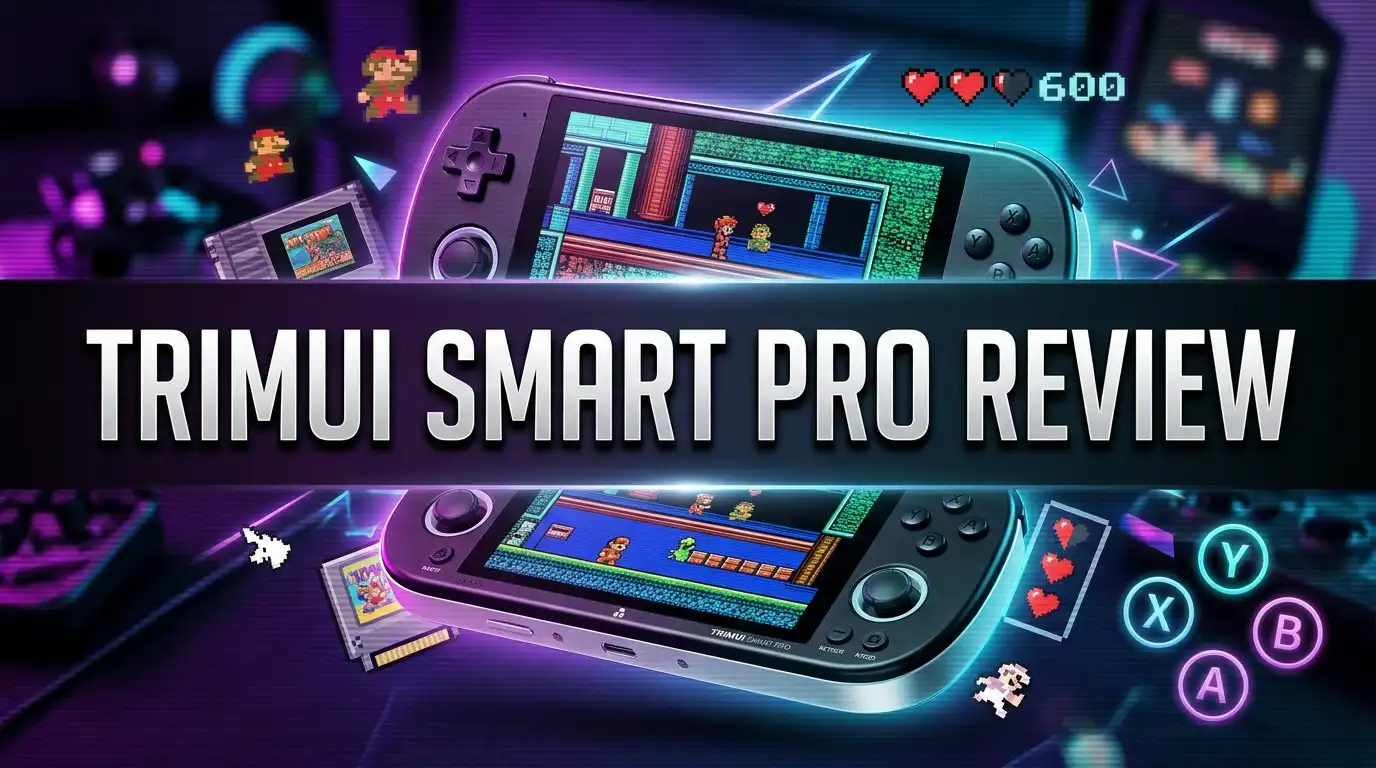
TriMUI Smart Pro Review: Widescreen Retro Handheld Worth It?
The retro handheld market moves fast. New devices land every few months, and most of them look the same. Then the TriMUI Smart Pro showed up with a big 5 inch widescreen display, a price under $100, and a shape that reminds everyone of the PSP they loved as a kid.
I have spent weeks with this little machine. I have loaded it with arcade classics, PSP racers, Dreamcast oddities, and far too many hours of Metal Slug. This review covers what the Smart Pro does brilliantly, where it stumbles, and whether you should spend your money on it today.
If you want a straight answer before the details, keep reading. The short version is simple: this device punches far above its price, but only if you know what you are buying.
In a Nutshell: The TriMUI Smart Pro at a Glance
Here is everything important, packed into six quick points.
- The screen is the main reason to buy it. You get a 4.96 inch fully laminated IPS panel at 1280×720. Colors look rich, blacks look deep, and pixel art with CRT shaders looks genuinely lovely. Very few handhelds under $100 come close to this quality.
- The Allwinner A133P chip handles retro gaming up to PS1 and Dreamcast. You get four Cortex A55 cores running at 1.8GHz plus 1GB of RAM. NES, SNES, Genesis, Neo Geo, CPS1, CPS2, GBA, and PS1 all run flawlessly. PSP and Dreamcast run well with the right settings. N64 is hit or miss.
- Battery life sits between 5 and 7 hours. The 5000mAh cell is generous for a device this size, and fast charging tops it up quickly through the USB C port.
- CrossMix OS transforms the software experience. The stock firmware works, but the community made custom firmware turns the Smart Pro into a far more capable machine with over 100 emulators and PortMaster support.
- The widescreen shape suits some libraries better than others. PSP games and 16:9 ports look perfect. Classic 4:3 games get black bars on the sides.
- The price sits around $70 to $90 depending on storage and seller. That makes it one of the best value propositions in budget retro gaming right now.
What Is the TriMUI Smart Pro?

- Trimui Smart Pro with 4.96 inch IPS Screen: The handheld game console is equipped with IPS screen with 720 x...
- Upgrade Chip: Trimui Smart Pro adopts Allwinner A133plus Cortex-A53 quad-core advanced chip, the main...
Last update on 2026-08-08 / Affiliate links / Images from Amazon Product Advertising API
The TriMUI Smart Pro, known internally as the TG5040, is a Linux based handheld emulation console. TriMUI released it in late 2023 and it quickly became a community favorite.
The device measures 188 x 80 x 17mm and weighs about 230 grams. It sits in your hands like a slimmer, lighter PSP. That comparison comes up constantly, and it is fair.
Inside you get the Allwinner A133P processor, a quad core Cortex A55 chip clocked at 1.8GHz. It pairs with a Mali G31 MP2 GPU and 1GB of LPDDR4 RAM. The device includes 8GB of internal eMMC storage plus a microSD slot for your game library.
TriMUI aimed this machine at a specific buyer. Someone who wants a big beautiful screen, solid retro performance, and a horizontal layout, without paying Steam Deck money.
The company revised the hardware partway through production. Later units shipped with fixed front facing speakers, an improved d pad, better rumble, cleaner triggers, and a copper heatsink on the rear cover. If you buy today, you almost certainly get the revised version.
What makes the Smart Pro interesting is not raw power. Plenty of handhelds hit harder. The appeal comes from the combination: a premium feeling screen, a comfortable shape, and a price that feels almost unfair.
It also arrived with an open community around it. Developers built custom firmware, themes, and tools within weeks of launch. That support keeps the device relevant years after release.
Design and Build Quality Impressions
Pick up the Smart Pro and you notice the matte finish first. It resists fingerprints well and feels far more expensive than the price suggests.
TriMUI offers the device in black and a retro gray colorway that clearly nods to old Nintendo hardware. Both look sharp. The gray version has become the fan favorite.
The shell uses plastic, obviously, but it does not creak or flex under pressure. Nothing rattles. The seams line up cleanly. For a budget Chinese handheld, the assembly quality genuinely impresses.
The face features dual analog sticks placed below the d pad and buttons, PlayStation style. Both sticks have RGB backlighting around the base, which looks fantastic in a dark room and can be customized or switched off entirely.
Shoulder buttons sit on the back edge. You get L1, R1, L2, and R2, all digital rather than analog. The triggers on revised units have a satisfying click and short travel.
The top edge holds a USB C host port, useful for external controllers and drives. The bottom edge holds the charging port, a 3.5mm headphone jack, and the microSD slot.
At 230 grams the device feels substantial without being heavy. Longer sessions do not wear out your wrists, which is more than I can say for some vertical handhelds.
One small complaint: the screen bezels are chunky. In photos they look fine. In person you notice them. It is a cosmetic issue rather than a functional one, but perfectionists will spot it immediately.
The 4.96 Inch Screen Steals the Show
This is the headline feature and it deserves its own section. The Smart Pro ships with a 4.96 inch IPS panel running at 1280×720 resolution with full OCA lamination.
Full lamination means the glass bonds directly to the display layer with no air gap. The result is a picture that appears to sit right on the surface of the glass. Images look sharper and reflections drop significantly.
Color reproduction on this panel is genuinely excellent. Reds pop, greens look natural, and viewing angles hold up from any direction. Brightness gets high enough for use near a window, though direct sunlight still washes it out like every LCD.
The 720p resolution matters more than you might expect. It gives you enough pixels to apply CRT shaders and scanline filters without the effect turning into a blurry mess.
Load up a Neo Geo fighter with a decent CRT shader and the result looks close to the arcade cabinets I grew up feeding quarters. That alone justifies the purchase for a lot of buyers.
The 16:9 aspect ratio brings a tradeoff. PSP games, Dreamcast widescreen titles, and modern indie ports fill the entire display. Classic 4:3 systems get pillarboxed with black bars on either side.
Here is the thing though: even with those bars, the visible game area is physically larger than the entire screen on a Miyoo Mini Plus. You lose nothing in practical terms. You simply see black space you would not see on a 4:3 device.
Some players hate that. Others fill the bars with bezel artwork and never think about it again.
Performance and Emulation Power Explained
The Allwinner A133P is not a monster chip. It is a competent, efficient processor that lands close to the popular RK3566 in real world emulation performance.
Everything up to the 32 bit era runs perfectly. NES, SNES, Genesis, Master System, PC Engine, Game Boy, Game Boy Color, Game Boy Advance, Neo Geo, CPS1, CPS2, and PlayStation 1 all hit full speed with no tinkering required.
That covers roughly eighty percent of what most people actually play on these devices.
Moving up the ladder gets more interesting. PSP emulation works well for a large chunk of the library. Ridge Racer, Lumines, Castlevania Dracula X Chronicles, and Daxter all run smoothly at native resolution.
Heavier PSP titles like God of War need frameskip adjustments or resolution tweaks. They are playable, just not perfect out of the box.
Dreamcast is a similar story. Crazy Taxi, Sonic Adventure, and Power Stone run at solid frame rates. More demanding titles need patience and settings work.
N64 remains the weak point. Mario 64 and a handful of other titles perform acceptably, but the emulator situation on this chip never fully matured. Do not buy the Smart Pro for N64.
Saturn emulation exists but stays limited to 2D heavy games. CPS3 titles like Street Fighter III Third Strike run with some tuning, though not as cleanly as on newer silicon.
GameCube, PS2, and Wii are out of reach entirely. That is expected at this price and nobody should feel surprised.
Top 3 Alternatives for TriMUI Smart Pro
If the Smart Pro is not quite right for you, these three handhelds cover the most common alternative needs. Each one solves a different problem.
The Anbernic RG35XX H offers a similar horizontal layout with a 3.5 inch 4:3 screen. That shape suits classic systems better because you get no black bars on retro content. It also runs cooler and costs less.
The TriMUI Brick goes the opposite direction with a compact 3.2 inch 1024×768 display in a pocketable vertical body. The screen density is remarkable and the build feels premium. It has become one of the most recommended small handhelds available.
The Anbernic RG40XX H splits the difference with a 4 inch 640×480 IPS panel, a 3200mAh battery rated near 8 hours, and HDMI output for playing on a television. It handles the same emulation range as the Smart Pro in a slightly smaller package.

- 【3.5-inch HD creen】 3.5-inch HD Screen With Dual Joysticks, Vibration Motors, and Dual Speakers for better...
- 【3300 mAh High-Capacity Battery】3300mAh High-Capacity Battery, Range of up to 8 Hours, USB Type-C Fast...
Last update on 2026-08-28 / Affiliate links / Images from Amazon Product Advertising API

- ustomizable Back Button Covers: Personalize your console with interchangeable back button covers, allowing you...
- Vibrant HD Display: Immerse yourself in retro gaming with the 3.2-inch IPS screen featuring a sharp 1024x...
Last update on 2026-08-08 / Affiliate links / Images from Amazon Product Advertising API

- 【Stunning Visuals】 Enjoy a captivating gaming experience on the 4-inch IPS full viewing angle display with...
- 【RG40XX H with 3200mAh Battery and Portable】The RG40XX H handheld game console is weighing only about...
Last update on 2026-08-08 / Affiliate links / Images from Amazon Product Advertising API
Pick the RG35XX H for pure 4:3 retro value. Pick the Brick for pocket portability and screen sharpness. Pick the RG40XX H if television output and battery life rank highest on your list.
None of them beat the Smart Pro on raw screen size. That remains its unique selling point in this price bracket.
Battery Life and Charging Performance
TriMUI packed a 5000mAh lithium battery into the Smart Pro. That is a large cell for a device this thin and it shows in real use.
Light 8 bit and 16 bit emulation returns roughly 6 to 7 hours of play. Screen brightness sits around sixty percent in my testing, with WiFi disabled and speakers at moderate volume.
Push into PS1 and PSP territory and that figure drops closer to 4 or 5 hours. Dreamcast with the CPU running at full speed pulls it down further, closer to 3 and a half hours.
Those numbers sit comfortably in the middle of the pack for budget handhelds. You will not beat a Miyoo Mini Plus on longevity, but the Smart Pro has a much bigger screen to feed.
Charging happens through the bottom USB C port. The device supports fast charging and reaches full capacity in about two and a half hours from empty with a decent adapter.
One genuinely useful feature: the Smart Pro charges while powered off and shows a battery indicator on screen. Small touch, but it saves guessing games.
Standby drain is reasonable. Leave the device in sleep mode overnight and you lose a few percent, not half the tank.
Heat management improved with the hardware revision. The copper heatsink on later units keeps the rear cover warm rather than hot during long PSP sessions. Earlier units ran noticeably warmer, which is worth knowing if you buy secondhand.
There is no fan on this model. The Smart Pro S successor added active cooling, but the original relies on passive dissipation alone.
Stock Firmware Versus CrossMix OS
The Smart Pro ships with TriMUI’s own Linux based operating system. It works, it looks clean, and it boots in around fifteen seconds.
The stock interface uses a minimal dark theme with tabs across the top. You scroll with the shoulder buttons and launch games with A. Nothing fancy, nothing broken.
The problem is that stock firmware feels unfinished. Emulator coverage is limited, configuration options are shallow, and the file structure confuses newcomers.
This is where CrossMix OS changes everything. Developer cizia64 built this custom firmware specifically for the Smart Pro and it has become the default recommendation across the community.
CrossMix keeps the familiar TriMUI look while adding more than 100 emulators, PortMaster integration, per game configuration, automatic artwork scraping, and a proper app system.
Installation involves flashing an image to a microSD card and booting the device. The process takes maybe twenty minutes including download time. No soldering, no risk of bricking, no command line required.
Other options exist. NextUI offers a stripped back minimalist experience for people who want to boot straight into games. Knulli brings EmulationStation and Batocera style menus for anyone coming from Raspberry Pi retro builds.
My advice is simple. Try stock for a day so you understand the baseline, then install CrossMix and never look back. The difference in capability is enormous and the community keeps improving it.
Controls, Sticks, and Button Feel
Controls make or break a handheld. You can forgive a mediocre screen. You cannot forgive a mushy d pad.
The Smart Pro’s d pad went through a redesign. Revised units use a firmer, more responsive cross pad with clearly defined directional pivots. Diagonals register reliably and fighting game inputs land the way you intend.
Early units had a softer d pad that felt vague. If you find a suspiciously cheap listing, check the revision before you buy.
Face buttons use a membrane design with short travel and a quiet click. They feel light rather than clicky. Some players prefer the firmer feel of Anbernic buttons, but nobody I know has called these bad.
The analog sticks are the standout. They use a low profile design with smooth resistance and RGB rings around the base. Deadzones are small and drift has not appeared in my unit after extended use.
Both sticks support L3 and R3 clicks, which matters for PSP and Dreamcast games that need those inputs.
Shoulder buttons sit stacked on the rear edge. L1 and R1 are easy to reach. L2 and R2 require a slight finger stretch, which becomes noticeable during long PS1 racing sessions.
The device includes a vibration motor. It works, it feels appropriate rather than jarring, and you can disable it in settings.
Hotkeys are well thought out. A dedicated menu button opens quick settings for brightness, volume, and CPU performance without leaving your game.
Sound Quality From Speakers and Headphones
Audio on budget handhelds usually disappoints. The Smart Pro does better than most, though it is not flawless.
Revised units moved to front facing stereo speakers, and the improvement is obvious. Sound projects toward your face instead of leaking out the back or bottom.
Volume gets loud enough for a quiet room or a train seat. Push it past eighty percent and you hear distortion creep in on bass heavy tracks.
Mid range clarity is decent. Chiptune music from NES and Game Boy titles comes through crisp. FM synthesis from Genesis games sounds surprisingly full for tiny drivers.
Bass is essentially absent, which nobody should find shocking. Physics does not allow real low end from speakers this small.
The 3.5mm headphone jack tells a better story. Audio output through wired headphones is clean, reasonably powerful, and free of the background hiss that plagues cheaper devices.
If you care about the Yamaha FM chips in old Sega hardware, plug in headphones. The detail difference is night and day.
Bluetooth audio works but introduces latency. That is fine for turn based games and unacceptable for anything requiring timing. Rhythm game fans should stick with wires.
There is no microphone on the original Smart Pro, which does not matter for emulation but rules out some niche uses.
Overall the audio is a pleasant surprise rather than a selling point. It does not hold the device back.
Connectivity, Ports, and Wireless Features
The Smart Pro handles connectivity better than most handhelds in its price range.
Built in WiFi supports both 2.4GHz and 5GHz networks. Connection setup takes seconds through the settings menu and the device remembers your network afterward.
WiFi enables several genuinely useful features. Automatic time syncing, artwork scraping for your game library, network file transfers, and Moonlight game streaming from a gaming PC.
Moonlight streaming works well over 5GHz and turns the Smart Pro into a portable window into your desktop library. Latency stays low enough for action games on a decent home network.
Bluetooth handles controllers and audio devices. Pairing an Xbox or PlayStation controller takes under a minute and works reliably for television style play.
The dual USB C port setup deserves praise. The top port acts as a host connection for USB controllers, flash drives, and keyboards. The bottom port handles charging and card reader mode.
Card reader mode is the feature I use most. Connect the bottom port to a computer, enable the mode, and your microSD card appears as a drive. No fiddling with tiny cards or adapters.
Windows users get the smoothest experience here because the card uses a Linux filesystem. Mac users need either extra software or a custom firmware that uses exFAT partitions instead.
There is no HDMI output on the original Smart Pro. If television play matters to you, look at the RG40XX H instead.
Setting Up Games and Managing Storage
Getting games onto the Smart Pro is straightforward once you understand the folder structure.
The microSD card holds a Roms directory with clearly labeled subfolders for each system. Drop your files into the matching folder and the device finds them on next boot.
Buy a branded microSD card. This is the single most important piece of advice in this review. The bundled cards that ship with budget handhelds are frequently slow, unreliable, and prone to corruption.
A SanDisk Ultra or Samsung Evo Select card costs very little and eliminates the majority of performance complaints people post online. Stuttering, long load times, and random crashes usually trace back to the card rather than the console.
Capacity depends on your library. A 64GB card holds a comfortable collection of 8 bit through 32 bit games. Move into PSP and Dreamcast territory and you want 256GB or more.
Individual Dreamcast games can exceed a gigabyte each. PSP ISOs run large too. Plan accordingly.
CrossMix OS adds a scraper that downloads box art and descriptions automatically over WiFi. It makes browsing your collection genuinely pleasant instead of scrolling through raw filenames.
PortMaster deserves a mention here. It gives you free, legal ports of open source and indie games including Cave Story, Quake, Doom, OpenBOR titles, and hundreds more. Install it regardless of what else you put on the device.
On the legal side, you are expected to own original copies of any games you play. Dumping your own cartridges and discs remains the clean path.
TriMUI Smart Pro Versus the Competition
Context matters. Here is how the Smart Pro stacks up against the handhelds people actually cross shop.
Against the Miyoo Mini Plus: the Miyoo wins on pocketability, price, and 4:3 purity with its 3.5 inch 640×480 screen. The Smart Pro wins on screen size, resolution, dual analog sticks, and raw performance. Different tools for different jobs.
Against the Anbernic RG35XX H: these two compete directly. The RG35XX H uses a 3.5 inch 4:3 display and the RK3326S chip. It costs less and suits classic systems better. The Smart Pro delivers a far superior display and stronger PSP performance.
If your library is mostly SNES and Genesis, the RG35XX H makes more sense. If PSP and Dreamcast matter, the Smart Pro wins comfortably.
Against the R36S: the R36S sits at roughly half the price and covers the pixel era well. It has no built in WiFi and cannot touch Dreamcast or CPS3. The Smart Pro is the upgrade path when you outgrow it.
Against the TriMUI Brick: the Brick offers a sharper, denser 3.2 inch panel in a smaller body. The Smart Pro offers more screen real estate and a horizontal grip. Both are excellent and the choice comes down to form factor preference.
Against the Smart Pro S: the newer TG5050 model brings an Allwinner A523 chip with eight cores, active cooling, TMR joysticks, and better performance for around $30 more. If your budget stretches, the S is the better machine.
Pros and Cons of the TriMUI Smart Pro
Here is the honest summary after weeks of use.
Pros
- The 4.96 inch 720p fully laminated IPS display is the best screen you will find under $100, with excellent colors and enough resolution for convincing CRT shaders.
- Build quality feels premium with a matte finish that resists fingerprints and a shell that shows no creaking or rattling.
- The 5000mAh battery delivers 5 to 7 hours of realistic play time with fast charging support.
- Dual analog sticks with RGB backlighting, L3 and R3 support, and no drift issues after extended testing.
- CrossMix OS and other custom firmware options transform the software experience with over 100 emulators and PortMaster.
- Built in WiFi and Bluetooth enable scraping, streaming, and wireless controller support without dongles.
- Two USB C ports, including a proper host port for external accessories and a card reader mode for easy transfers.
- The price sits between $70 and $90, which is remarkable for this feature set.
Cons
- The 16:9 screen creates black bars on classic 4:3 games, which bothers some players.
- N64 emulation remains unreliable and the chip cannot reach GameCube, PS2, or Wii.
- No HDMI output for television play on the original model.
- Screen bezels are noticeably thick compared to the display itself.
- Stock firmware feels basic and most owners will want to install custom firmware.
- Mac users face filesystem headaches unless they switch to a custom firmware with exFAT support.
- No active cooling, so the rear panel warms up during demanding sessions.
- Bundled microSD cards from many sellers are low quality and should be replaced.
Who Should Buy the TriMUI Smart Pro?
Not every handheld fits every player. Here is who gets the most from this one.
Buy the Smart Pro if you loved the PSP. The shape, the screen ratio, and the performance combine to make this the most natural way to revisit that library today.
Buy it if screen quality ranks highest on your list. Nothing near this price matches the panel, and once you see it, smaller displays feel like a compromise.
Buy it if you want dual analog sticks. PS1, Dreamcast, and PSP games benefit enormously, and plenty of handhelds at this price skip the second stick entirely.
Buy it if you enjoy tinkering. The custom firmware scene around this device is active and rewarding. Setting it up is part of the fun for a lot of owners.
Skip it if your collection is entirely 4:3 classics. A vertical handheld like the Miyoo Mini Plus or a 4:3 horizontal device like the RG35XX H will serve you better.
Skip it if you expect GameCube or PS2. That expectation leads to disappointment on any device in this price range.
Skip it if you want a plug in and play experience with zero setup. These handhelds always require some work, and this one more than average.
Skip it if you can stretch to the Smart Pro S. The successor fixes most complaints and costs only slightly more.
Final Verdict on the TriMUI Smart Pro

- 【Upgrade Chip】This trimui smart pro portable game console equipped with Allwinner A133P 1.8GHz...
- 【5000mah Battery and 4.96-Inch OCA IPS Screen】Retro gaming console built in 5000mAh large battery...
Last update on 2026-08-08 / Affiliate links / Images from Amazon Product Advertising API
The TriMUI Smart Pro earned its reputation honestly. It arrived with a screen nobody expected at this price and a body that feels far more expensive than it is.
Years after launch, it still holds a place on my shelf. That says something in a category where devices get replaced every six months.
The value equation remains strong. For roughly $80 you get a display that flatters everything you throw at it, comfortable ergonomics, real battery life, and a thriving custom firmware community.
The limitations are honest and predictable. No GameCube, shaky N64, black bars on 4:3 content, and a stock operating system that needs replacing. None of those are surprises and none of them are dealbreakers for the right buyer.
If you are stepping up from an R36S or a Miyoo Mini and you want a bigger, better screen, this is the obvious next purchase.
If you are shopping fresh today with a slightly larger budget, look hard at the Smart Pro S. The newer chip, the active cooling, and the improved sticks make it the stronger machine.
But the original Smart Pro still delivers. It plays the games most people actually want to play, it looks good doing it, and it costs less than a single new console release.
Rating: 8.5 out of 10. A brilliant screen on a well built body at a price that still makes sense.
Frequently Asked Questions
Can the TriMUI Smart Pro run PSP games?
Yes. Most of the PSP library runs well at native resolution. Titles like Ridge Racer, Lumines, Daxter, and Castlevania Dracula X Chronicles perform smoothly. Heavier 3D games such as God of War need frameskip or resolution adjustments to stay playable.
Does the TriMUI Smart Pro have WiFi?
Yes. The device includes dual band WiFi supporting both 2.4GHz and 5GHz networks. You can use it for artwork scraping, time syncing, file transfers, firmware updates, and Moonlight game streaming from a PC.
What is the best custom firmware for the TriMUI Smart Pro?
CrossMix OS is the community favorite. It adds more than 100 emulators, PortMaster support, per game settings, and automatic scraping while keeping the familiar interface. NextUI suits minimalists and Knulli suits people who prefer EmulationStation menus.
How long does the battery last?
Expect 6 to 7 hours on light retro systems and 4 to 5 hours on PS1 and PSP. Dreamcast at full CPU speed drops that to around 3 and a half hours. The 5000mAh battery charges fully in roughly two and a half hours.
Is the TriMUI Smart Pro better than the Anbernic RG35XX H?
It depends on your library. The Smart Pro has a much better screen and stronger PSP performance. The RG35XX H has a 4:3 display that suits classic systems without black bars and costs less. Choose based on which era you play most.
Does the TriMUI Smart Pro come with games?
Some sellers bundle a preloaded microSD card. Quality varies widely and the bundled cards are often slow. Replace any bundled card with a branded SanDisk or Samsung card for reliable performance.
What size microSD card should I use?
A 64GB card works for 8 bit through 32 bit collections. Choose 256GB or larger if you plan to load PSP and Dreamcast games, since individual titles can exceed a gigabyte each. The device supports cards up to 1TB.
Can I connect the TriMUI Smart Pro to a TV?
The original Smart Pro has no HDMI output, so direct television play is not supported. If television output matters, consider the Anbernic RG40XX H, which includes HDMI, or look at the Smart Pro S line.

DK is a technology expert who specializes in AI tools, software, and tech gadgets. He writes for How to Tech Info, providing detailed reviews and practical guides. DK helps readers discover the best AI applications, navigate new software, and choose the right tech gadgets.