Thunderobot Laptop Review 2026: Complete Buyer’s Guide
Are you eyeing a new gaming laptop but want something different from the usual suspects? Thunderobot has quietly become one of the most talked about gaming laptop brands in 2026. This Chinese gaming subsidiary of the Haier Group now ships powerful machines packed with NVIDIA RTX 50 series GPUs and Intel’s latest processors.
The lineup includes everything from budget friendly options like the Storm 17 to premium powerhouses like the Zero 18 Pro with an RTX 5090. But here’s the big question: can Thunderobot really compete with ASUS, Lenovo, and MSI at this level?
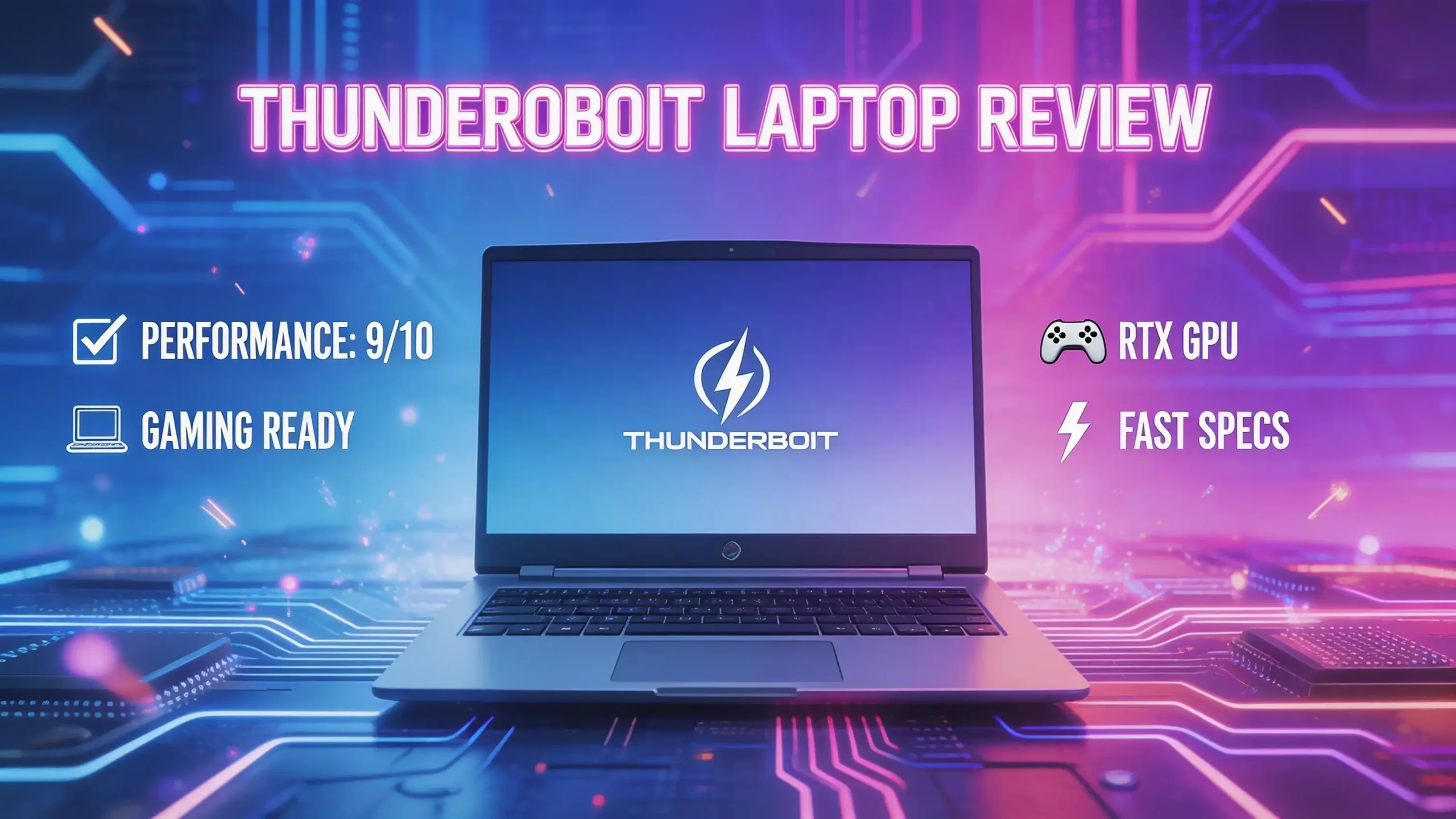
In this Thunderobot laptop review for 2026, we break down every model, every spec, and every detail you need to make a smart buying decision. Whether you are a casual gamer, a content creator, or a competitive esports player, this guide covers it all. Keep reading to find out if a Thunderobot laptop deserves a spot on your desk.

Key Takeaways
- Thunderobot is a subsidiary of Haier, one of the largest electronics companies in the world. The brand was founded in 2014 and focuses exclusively on gaming hardware, including laptops, peripherals, and monitors. This corporate backing gives Thunderobot access to large scale manufacturing and quality control resources.
- The 2026 lineup features RTX 50 series GPUs across all major models, from the entry level RTX 5060 in the Storm and Radiant series to the flagship RTX 5090 in the Zero 18 Pro. Every model supports DDR5 memory and PCIe Gen 4 SSDs.
- The Thunderobot Zero Air is a standout product at just 1.59 kg (3.5 lbs) for a 16 inch gaming laptop with an RTX 5070 and Intel Panther Lake CPU. It is one of the lightest gaming laptops available today.
- Cooling technology is a strength for Thunderobot. Most models use vapor chamber cooling paired with dual fan systems. The Zero 18 Pro features a 250W vapor chamber for sustained high performance gaming.
- Pricing is aggressive compared to competitors. Thunderobot laptops often undercut ASUS, Lenovo, and MSI by $200 to $400 for similar specs. However, customer support and warranty service outside of China remains a concern based on user reports.
- Display quality is excellent across the lineup. Models feature QHD+ and OLED panels with refresh rates ranging from 165Hz to 300Hz, covering both fast paced gaming and color accurate creative work.
Thunderobot Zero 18 Pro: The Flagship Powerhouse

- [Rapid Memory & Storage: Instant Access, Zero Delays] Experience unparalleled performance with 32GB DDR5 RAM...
- [AI-Driven Power: Ultimate Performance & Graphics] Intel Core Ultra 9 275HX (24 Cores, 24 Threads, 36MB L...
Last update on 2026-06-09 / Affiliate links / Images from Amazon Product Advertising API
The Thunderobot Zero 18 Pro sits at the top of the 2026 lineup. It pairs an Intel Core Ultra 9 275HX processor with an NVIDIA GeForce RTX 5090 GPU. This combination delivers desktop class performance inside a laptop chassis. The 18 inch QHD+ display runs at 240Hz with a 2.5K resolution, making it ideal for both AAA gaming and professional creative tasks.
Storage and memory options are generous. The base configuration includes 32GB of DDR5 RAM and a 1TB PCIe SSD, though higher configurations push up to 2TB. The per key RGB backlit keyboard adds a premium feel to the build. A full HD webcam sits above the display, which is a welcome addition for streamers and remote workers.
The cooling system on the Zero 18 Pro is impressive. Thunderobot uses a 250W vapor chamber paired with turbo charged fans. This setup keeps the CPU and GPU running at peak clock speeds during extended gaming sessions. Several YouTube reviewers have confirmed that the Zero 18 Pro maintains stable temperatures even under heavy load. For a laptop pushing an RTX 5090, that level of thermal management is a serious achievement.
The Zero 18 Pro is clearly built for gamers who want no compromises. Its price tag reflects that ambition, but it matches or beats competitors like the MSI Titan and ASUS ROG Strix SCAR in raw performance per dollar. If you need an 18 inch desktop replacement with full power, this is the model to consider.
Thunderobot Storm 17: Best Budget Gaming Laptop

- [Game-Ready Storage & Memory: No More Load Screens] Experience unparalleled performance with 32GB DDR5 RAM and...
- [Unstoppable Power: Blazing-Fast Speed & Graphics] Intel Core i7-13620H ( 10 Cores, 16 Threads, 24MB L3 Cache...
Last update on 2026-06-09 / Affiliate links / Images from Amazon Product Advertising API
The Thunderobot Storm 17 is the most affordable entry point in the 2026 lineup. It features a 17.3 inch QHD display at 165Hz, an Intel Core i7 13620H processor, and an NVIDIA GeForce RTX 5060 GPU. Paired with 32GB of DDR5 RAM and a 1TB PCIe SSD, this laptop handles modern games at medium to high settings without breaking a sweat.
What makes the Storm 17 stand out is its price to performance ratio. You get a large 2K display with a fast refresh rate, a current generation GPU, and ample memory for under $1,400 on Amazon. That is significantly less than what ASUS and Lenovo charge for similar hardware. The RGB backlit keyboard and Wi Fi 6 connectivity add extra value at this price point.
The build quality is solid but not premium. The chassis uses a mix of plastic and metal, which keeps weight manageable for a 17 inch laptop. The keyboard offers decent travel and the trackpad is responsive. The speakers are acceptable for casual use, though most gamers will want headphones for the best audio experience.
The Storm 17 earned positive reviews on Reddit and YouTube for its gaming performance. Users report smooth frame rates in titles like Cyberpunk 2077, Fortnite, and Hogwarts Legacy at QHD resolution. The RTX 5060 handles ray tracing at medium settings, and DLSS upscaling helps push frame rates higher. If you are a student or a gamer on a budget, the Storm 17 delivers strong value.
Thunderobot Radiant 16: The Mid Range Sweet Spot

- [Game-Ready Storage & Memory: No More Load Screens] Experience unparalleled performance with 32GB DDR5 RAM and...
- [Unstoppable Power: Blazing-Fast Speed & Graphics] Intel Core i7-14650HX ( 16 Cores, 24 Threads, 30MB L...
Last update on 2026-05-20 / Affiliate links / Images from Amazon Product Advertising API
The Thunderobot Radiant 16 occupies the middle of the lineup and arguably offers the best overall balance of performance, portability, and price. This 16 inch laptop comes with an Intel Core i7 14650HX, an NVIDIA GeForce RTX 5060, and a stunning QHD+ 300Hz 2.5K display. The screen alone makes this model special. A 300Hz refresh rate on a 2.5K panel gives you both speed and sharpness.
RAM and storage are generous. The reviewed configuration includes 32GB DDR5 RAM and a 2TB SSD, which leaves plenty of room for a large game library and multitasking. The 16 inch form factor hits a sweet spot between the compact 15 inch models and the bulkier 17 and 18 inch machines.
Build quality is a step above the Storm series. The Radiant 16 uses a sleek gray aluminum chassis that looks professional enough for an office and bold enough for a gaming setup. The RGB backlit keyboard is comfortable for extended typing sessions. Wi Fi 6 keeps your online connection fast and stable.
Reviews on YouTube praise the Radiant 16 for its display quality and gaming performance at its price. You can run most AAA titles at high settings with steady frame rates above 60 FPS at native resolution. The RTX 5060 with DLSS pushes that number even higher in supported games. For gamers who want a portable, good looking laptop that performs well across gaming and productivity tasks, the Radiant 16 is a top recommendation.
Top 3 Alternatives for Thunderobot Laptops
If you want to compare Thunderobot against established brands, here are three strong alternatives that compete in the same performance and price segments. Each of these laptops has earned positive reviews and offers reliable customer support networks.
1. ASUS ROG Strix G16 (2025)

- HIGH-LEVEL PERFORMANCE – Unleash power with Windows 11 Home, an Intel Core i7 Processor 14650HX, and an...
- FAST MEMORY AND STORAGE – Multitask seamlessly with 16GB of DDR5-5600MHz memory and store all your game...

Last update on 2026-06-09 / Affiliate links / Images from Amazon Product Advertising API
The ASUS ROG Strix G16 pairs an Intel Core i7 14650HX with an RTX 5060 GPU. It features a 16 inch FHD+ display with a 16:10 aspect ratio and solid cooling. ASUS offers well established global warranty and customer support, which gives it an edge over Thunderobot for buyers who value after sales service.
2. Lenovo Legion Pro 5i Gen 10

- ⚡Powered by the Intel Core Ultra 9 275HX processor (24 cores, up to 5.40GHz), this Lenovo Legion Pro 5i...
- 🎮Equipped with NVIDIA GeForce RTX 5070 Ti Laptop GPU (12GB GDDR7, 5888 CUDA cores, up to 992 AI TOPS), this...
Last update on 2026-06-09 / Affiliate links / Images from Amazon Product Advertising API
The Lenovo Legion Pro 5i comes with an Intel Core Ultra 9 275HX and an RTX 5070 Ti. It features a 16 inch WQXGA OLED display and 64GB of DDR5 RAM. Lenovo’s Legion series is famous for its excellent thermal design and long term reliability. This is a premium pick for gamers who want a trusted brand with top tier performance.
3. MSI Katana 15 HX

- Intel Core i9 HX Power for Elite Gaming: Dominate demanding titles with the Intel Core i9-14900HX and its...
- GeForce RTX 5070 With Ray Tracing & DLSS 4: Powered by NVIDIA Blackwell, the RTX 5070 delivers stronger ray...
Last update on 2026-07-10 / Affiliate links / Images from Amazon Product Advertising API
The MSI Katana 15 HX offers an Intel Core i9 14900HX and an RTX 5070 with a 165Hz QHD display. MSI’s Cooler Boost 5 thermal system keeps the machine cool during long gaming sessions. This is a great mid range option with MSI’s established reputation for gaming laptops and accessible customer service.

Thunderobot Zero Air: The Ultra Light Gaming Marvel
The Thunderobot Zero Air is the most exciting laptop in the 2026 lineup. Announced at CES 2026, this machine weighs just 1.59 kg (3.5 lbs) and measures only 15.9mm thick. Despite its featherweight build, it packs an Intel Core Ultra 9 386H (Panther Lake) processor and an NVIDIA GeForce RTX 5070 with up to 160W of total system power.
The display is a 15.3 inch QHD+ OLED panel running at 165Hz. OLED technology delivers perfect blacks, vibrant colors, and wide viewing angles. This screen is excellent for gaming and equally suited for video editing or photo work. Memory goes up to 32GB DDR5, and storage includes dual PCIe Gen 4 SSD slots.
Thunderobot achieves this light weight through innovative engineering. The cooling system uses a dual fan vapor chamber with liquid crystal polymer blades. These blades are thinner and lighter than traditional metal fans while still moving enough air to keep the internals cool. The chassis uses lightweight magnesium alloy materials.
The Zero Air represents Thunderobot’s ability to push boundaries. It is one of the lightest 16 inch class gaming laptops available anywhere. If you travel frequently and refuse to sacrifice gaming performance, this laptop should be at the top of your list. Pricing and full availability details are still rolling out, but early reports suggest it will be competitively priced against the ASUS ROG Zephyrus G16.
Display Quality Across the Thunderobot Lineup
Thunderobot has made display quality a priority across its 2026 models. Every laptop in the lineup features at least a QHD (2K) resolution panel, and several models push into 2.5K QHD+ territory. Refresh rates start at 165Hz and go as high as 300Hz on the Radiant 16 series. The Zero Air uses an OLED panel, while other models feature fast IPS technology.
The 300Hz display on the Radiant 16 is particularly noteworthy. A 2.5K resolution at 300Hz gives esports players a significant advantage with ultra smooth motion clarity. Colors are accurate enough for casual content creation, though the IPS panels do not match OLED for contrast ratio and black levels.
The Zero 18 Pro’s 240Hz 2.5K Hummingbird display offers a great balance between refresh rate and visual fidelity. The “Hummingbird” branding refers to Thunderobot’s custom panel tuning, which aims to reduce motion blur and improve response times. Users report that this display holds its own against panels found in competing laptops at higher price points.
Color accuracy across the lineup falls within the 100% sRGB range for most models. The OLED panels on the Zero Air and select Zero series models cover a wider color gamut, reaching into DCI P3 territory. For gamers, the high refresh rates matter more. For creators, the OLED models are the better choice. Either way, Thunderobot delivers excellent screens at every price tier.
Performance and Gaming Benchmarks
Thunderobot’s 2026 laptops deliver strong gaming performance across the board. The flagship RTX 5090 in the Zero 18 Pro handles every current game at ultra settings. Benchmarks show it pushing 120+ FPS in Cyberpunk 2077 at QHD with ray tracing and DLSS enabled. The RTX 5080 in the Zero 16 Pro is close behind, delivering smooth gameplay at high to ultra settings in demanding titles.
The RTX 5060 found in the Storm 17 and Radiant 16 is the workhorse GPU of the lineup. It runs AAA games at QHD resolution with medium to high settings. Frame rates typically land between 60 and 100 FPS depending on the game and settings. NVIDIA’s DLSS frame generation technology provides a meaningful boost, often adding 30 to 50 percent more frames in supported titles.
CPU performance is equally strong. The Intel Core Ultra 9 275HX in the top tier models handles heavy multitasking, streaming, and content creation without lag. The Core i7 14650HX in the Radiant and Storm series provides solid performance for gaming and everyday productivity tasks.
Synthetic benchmarks also paint a positive picture. Cinebench, 3DMark, and Geekbench scores for Thunderobot models land within the expected range for their respective hardware. There are no signs of significant thermal throttling in sustained tests, which speaks to the effectiveness of Thunderobot’s vapor chamber cooling systems. Overall, you get the performance you pay for, and sometimes a bit more.
Build Quality and Design
Thunderobot’s design language in 2026 is clean, modern, and gamer friendly without being excessive. The flagship Zero series uses premium materials including magnesium alloy and aluminum. The Radiant series features a sleek gray finish that looks professional. The Storm series uses a more traditional plastic and metal mix to keep costs down.
Keyboard quality varies by model. The Zero 18 Pro and Zero 16 Pro offer per key RGB lighting with good key travel and tactile feedback. The Radiant 16 uses a zone based RGB keyboard that still looks great. The Storm 17 has a standard RGB backlit keyboard that is functional and comfortable.
Hinge quality is solid across the lineup. The 16 inch and 18 inch models open to nearly 180 degrees, which is useful for presentations or using the laptop on uneven surfaces. Port selection is adequate with most models offering USB C, USB A, HDMI 2.1, an SD card slot, and a 3.5mm audio jack. The Zero Air makes some port sacrifices to maintain its ultra thin profile but still includes the essentials.
One concern that appears in user feedback is the quality of plastic trim pieces on the lower end models. Some users report that the Storm series feels less premium than competitors at a similar price. However, the internal build quality and component layout remain solid. If you prioritize performance over exterior finish, Thunderobot delivers.
Cooling Technology and Thermal Management
Cooling is where Thunderobot separates itself from many budget competitors. The brand uses vapor chamber cooling in most of its 2026 models. A vapor chamber spreads heat across a large surface area more efficiently than traditional heat pipes. This results in lower hot spot temperatures and more consistent clock speeds during sustained loads.
The Zero 18 Pro features a 250W vapor chamber, which is one of the largest seen in any gaming laptop. This allows the RTX 5090 and Core Ultra 9 275HX to run at their full power limits without thermal throttling. Dual fans with optimized blade designs push cool air across the vapor chamber and out through rear and side vents.
The Zero Air takes a different approach with its ultra thin design. It uses a compact vapor chamber paired with dual liquid crystal polymer (LCP) fans. These LCP blades are lighter and thinner than standard metal fans. They spin faster while producing less noise. Thunderobot claims this system can handle up to 160W of total system power in a chassis that is under 16mm thick.
Even the budget Storm 17 uses a dual fan cooling system with multiple heat pipes. While it does not include a full vapor chamber, the cooling is effective enough to keep the RTX 5060 running at stable temperatures during extended gaming. Thunderobot’s investment in cooling technology is one of its most compelling selling points, especially for gamers who run long sessions and demand consistent performance.
Battery Life and Portability
Gaming laptops are not known for long battery life, and Thunderobot is no exception. The Storm 17 offers roughly 4 to 5 hours of light productivity use on battery. Gaming on battery drains the cell much faster, typically lasting around 1 to 1.5 hours. This is standard for a 17 inch gaming laptop with a high refresh rate display.
The Radiant 16 performs slightly better with an estimated 5 to 6 hours of web browsing and video playback. The 16 inch form factor is easier to carry in a backpack, and the slim design adds to its portability. This model works well as a dual purpose laptop for school, office, and gaming.
The Zero Air is the portability champion. At just 1.59 kg, it is lighter than many ultrabooks. Battery life estimates range from 5 to 7 hours for general use, which is excellent for a gaming laptop. The ultra thin 15.9mm profile fits easily into any laptop bag. If you need a gaming laptop that travels well, the Zero Air is the best option in the lineup.
All Thunderobot models recommend plugging in during gaming for full GPU and CPU performance. The power adapters are reasonably compact, though the Zero 18 Pro requires a larger brick due to its 250W power demands. Thunderobot’s Control Center software lets you switch between performance modes, and the Office Mode option extends battery life by disabling the discrete GPU.
Software and User Experience
Thunderobot ships its laptops with Windows 11 Home and includes its proprietary Thunderobot Control Center software. This application lets you switch between performance modes such as Office, Gaming, and Turbo. Each mode adjusts the CPU and GPU power limits, fan speeds, and display brightness to match your use case.
The Control Center also provides real time monitoring of CPU and GPU temperatures, fan speeds, and clock rates. You can customize the RGB lighting zones on compatible models. The software is straightforward and easy to use, though it does not offer the depth of customization found in ASUS Armoury Crate or Lenovo Vantage.
One area where Thunderobot needs improvement is bloatware. Several users report that the laptops ship with some preinstalled applications that are not useful. Removing these takes only a few minutes and does not affect system performance. The driver update process is also a bit manual compared to competitors. You may need to visit the Thunderobot website directly to download the latest drivers and BIOS updates.
The overall user experience is positive for most buyers. The laptops boot quickly, Windows runs smoothly, and game performance meets expectations out of the box. The fan noise in gaming mode is audible but not excessively loud. Many users appreciate the quiet operation in Office Mode, which makes the laptop suitable for library or classroom use. If you are familiar with Windows gaming laptops, the transition to Thunderobot will feel seamless.
Customer Support and Warranty Considerations
This is the section where Thunderobot faces its biggest challenge in 2026. The brand is a subsidiary of Haier and has strong support infrastructure in China and parts of Asia. However, customer support in North America and Europe is still limited compared to ASUS, Lenovo, and MSI.
Reddit users report mixed experiences with Thunderobot support. Some buyers had smooth interactions through Amazon’s return policy and Thunderobot’s email support. Others found it difficult to get repair service for hardware issues outside of China. The brand does offer a standard one year warranty on most models, and purchasing through Amazon adds the option of Amazon’s own return and protection policies.
Thunderobot is actively expanding its global presence. The company exhibited at CES 2026 and has increased its retail availability through Amazon, Best Buy, Walmart, and Newegg. As distribution grows, support networks are expected to improve. For now, buying from Amazon or Best Buy offers the most protection through their respective return policies.
If you are someone who values peace of mind and accessible customer service, this is worth considering before purchase. The hardware itself is well built, and component failure rates appear normal. But if something does go wrong, the support process may take longer than what you would experience with an established Western brand. Weigh the price savings against this factor when making your decision.

Who Should Buy a Thunderobot Laptop in 2026?
Thunderobot laptops are a strong fit for several types of buyers. Budget conscious gamers who want maximum specs for their money will find excellent value in the Storm 17 and Radiant 16. These models offer comparable hardware to competitors at noticeably lower prices. If you are comfortable with a newer brand and do not require premium customer support, the savings are real and significant.
Performance enthusiasts who want a flagship experience should look at the Zero 18 Pro. Its RTX 5090 and Core Ultra 9 275HX combination puts it in the same league as the MSI Titan and ASUS ROG Strix SCAR. The 250W vapor chamber cooling system ensures you get sustained performance, not just peak burst numbers.
Frequent travelers and students should consider the Zero Air. At 1.59 kg with an RTX 5070 and OLED display, it offers a unique combination of power and portability. No other gaming laptop in this weight class matches its GPU performance.
Thunderobot may not be the best choice for buyers who need reliable local warranty service and support. If you live in a region where Thunderobot does not have an established service network, consider purchasing through a retailer with a strong return policy. The hardware quality is there. The support infrastructure is still catching up. For the right buyer, a Thunderobot laptop in 2026 offers outstanding performance at a price that is hard to beat.
Final Verdict on Thunderobot Laptops in 2026
Thunderobot has proven that it can build high performance gaming laptops that compete with established names. The 2026 lineup covers every budget and use case. The Storm 17 is a fantastic budget pick. The Radiant 16 hits the mid range sweet spot. The Zero 18 Pro and Zero Air push the boundaries of power and portability. Display quality, cooling technology, and raw gaming performance are all genuine strengths of this brand.
The main weakness remains customer support outside of Asia. This is improving but has not yet reached the level of ASUS, Lenovo, or MSI. If you can buy through Amazon or Best Buy for added protection, this concern becomes manageable. The price savings compared to those same competitors often range from $200 to $400 for similar hardware configurations.
Thunderobot laptops represent a smart choice for informed buyers who research their purchase and understand the trade offs. The brand is growing fast, and its products deserve serious consideration in 2026. If you want great specs, excellent displays, and strong cooling at a competitive price, Thunderobot delivers.
Is Thunderobot a Reliable Laptop Brand?
Thunderobot is a subsidiary of Haier, one of the largest consumer electronics companies in the world. The brand has been producing gaming laptops since 2014 and has a strong reputation in the Chinese gaming market. Component quality is good, and the brand uses standard parts from Intel, NVIDIA, Samsung, and other trusted suppliers. Reliability is on par with other mid range gaming laptop brands. The main concern for international buyers is the limited customer support network outside of Asia, though this is improving as the brand expands globally.
How Does Thunderobot Compare to ASUS and Lenovo?
Thunderobot competes directly with ASUS and Lenovo on hardware specifications and often wins on price. A Thunderobot Radiant 16 with an RTX 5060 and 32GB RAM typically costs $200 to $300 less than an ASUS ROG Strix G16 or Lenovo Legion 5i with identical specs. However, ASUS and Lenovo offer stronger global warranty networks and more mature software ecosystems. If you prioritize specs and value, Thunderobot wins. If you prioritize support and brand trust, ASUS and Lenovo have the advantage.
What Games Can the Thunderobot Storm 17 Run?
The Thunderobot Storm 17 with its RTX 5060 GPU runs all current AAA games at QHD resolution. Titles like Cyberpunk 2077, Hogwarts Legacy, Fortnite, Call of Duty, and Baldur’s Gate 3 run at medium to high settings with frame rates between 60 and 100 FPS. Enabling NVIDIA DLSS in supported games boosts frame rates by 30 to 50 percent. Esports titles like Valorant and Counter Strike 2 run at well over 100 FPS at high settings.
Is the Thunderobot Zero Air Worth the Premium Price?
The Thunderobot Zero Air offers a unique value proposition. At 1.59 kg with an RTX 5070 and Intel Panther Lake CPU, there is no other gaming laptop this light with this much power. If portability is your top priority and you refuse to compromise on gaming performance, the Zero Air is worth every penny. The OLED display and vapor chamber cooling add extra value. For gamers who play mostly at a desk and do not need extreme portability, the Radiant 16 or Storm 17 offer better value.
Where Can I Buy Thunderobot Laptops in the US?
Thunderobot laptops are available through Amazon, Best Buy, Walmart, and Newegg in the United States. Amazon offers the widest selection of configurations and provides the most buyer friendly return policy. Best Buy also carries select models with the option for in store pickup. Buying from these established retailers gives you access to their return policies and customer protection programs, which helps offset Thunderobot’s limited direct customer support in North America.
Does Thunderobot Offer Good Cooling for Gaming?
Thunderobot’s cooling technology is one of the brand’s biggest strengths. Most 2026 models use vapor chamber cooling systems paired with dual fans. The flagship Zero 18 Pro features a 250W vapor chamber that keeps the RTX 5090 running at peak performance. The Zero Air uses innovative liquid crystal polymer fan blades in an ultra thin design. Even the budget Storm 17 has effective dual fan cooling that prevents thermal throttling during extended gaming sessions. If cooling matters to you, Thunderobot delivers strong results across its entire lineup.

DK is a technology expert who specializes in AI tools, software, and tech gadgets. He writes for How to Tech Info, providing detailed reviews and practical guides. DK helps readers discover the best AI applications, navigate new software, and choose the right tech gadgets.