
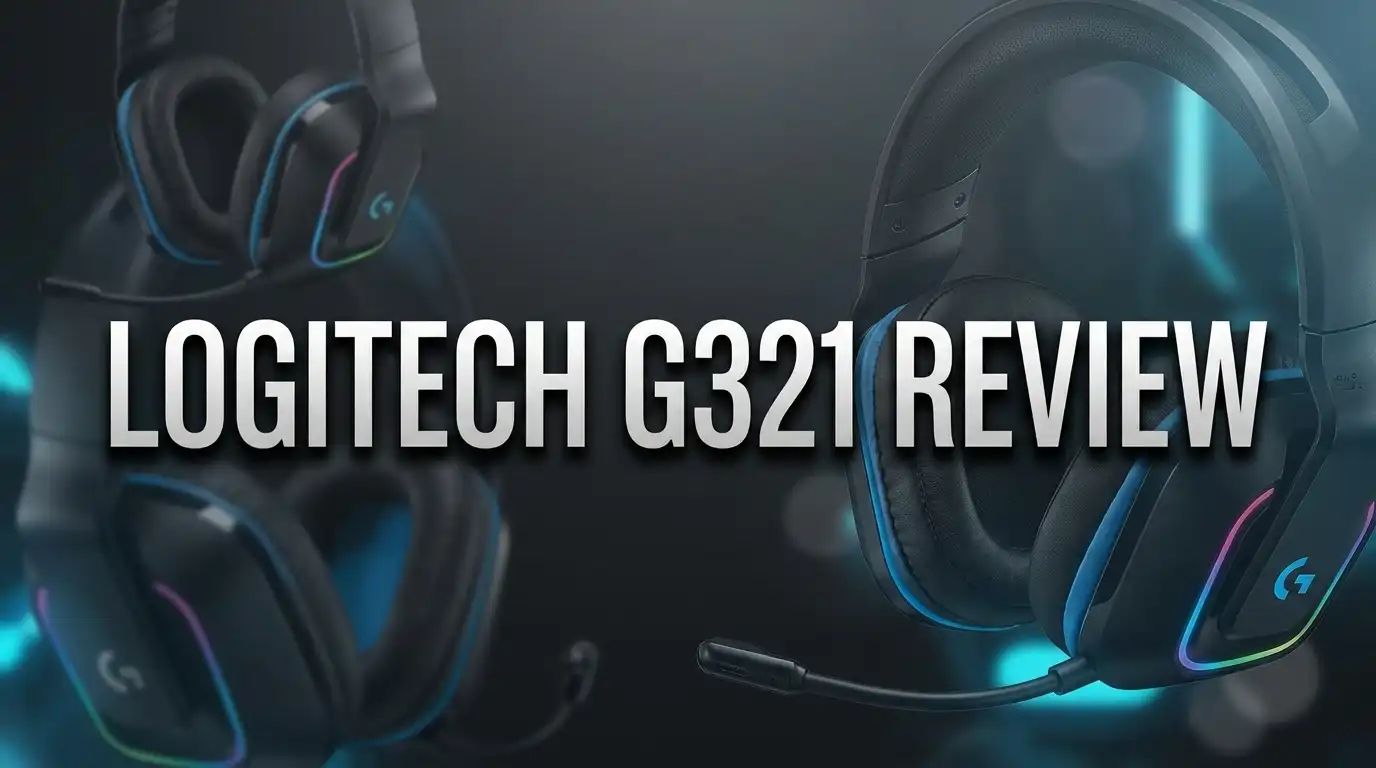
Logitech G321 Review: Gaming Headset Worth Your Money?
Buying a wireless gaming headset under $60 used to feel like a gamble. You either paid for comfort and lost the microphone quality, or you paid for sound and ended up with a plastic clamp on your skull.
The Logitech G321 Lightspeed wants to end that trade off. It weighs only 210 grams, connects through both 2.4 GHz Lightspeed wireless and Bluetooth, and carries a flip to mute boom microphone that most rivals reserve for pricier models.
I dug through weeks of hands on impressions, spec sheets, and long term owner feedback to figure out one thing. Is the G321 a genuinely good headset, or just a cheap one?
The short answer surprised me. This headset gets some things very right and a few things very wrong, and the gap between those two lists will decide whether it belongs on your desk.
Let us walk through every detail.
In a Nutshell
Here is the fast summary for readers who want the verdict before the deep dive.
- Feather light comfort wins the day. At 210 grams, the G321 sits so gently on your head that you can forget you are wearing it. Reviewers across multiple outlets reported wearing it for a full workday and straight into an evening gaming session with zero fatigue.
- Dual wireless is the headline feature. You get 2.4 GHz Lightspeed for lag free PC and console play, plus Bluetooth for your phone. A single button on the earcup flips between them, though the two connections do not run at the same time.
- Sound quality is fine, not thrilling. The 40 mm drivers deliver clear, listenable audio with decent stereo imaging. Bass is present but soft, and fine detail gets lost in busy scenes.
- Battery life lands around 20 hours. Real world testing produced roughly 17 hours of mixed use per charge, with a full recharge taking about an hour.
- Build quality is the weak point. The frame flexes, the headband creaks under pressure, and you can feel plastic through the fabric padding. It survives normal desk use but does not feel premium.
- The price makes it work. At around $59.99, the G321 offers wireless freedom, a flip to mute mic, and all day comfort for the cost of many wired headsets.
What Is the Logitech G321 Lightspeed?

- Dynamic comfort and fit: Wireless headset with mic that’s engineered for lightweight comfort (210 g) with...
- LIGHTSPEED Wireless: Logitech G's legendary wireless technology delivers a seamless and reliable PC gaming...

Last update on 2026-08-23 / Affiliate links / Images from Amazon Product Advertising API
The Logitech G321 Lightspeed is a closed back wireless gaming headset built for players who want simplicity. Logitech positioned it as a plug in and play device with no account setup and no mandatory software.
Inside each earcup sits a 40 mm driver with a frequency response of 20 Hz to 20 kHz. That is standard territory for the category and covers everything from deep explosions to sharp treble cues.
The microphone is an omnidirectional boom mic with a 16 kHz sampling rate. It swings up to mute and swings down to talk, and a small chime confirms the change.
Connectivity is the part that separates this model from cheaper options. You get three routes into your audio: the included 2.4 GHz Lightspeed USB dongle, Bluetooth, and a wired 3.5 mm connection.
Logitech lists compatibility with Windows PC, PlayStation 4, PlayStation 5, Nintendo Switch, Switch 2, and mobile devices. Xbox support is absent, which matters for console buyers.
The headset launched in both black and white colorways at $59.99 in the United States. Australian buyers see it around $129 AUD.
Think of the G321 as Logitech taking the comfort formula from the popular G435 and adding a proper boom microphone. That single change addresses the loudest complaint people had about the older model, and it explains why this headset earned attention so quickly.
Design and Build Quality
The G321 looks restrained. The earcups have mild angular edges, but there is no RGB lighting, no aggressive branding, and no loud color splash beyond a subtle purple accent on some models.
Flip the microphone up and the headset passes as ordinary headphones. You can wear it on a video call or a short walk without looking like you wandered out of a tournament.
Fabric covers both the headband and the earcups. The material feels light and spongy, and it breathes far better than the leatherette found on many competing models.
Now for the honest part. The build feels cheap in your hands. Press the headband and you touch hard plastic under the padding. Twist the frame and it flexes more than you would like.
Some reviewers noted creaking when they manipulated the headset, though others found the adjustment mechanism smooth and quiet. That inconsistency suggests unit variation.
The speaker grilles inside the earcups are unpadded. Poke a finger in and you tap bare plastic, a small detail that reveals where Logitech saved money.
None of this means the headset will break. Testers bent it hard without damage. But nobody recommended tossing it loose into a backpack.
The physical buttons deserve praise. Power, Bluetooth pairing, and volume all use real tactile switches rather than touch panels, and that choice makes daily use far less frustrating.
Comfort and Fit for Long Sessions
Comfort is where the G321 earns its keep. The 210 gram weight puts it among the lightest wireless gaming headsets you can buy at any price.
For comparison, the Turtle Beach Recon 70 weighs 231 grams and is a wired headset. The HyperX Cloud Stinger 2 sits around 275 grams.
That difference sounds small on paper. On your head, across four hours, it feels enormous.
The clamping force is gentle. Your ears do not get squeezed, your jaw does not ache, and the headset never creates that vice like pressure that forces a break.
Ear cups are deep and wide. Testers with large heads and large ears reported full coverage rather than the on ear compression that plagues budget models.
The memory foam padding is soft without collapsing. Combined with the breathable fabric, it keeps heat buildup low even during long summer sessions.
One reviewer literally forgot he was wearing the headset and walked away to eat lunch with it still on. That is the highest compliment a headset can receive.
There is a trade off hiding inside this comfort. Light clamping means weak passive noise isolation.
At low volume you will hear your room, your keyboard, and anyone talking nearby. If you want to seal yourself off from the world, this is not the headset for that job.
For everyone else, the G321 sets a comfort benchmark that far pricier models fail to reach.
Top 3 Alternative for Logitech G321 Lightspeed
If the G321 does not match your needs, these three headsets solve the same problem in different ways.

- Low-Latency 2.4Ghz Wireless or Bluetooth: Enjoy high-quality audio without the wire, featuring a range of up...
- Lightweight Construction and All-Day Comfort: Enjoy hours of non-stop gaming with a comfortable lightweight...
Last update on 2026-08-23 / Affiliate links / Images from Amazon Product Advertising API

- Versatile: Logitech G435 is the first headset with LIGHTSPEED wireless and low latency Bluetooth connectivity...
- Lightweight: With a lightweight construction, this wireless gaming headset weighs only 5.8 oz (165 g), making...
Last update on 2026-08-23 / Affiliate links / Images from Amazon Product Advertising API

- DTS Headphone:X Spatial Audio1: Unlock accurate 3D audio spatialization and localization through NGENUITY...
- Long-Lasting Battery Life: With up to 20 hours of battery life, you can power through those power-leveling...
Last update on 2026-07-25 / Affiliate links / Images from Amazon Product Advertising API
The Corsair HS55 Wireless is the closest direct rival. It costs slightly more, offers similar 24 hour battery life, and delivers a firmer fit that blocks outside noise better.
Its build feels more premium than the G321, and iCUE software unlocks EQ adjustment plus Dolby 7.1 surround processing. The trade off is extra weight and a tighter squeeze on your head.
The Logitech G435 Lightspeed is the G321’s own sibling. It weighs even less at around 165 grams and shares the same dual wireless setup.
The catch is the microphone. The G435 uses built in beamforming mics rather than a boom arm, so voice clarity drops noticeably during team chat.
Pick the G435 if raw lightness matters most and you rarely talk. Pick the G321 if your friends complain about your voice.
The HyperX Cloud Stinger 2 Wireless takes the opposite approach. It is heavier and less refined visually, but the audio tuning leans harder into bass and the swivel to mute mic performs well.
HyperX also includes DTS Headphone:X spatial audio on this model. That gives it a directional edge in competitive shooters where the G321 tends to flatten distances.
Sound Quality for Gaming
Gaming audio on the G321 is competent. That word does a lot of work here.
Stereo imaging works well enough to track footsteps in Counter Strike 2. Gunshots ring across the map, and you can generally tell which direction danger is coming from.
Soundstage has real depth. Orchestral game scores stay layered instead of collapsing into mush, and busy scenes remain readable.
Then you hit the limits. Bass is present but never physical. You hear the low end, you do not feel it.
In heavy shooters like Doom: The Dark Ages, thunderous impacts arrive without the chest thump that sells the moment. The mix is accurate but emotionally flat.
Distance cues also suffer. One tester playing Apex Legends found that every sound seemed to happen at roughly the same distance, which weakens positional awareness in open maps.
Reviewers split on the tuning. Some described the profile as bass heavy and fun. Others called it neutral and slightly distant.
That disagreement likely comes from source device differences and personal fit. What everyone agreed on is that the G321 sits squarely in the middle of the pack for its price.
Competitive players chasing every audio advantage should look at the HyperX Cloud Alpha, which often drops to $60 on sale and outperforms the G321 sonically.
For casual and story driven gaming, the G321 sounds perfectly enjoyable. It just never makes you stop and admire it.
Music, Movies, and Everyday Listening
Plenty of people buy a gaming headset and then use it for eight hours of music. The G321 handles that role reasonably well.
Electronic tracks and pop songs come through with energy. Synth layers stay separated, and drum hits land with enough punch to keep your head nodding.
Vocals sit clearly in the mix. Podcasts and audiobooks are easy to follow, which makes this a solid work from home companion.
The weakness appears with complex material. Dense orchestral pieces and heavily produced rock tracks lose micro detail, and the result can sound slightly muffled.
One reviewer tried editing a video show with the G321 and switched back to wired headphones because the detail simply was not there. This headset is not a monitoring tool.
Movies fare better than critical listening. Dialogue stays intelligible, action scenes have adequate weight, and the wide soundstage helps with cinematic mixes.
There is no EQ software available, so you cannot tune around the limitations. What you hear out of the box is what you get.
If you already own decent music headphones, the G321 will feel like a step down for listening. If it is your only pair, you will find it pleasant and easy to live with.
The lack of strong isolation matters here too. Noisy environments will bleed into quiet passages, pushing you to raise the volume.
For desk use in a reasonably quiet room, everyday listening on the G321 is comfortable and satisfying enough for most people.
Microphone Quality
The flip to mute boom mic is the feature that justifies the G321 over cheaper Logitech models. It works, but expectations need managing.
Your voice comes through clear and intelligible. Teammates will understand every word without asking you to repeat yourself.
The tone is thin. Voices sound slightly tinny, with a light fuzz sitting underneath in wireless mode.
Testers also noticed abrupt cuts at the start and end of sentences over the 2.4 GHz connection. That suggests aggressive noise gating rather than a driver fault.
Switch to the wired connection and mic quality improves a little. The fuzz drops and the voice sounds fuller.
Background noise rejection is decent. Keyboard clatter and room hum stay mostly out of the signal, which is more than many budget headsets manage.
The flip to mute mechanism is the highlight. Lift the boom and a small chime confirms you are muted, then lower it and you are live again.
That physical feedback beats hunting for a mute button mid match. It is intuitive, reliable, and never leaves you guessing.
The mic does not detach, but it tucks away neatly against the earcup. When stowed, the headset looks close to normal headphones.
Use it for Discord, team chat, and work calls with confidence. Do not use it for podcast recording, streaming to an audience, or anything where your voice is the product.
At this price, that boundary is entirely fair.
Wireless Connection and Range
Connectivity is arguably the strongest technical part of the G321. The Lightspeed dongle delivers a stable, lag free link on PC and PlayStation.
Turn the headset on and it defaults to the 2.4 GHz channel automatically. No pairing ritual, no software, no waiting.
Press the Bluetooth button on the rear of the left earcup and the headset searches for phones or laptops. Press it again and you jump straight back to the dongle.
Range performance impressed testers most. One reviewer walked roughly 100 meters from a paired phone before dropouts started.
Another reported clear audio from the street while the source device sat at the back of a double brick house. That is well beyond what most budget wireless headsets manage.
Latency over Lightspeed is low enough that audio and video stay locked together in fast paced games. Bluetooth introduces the usual small delay, which matters for gaming but not for music.
One tester experienced crackling during the first ten minutes of use, with audio cutting out during head movement. The issue never returned after that initial settling period.
The real limitation is the lack of simultaneous connections. You cannot hear game audio on your PC and take a phone call at the same time.
Switching takes a couple of seconds, so it is an annoyance rather than a dealbreaker. Still, several competitors at similar prices offer true dual audio mixing.
Battery Life and Charging
Logitech rates the G321 at 20 plus hours per charge. Independent testing landed at roughly 17 hours of mixed use, which is close enough to call the claim honest.
Real world stamina depends heavily on volume. Loud listening drains faster, while moderate levels stretch toward the advertised figure.
There is no RGB lighting anywhere on this headset. That absence directly helps runtime, since illuminated models often lose a third of their battery to decoration.
For a typical gamer, 20 hours translates to roughly one charge per week. Play three hours a night and you will plug in every Sunday.
For someone working from home with music playing all day, expect to charge every two or three days. That is a meaningful difference in daily habit.
Recharging takes about one hour from empty. A one hour recharge for 20 hours of playtime is a healthy ratio at this price.
The headset charges over USB C, so you can use the same cable as your phone or controller. Logitech includes a cable in the box.
You can keep using the headset while it charges through the wired connection, which saves a session if the battery dies mid match.
Compared with rivals, 20 hours is average rather than outstanding. The Turtle Beach Stealth 600 Gen 3 offers an enormous 80 hour battery for more money.
If you frequently forget to charge devices, that gap is worth thinking about. Otherwise 20 hours handles normal use without stress.
Controls, Software, and Setup
Setup takes under a minute. Plug the dongle into a USB port, power the headset on, and audio starts flowing.
There is no account creation, no firmware update wall, and no companion app requirement. For anyone tired of software bloat, that simplicity feels refreshing.
All controls sit on the left earcup. You get a power switch, a Bluetooth button, and separate volume up and volume down buttons.
The buttons are large and easy to find by touch. Accidental presses are rare because they need deliberate pressure.
Volume control is the weak spot. Each press moves system volume by only two steps, so big adjustments require repeated tapping.
A scroll wheel would have solved this. Fumbling through six presses to escape a sudden loud cutscene gets old quickly.
Software support is essentially nonexistent right now. The G321 does not appear in Logitech G Hub, and no dedicated drivers exist at the time of writing.
That means no EQ presets, no surround sound processing, and no sidetone adjustment. What Logitech tuned at the factory is permanent.
Some buyers will love this. Plug and play means nothing to configure, nothing to break, and nothing running in the background.
Others will feel restricted, especially since a simple bass boost preset would fix one of the headset’s main audio criticisms. Logitech could add support later, but nothing is confirmed.
Compatibility Across Platforms
The G321 works with Windows PCs through the Lightspeed dongle. That is the primary use case and the one Logitech optimized for.
PlayStation 4 and PlayStation 5 support the dongle natively. Plug it into a USB port on the console and audio routes automatically.
Nintendo Switch and Switch 2 also work with the dongle in docked mode. Handheld mode needs a USB C adapter or the Bluetooth connection.
Mobile phones and tablets connect over Bluetooth. This covers Android and iOS without issue, and pairing is quick.
Laptops can use either method. The dongle gives lower latency, while Bluetooth saves a USB port.
Xbox consoles are not supported wirelessly. Microsoft requires proprietary wireless certification, and the G321 does not have it.
Xbox players can still use the 3.5 mm wired connection through a controller. That works, but it removes the entire wireless advantage you paid for.
The 3.5 mm option also serves as a universal fallback. Steam Deck, older consoles, airplane entertainment systems, and desktop audio interfaces all accept it.
Switching between platforms is manual. You move the dongle physically or press the Bluetooth button, since the headset remembers only one 2.4 GHz pairing at a time.
For a multi platform household running PC, PlayStation, and Switch, the G321 covers almost everything. Xbox owners should look elsewhere before spending money.
Pros and Cons of the Logitech G321
Here is the balanced breakdown after weighing every review and spec.
Pros:
- Exceptionally light at 210 grams, which allows genuine all day wear without fatigue or pressure points
- Dual wireless connectivity combines low latency 2.4 GHz Lightspeed for gaming with Bluetooth for phones and laptops
- Flip to mute boom microphone is rare at this price and delivers clear, intelligible team chat
- Outstanding wireless range, with testers reaching roughly 100 meters before dropouts appeared
- Breathable fabric earcups and headband resist heat buildup during long sessions
- Real physical buttons for power, pairing, and volume instead of unreliable touch controls
- Around 20 hours of battery life with a fast one hour recharge over USB C
- Simple setup with no software, no account, and no firmware hurdles
- Strong value at roughly $59.99 for a wireless headset with a boom mic
- Works across PC, PlayStation, Nintendo Switch, and mobile devices
Cons:
- Build quality feels cheap, with a flexing frame and creaking headband under pressure
- Bass lacks physical impact, so explosions and low end effects sound thin
- Fine audio detail gets lost in complex mixes, which limits music and competitive use
- No simultaneous audio from Lightspeed and Bluetooth sources at the same time
- Zero software support means no EQ, no surround processing, and no customization
- Weak passive noise isolation lets room noise bleed into quiet moments
- Volume buttons adjust in tiny increments, requiring repeated presses
- Microphone sounds thin and slightly gated in wireless mode
- No Xbox wireless support
- Unpadded speaker grilles inside the earcups reveal the budget construction
Who Should Buy the Logitech G321?
This headset suits a specific type of buyer, and knowing whether you match matters more than any score.
Buy the G321 if comfort ranks above everything else. If your current headset gives you a headache after two hours, this one solves that problem completely.
Buy it if you split your day between work and play. The Bluetooth to Lightspeed switch handles a morning of calls and an evening of gaming on one device.
Buy it if you run hot. The breathable fabric and loose clamp make it one of the few gaming headsets tolerable in warm rooms.
Buy it if you want wireless freedom on a tight budget. Getting a boom mic, dual connectivity, and 20 hour battery at $60 is genuinely hard to beat.
Skip the G321 if you play competitive shooters seriously. The flattened distance cues and soft bass will cost you information in ranked matches.
Skip it if you care about music fidelity. Detail retrieval is average, and the absence of EQ removes your ability to fix it.
Skip it if you are rough with gear. The flexing frame will not survive careless handling in a backpack.
Skip it if you own an Xbox as your main console. Wired only support defeats the purpose.
The G321 is a comfort first headset with acceptable sound, not a sound first headset that happens to be comfortable. Match that description to your priorities and the decision becomes obvious.
Final Verdict on the Logitech G321 Lightspeed
- Dynamic comfort and fit: Wireless headset with mic that’s engineered for lightweight comfort (210 g) with...
- LIGHTSPEED Wireless: Logitech G's legendary wireless technology delivers a seamless and reliable PC gaming...
Last update on 2026-08-23 / Affiliate links / Images from Amazon Product Advertising API
The Logitech G321 Lightspeed makes a poor first impression and a strong lasting one. Pick it up and you feel plastic, flex, and corner cutting.
Put it on your head and everything changes. The weight disappears, your ears stay cool, and hours pass without discomfort.
Audio quality lands in the middle of its price bracket. It is clear, reasonably spacious, and never offensive, but it lacks the bass authority and detail that make listening exciting.
The microphone does its job. The battery lasts a normal week. The wireless range genuinely impresses.
Professional reviews scored it around 74 out of 100 and four out of five stars, which reflects a product that succeeds at its main goal while conceding ground elsewhere.
That goal was never audiophile performance. Logitech set out to build the most comfortable wireless gaming headset you can buy for $60, and the company achieved exactly that.
If you want the best sound at this price, the HyperX Cloud Alpha on sale beats it. If you want the best build, the Corsair HS55 feels sturdier.
If you want the headset you can wear from nine in the morning until midnight without noticing, the G321 has no real competition under $60.
Know what you are buying and you will be happy. Expect a premium headset and you will feel let down.
For casual gamers, remote workers, and anyone with a sensitive head, this is an easy recommendation.
Frequently Asked Questions
Is the Logitech G321 good for competitive gaming?
It is usable but not ideal. Footsteps come through clearly in games like Counter Strike 2, and the soundstage has enough depth to track basic direction. However, testers found that distance cues flatten out in open maps, making it hard to judge how far away an enemy is. Serious ranked players should choose a headset with stronger positional accuracy.
Does the Logitech G321 work with Xbox?
Not wirelessly. Xbox requires proprietary wireless certification that the G321 does not carry. You can connect it to an Xbox controller using the 3.5 mm wired cable, which works fine for audio and chat. If Xbox is your main platform, a certified headset makes more sense.
How long does the Logitech G321 battery last?
Logitech rates it at 20 plus hours. Independent testing produced around 17 hours of real world mixed use, which is close to the claim. A full recharge takes roughly one hour over USB C, and you can keep playing wired while it charges.
Can you use Bluetooth and Lightspeed at the same time?
No. The G321 connects to one source at a time and requires a button press to switch. You cannot listen to PC game audio and take a phone call simultaneously. Switching takes only a few seconds, but true dual audio mixing is absent.
Does the Logitech G321 work with G Hub software?
Not currently. At the time of writing, the G321 does not appear in Logitech G Hub and has no dedicated drivers. This means no EQ adjustment, no surround sound processing, and no sidetone control. Logitech may add support later, but nothing is confirmed.
Is the Logitech G321 comfortable for people who wear glasses?
Yes, very. The gentle clamping force and soft fabric earcups apply minimal pressure to glasses arms. Combined with the 210 gram weight, this makes it one of the friendlier gaming headsets for glasses wearers.
How does the G321 compare to the Logitech G435?
The G435 is lighter at around 165 grams and costs slightly less. The G321 adds a proper flip to mute boom microphone, which fixes the G435’s biggest weakness. Choose the G321 if you talk to teammates regularly, and the G435 if minimum weight is your only priority.
Is the Logitech G321 worth $60?
For most casual gamers, yes. You get wireless freedom, a boom microphone, roughly 20 hours of battery, and class leading comfort at a price where many headsets still use cables. The build feels cheap and the audio is average, but the overall package delivers strong value.

DK is a technology expert who specializes in AI tools, software, and tech gadgets. He writes for How to Tech Info, providing detailed reviews and practical guides. DK helps readers discover the best AI applications, navigate new software, and choose the right tech gadgets.


