Lenovo Idea Tab Plus Review: Best Budget Tablet in 2026?
Are you searching for a tablet that delivers solid performance without burning a hole in your wallet? The Lenovo Idea Tab Plus might be the answer you have been looking for. This 12.1-inch Android tablet packs a stunning 2.5K display, AI-powered features, and a battery that lasts all day. Lenovo built this tablet with students and budget-conscious buyers in mind.
At a price point that sits well under $250, the Idea Tab Plus competes head-to-head with tablets from Samsung and Amazon. But does it truly deliver on its promises?
In this detailed review, we break down every aspect of the Lenovo Idea Tab Plus. We cover its display, performance, battery, cameras, software, and much more. By the end, you will know exactly whether this tablet deserves a spot on your desk or in your backpack.
In a Nutshell
- The Lenovo Idea Tab Plus features a large 12.1-inch 2.5K LCD display with a 90Hz refresh rate, 96% DCI-P3 color gamut, and a peak brightness of nearly 600 nits. This makes it one of the best screens in the sub-$250 price bracket.
- Battery life is a genuine standout, with the 10,200mAh cell delivering up to 13 hours of YouTube streaming and over 14 hours in looped video tests. You can get through a full day of classes without reaching for a charger.
- The MediaTek Dimensity 6400 processor handles daily tasks well, though it falls short in heavy multitasking or gaming benchmarks compared to pricier tablets. For studying, browsing, and streaming, it does the job.
- Android 15 comes preloaded with minimal bloatware, and Lenovo promises updates through Android 17. This gives the tablet a longer software lifespan than many competitors in this segment.
- Optional accessories like the Tab Pen Plus and keyboard folio expand its capability, but they cost extra. The included pen uses an AAA battery, which feels a bit dated.
- At roughly $199 to $249, the Idea Tab Plus offers exceptional value for students, casual users, and families who want a big-screen tablet without the premium price tag.
Lenovo Idea Tab Plus: Design and Build Quality

- A VIBRANT, SLIMMER BUILD FOR SHARPER MINDS – Engage in AI-powered smart learning on the stylish Lenovo Idea...
- CARRY LIGHT, FEEL BRIGHT – Weighing just over a pound, the Idea Tab Plus is light enough to carry from...
Last update on 2026-06-09 / Affiliate links / Images from Amazon Product Advertising API
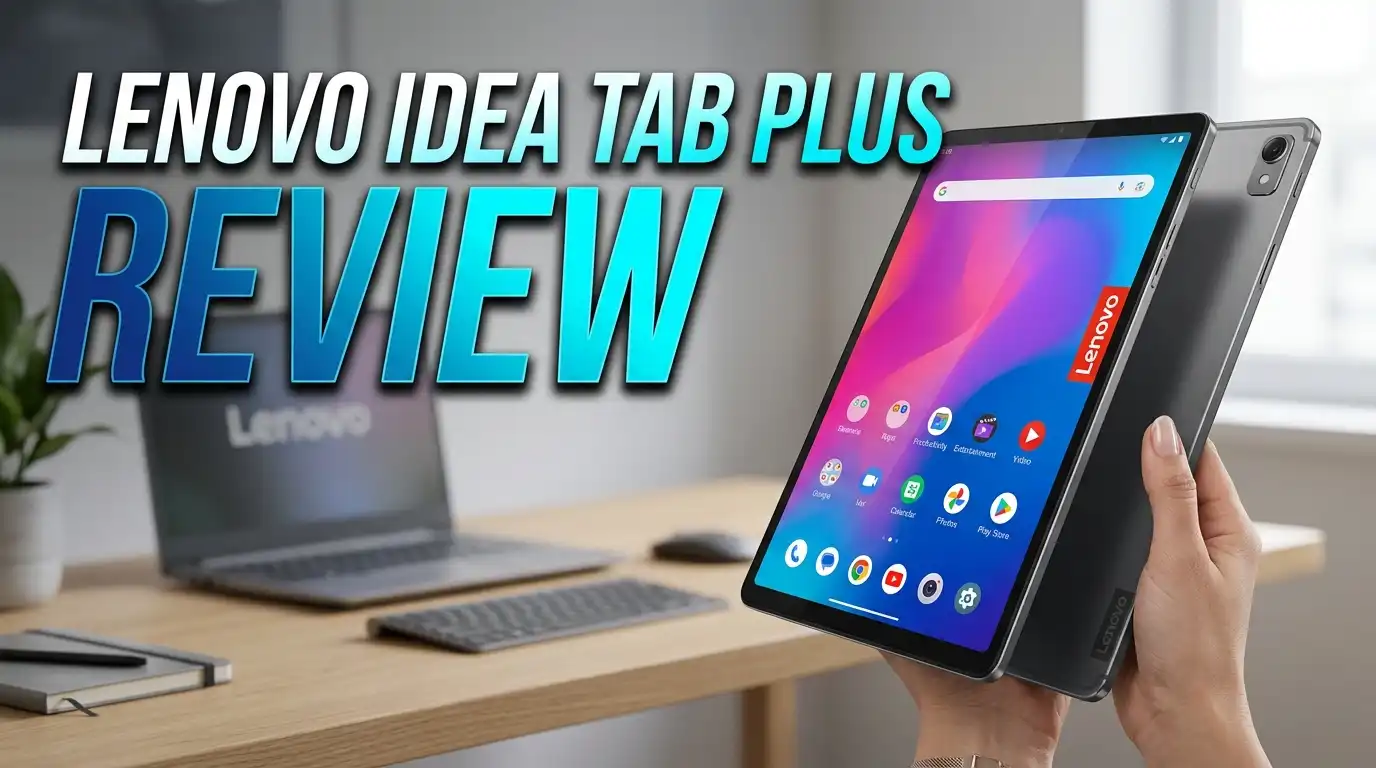
The Lenovo Idea Tab Plus carries a clean and modern look. Lenovo used an aluminum frame and an aluminum back cover that give the tablet a premium feel. The dark grey finish with a subtle Lenovo logo keeps things simple and professional.
At just 6.3mm thin and weighing only 530 grams, this tablet is easy to carry around campus or hold during a long reading session. It slides into a backpack without adding bulk. The slim profile also makes one-handed use manageable despite the 12.1-inch screen.
The power button and volume rockers sit along the top edge. They are clicky and responsive. The bottom edge is magnetic, which is where the stylus attaches. However, the magnet is not very strong. The pen tends to fall off during movement, which is a minor frustration.
The front is all glass with noticeable bezels around the display. These bezels are thicker than what you find on premium tablets like the iPad Air or Galaxy Tab S series. But they serve a purpose. They give your thumbs a resting spot during extended use without triggering accidental touches.
Lenovo Idea Tab Plus: Display Quality
The display is one of the strongest features of the Lenovo Idea Tab Plus. It uses a 12.1-inch LCD panel with a 2.5K resolution of 2560 x 1600 pixels. Text looks sharp. Videos appear crisp. Colors pop with energy.
Lenovo rates the panel at 96% DCI-P3 color gamut coverage. Independent testing by reviewers confirmed around 96.6% sRGB coverage. These are solid numbers for a tablet in this price range. Reds, blues, and greens all look vibrant and accurate.
The 90Hz refresh rate adds a smooth feel to scrolling and animations. You notice the difference immediately compared to standard 60Hz panels. Pages scroll like butter, and app transitions feel fluid.
Peak brightness hits approximately 598 nits, with the ability to go even higher during HDR content playback. This means you can use the tablet outdoors in sunlight without too much strain. Indoor reading at lower brightness settings is equally comfortable.
The display also supports split-screen mode, which is useful for students who want to read a textbook on one side and take notes on the other. The 12.1-inch size gives each app enough room to remain usable.
Lenovo Idea Tab Plus: Performance and Processor
The Lenovo Idea Tab Plus runs on the MediaTek Dimensity 6400 chipset. This is a 6nm processor that offers decent performance for everyday tasks. It pairs with 8GB of LPDDR4X RAM and 128GB of UFS 2.2 storage.
For daily use, the tablet feels snappy. Apps open quickly. Web pages load without delay. Switching between apps is smooth enough for most users. Students can run Google Docs, Zoom, YouTube, and a browser at the same time without major slowdowns.
However, benchmark numbers tell a more honest story. The Idea Tab Plus scored around 757 for single-core and 1983 for multi-core in Geekbench 6. These scores are lower than tablets with Snapdragon 7-series or Apple A-series chips. You will notice the gap during heavy gaming or video editing.
Storage can be expanded with a microSD card, which is a feature many competitors have dropped. This makes the 128GB base storage much more flexible. You can load up movies, textbooks, and music without worrying about running out of space.
The tablet is not a powerhouse. It was never meant to be one. But for its intended audience of students and casual users, the Dimensity 6400 provides a reliable and responsive experience.
Lenovo Idea Tab Plus: Battery Life and Charging
Battery life is where the Lenovo Idea Tab Plus truly shines. Lenovo packed a large 10,200mAh battery inside this slim body. The results speak for themselves.
Lenovo claims up to 13 hours of YouTube streaming on a single charge. Independent reviewers measured over 14 hours and 15 minutes in looped video tests. This is an outstanding result for a budget tablet. You can start your morning classes and get through an entire day without needing a charger.
The tablet supports 45W USB-C charging through the included 10V/4.5A adapter. This brings the battery from zero to full faster than you might expect from a tablet at this price. A quick 30-minute charge gives you enough juice for several hours of use.
Real-world battery performance depends on your usage pattern. Streaming video at medium brightness, browsing the web, and taking notes will get you close to that 13-hour mark. Playing games or using the screen at maximum brightness will drain the battery faster.
Compared to its closest competitors, the Idea Tab Plus offers some of the best battery life per dollar. The Samsung Galaxy Tab A9+ and Amazon Fire HD 10 both deliver fewer hours in similar tests.
Top 3 Alternatives for Lenovo Idea Tab Plus
If the Lenovo Idea Tab Plus does not quite match your needs, here are three strong alternatives worth considering.
Samsung Galaxy Tab A9+ is a popular choice in the budget Android tablet segment. It features an 11-inch display with quad speakers and the familiar One UI interface. Samsung’s ecosystem integration makes it a great pick for Galaxy phone owners.

- BIG SCREEN. FAMILY-SIZED FUN: Bring fun home to everyone with a bright, engaging 11" screen¹ ; A refresh rate...
- RICH SOUND ALL AROUND: Your music; Your shows; Your games; Hear them all loud and clear, thanks to quad...
Last update on 2026-06-09 / Affiliate links / Images from Amazon Product Advertising API
Amazon Fire HD 10 is the go-to option for anyone deep in the Amazon ecosystem. It offers a 10.1-inch Full HD display, Alexa integration, and an incredibly low price point. The trade-off is limited Google Play Store access without workarounds.

- Do what you love, uninterrupted — 25% faster performance than the previous generation and 3 GB RAM are ideal...
- High-def entertainment — A 10.1" 1080p Full HD display brings brilliant color to all your shows and games...

Last update on 2026-06-09 / Affiliate links / Images from Amazon Product Advertising API
Lenovo Tab M11 is another Lenovo option with a smaller 11-inch display and a similar budget-friendly approach. It comes with a pen included in the box and runs stock Android. It is a solid choice for users who want something a bit more compact.

- MULTITASKING MASTER: The Lenovo Tab M11 combines robust performance with portability in a sleek design that...
- POWER-PACKED PERFORMANCE: Streamline your day with the ability to work or study at home and on the go—the...
Last update on 2026-06-09 / Affiliate links / Images from Amazon Product Advertising API
Each of these tablets serves a slightly different need. The Galaxy Tab A9+ is best for Samsung fans. The Fire HD 10 wins on raw value. The Tab M11 offers a compact Lenovo experience with pen support out of the box.
Lenovo Idea Tab Plus: Software and Android 15 Experience
The Lenovo Idea Tab Plus ships with Android 15 overlaid with Lenovo’s ZUI 17.0 skin. The software experience is clean and free from heavy customization. Lenovo kept bloatware to a minimum, which is refreshing for a budget tablet.
You get the full Google Play Store access right out of the box. Gmail, Google Drive, YouTube, and Chrome are all preinstalled. There are no annoying third-party apps cluttering your home screen.
Lenovo added a few useful tools. Lenovo AI Notes helps students organize their handwritten and typed notes with smart features. Smart Connect lets you pair the tablet with a Lenovo laptop for seamless file sharing and screen mirroring.
Split-screen multitasking is enabled by default. You can drag an app to one side of the screen and open another beside it. This is especially helpful on the 12.1-inch display, as each app window gets enough space to remain functional.
One of the best aspects of this tablet’s software story is the update commitment. Lenovo has promised Android updates through Android 17. This gives the tablet at least two major OS upgrades, which is better than many competitors in this price range. Security patches should continue even longer.
Lenovo Idea Tab Plus: Camera Performance
The Lenovo Idea Tab Plus has a 13MP rear camera and an 8MP front-facing camera. These are modest specs, but they serve the tablet’s primary use cases well.
The rear camera takes decent photos in good lighting. Colors appear natural, and detail is acceptable for scanning documents, snapping photos of whiteboards, or casual shots. Low-light performance is limited, which is expected at this price point. Computational photography helps, but do not expect miracles in dim environments.
The front camera records video at 1080p at 30 frames per second. This is the camera you will use most often, especially for video calls on Zoom, Google Meet, or Microsoft Teams. Image quality during calls is clear enough for classmates and professors to see you without issues.
Neither camera competes with smartphone photography. But tablets are rarely used as primary cameras. For document scanning, video calls, and occasional snapshots, the Idea Tab Plus covers the basics.
Lenovo did not include any advanced camera features like night mode or portrait mode. The camera app is simple and straightforward. It does what it needs to do without unnecessary complications.
Lenovo Idea Tab Plus: Stylus and Pen Support
Pen support is a notable feature of the Lenovo Idea Tab Plus. The optional Tab Pen Plus offers 4,096 levels of pressure sensitivity, palm rejection, and tilt detection. It works well for note-taking and basic sketching.
However, the standard pen that comes with certain bundles is less impressive. It uses an AAA battery, which feels outdated in 2025. The battery adds weight to the pen and causes a slight rattling sensation during use. It does not charge wirelessly or magnetically.
The pen attaches to the bottom edge of the tablet through a magnetic connection. Unfortunately, the magnet is weak. You cannot trust the pen to stay attached while carrying the tablet in a bag. A separate case or pen holder is a smart investment.
Despite these quirks, the pen is responsive on screen. Lines appear instantly with minimal lag. Pressure sensitivity works well in apps like Samsung Notes alternatives and drawing tools from the Play Store. Students will find it useful for annotating PDFs, solving math problems, and taking handwritten notes.
For serious artists and illustrators, the pen experience falls short of what Apple Pencil or Samsung S Pen offers. But for its intended academic use, it gets the job done at a fraction of the cost.
Lenovo Idea Tab Plus: Audio and Speaker Quality
The Lenovo Idea Tab Plus includes dual stereo speakers tuned by Dolby Atmos. The audio quality is respectable for a budget tablet. You get clear dialogue in videos and enough volume to fill a small room.
Bass is predictably thin, as is common with tablet speakers. Music sounds decent for casual listening but lacks the depth you would get from dedicated Bluetooth speakers. Podcasts and audiobooks sound excellent thanks to the clear mid-range and treble output.
The Dolby Atmos tuning adds a sense of spatial audio during movie and show playback. It creates a wider soundstage than you might expect from a thin slab of aluminum and glass. The effect is most noticeable with headphones, but speakers benefit from it too.
For a tablet at this price, the audio output is adequate. It handles lecture recordings, YouTube videos, and casual music streaming without complaint. If you need a truly premium audio experience, consider pairing it with wireless earbuds or a Bluetooth speaker.
It is worth noting that the Lenovo Tab Plus (the older 11.5-inch model with 8 JBL speakers) offers a much stronger audio experience. If sound quality is your top priority, that model might be a better fit.
Lenovo Idea Tab Plus: Connectivity and Ports
The Lenovo Idea Tab Plus offers a solid set of connectivity options for a budget tablet. It supports Wi-Fi 802.11ac (Wi-Fi 5) and Bluetooth 5.2. There is no cellular option, so you will need a Wi-Fi connection for internet access.
The single USB Type-C 2.0 port handles charging and data transfer. It also supports DisplayPort output, which lets you connect the tablet to an external monitor. This is a rare feature at this price point and adds real value for students who want to present slides or mirror their screen.
Bluetooth 5.2 provides a stable connection for wireless earbuds, keyboards, mice, and speakers. Pairing is fast, and the connection remains reliable during use. You can easily connect a Bluetooth keyboard and mouse to turn the tablet into a lightweight workstation.
The tablet includes a microSD card slot for expandable storage. This is becoming increasingly rare, even in budget tablets. You can add a large microSD card to store movies, music, textbooks, and documents without filling up the internal 128GB storage.
There is no 3.5mm headphone jack. You will need a USB-C to 3.5mm adapter or wireless headphones. This is a minor inconvenience, but it follows the industry trend of removing the headphone port.
Lenovo Idea Tab Plus: Gaming Performance
Gaming on the Lenovo Idea Tab Plus is a mixed experience. The MediaTek Dimensity 6400 handles casual and mid-range games without much trouble. Titles like Subway Surfers, Candy Crush, and Among Us run smoothly at full resolution.
More demanding games tell a different story. Genshin Impact runs on low to medium settings with occasional frame drops. Call of Duty Mobile is playable but not at high graphics. You will need to lower visual settings to maintain smooth frame rates in AAA mobile titles.
The 12.1-inch display with its 90Hz refresh rate does enhance the gaming experience visually. Games that support higher refresh rates feel noticeably smoother. The 2.5K resolution makes game graphics look sharp and detailed, even on lower settings.
The large battery is a positive for gaming sessions. You can game for several hours on a single charge. Heat management is decent, though the tablet does get warm during extended play. It never reaches uncomfortable temperatures.
This tablet is not a gaming machine. If mobile gaming is your primary use case, you should look at tablets with Snapdragon 8 Gen-series chips. But for light gaming between study sessions, the Idea Tab Plus performs well enough.
Lenovo Idea Tab Plus: Who Should Buy This Tablet?
The Lenovo Idea Tab Plus is built for a specific audience. Students are the primary target, and this tablet delivers on that promise. The large display, long battery life, pen support, and affordable price make it an ideal study companion.
Parents looking for a family tablet will also find good value here. The screen is big enough for comfortable movie watching. The battery lasts through long car rides. And the price is low enough that you will not panic if a child drops it.
Budget-conscious buyers who want a big-screen Android experience without spending $400 or more will appreciate what this tablet offers. It handles web browsing, email, streaming, reading, and social media with ease.
However, this tablet is not ideal for professionals who need heavy multitasking, video editing, or desktop-class productivity. The Dimensity 6400 chip does not have the muscle for those tasks. Creative professionals should look at the iPad Air or Samsung Galaxy Tab S series instead.
Gamers who want high-end mobile gaming should also look elsewhere. The GPU performance is not strong enough for demanding titles at high settings.
Lenovo Idea Tab Plus: Pricing and Value
- A VIBRANT, SLIMMER BUILD FOR SHARPER MINDS – Engage in AI-powered smart learning on the stylish Lenovo Idea...
- CARRY LIGHT, FEEL BRIGHT – Weighing just over a pound, the Idea Tab Plus is light enough to carry from...
Last update on 2026-06-09 / Affiliate links / Images from Amazon Product Advertising API
The Lenovo Idea Tab Plus retails at $249 at its standard price. However, frequent sales on Amazon and Lenovo’s website bring the price down to around $199. At that discounted price, this tablet is an incredible bargain.
For under $250, you get a 12.1-inch 2.5K display, 8GB RAM, 128GB storage, a 10,200mAh battery, and Android 15 with long-term update support. Very few tablets in this price range offer all of these features together.
The closest competitors include the Samsung Galaxy Tab A9+ at around $220 and the Amazon Fire HD 10 at around $140. The Galaxy Tab A9+ has a smaller 11-inch screen but better app optimization. The Fire HD 10 is cheaper but runs a limited version of Android.
When you factor in the display quality, battery life, and build quality, the Lenovo Idea Tab Plus delivers outstanding value for money. It punches above its weight class in almost every category except raw processing power.
Optional accessories add to the cost. The Tab Pen Plus and keyboard folio are sold separately. If you plan to buy both, budget an extra $50 to $100 on top of the tablet price.
Lenovo Idea Tab Plus: Pros and Cons Summary
Every product has strengths and weaknesses. Here is an honest look at where the Lenovo Idea Tab Plus succeeds and where it falls short.
On the positive side, the display is gorgeous for this price. The 12.1-inch 2.5K panel with 90Hz refresh rate and high brightness delivers a visual experience that rivals tablets costing twice as much. Battery life is exceptional. Over 13 hours of streaming is hard to beat in any price segment.
The build quality feels premium despite the budget price tag. Aluminum construction, slim design, and light weight make it look and feel more expensive than it is. Android 15 with minimal bloatware and a commitment to updates through Android 17 gives you confidence in the tablet’s longevity.
On the negative side, the processor is weak compared to the competition. Benchmark scores are low, and you will notice the gap during demanding tasks. The included stylus feels cheap with its AAA battery design and rattling sensation. The magnetic attachment for the pen is unreliable.
The lack of a headphone jack is a minor annoyance. Wi-Fi 5 instead of Wi-Fi 6 feels like a missed opportunity. And the bezels around the display are thicker than what most modern tablets offer.
Lenovo Idea Tab Plus: Final Verdict
The Lenovo Idea Tab Plus is one of the best budget tablets you can buy in 2025. It delivers a large, beautiful display and exceptional battery life at a price that undercuts most competitors. Students and casual users will find it hard to beat.
Its weaknesses are real but expected at this price point. The processor will not win any speed contests. The stylus needs improvement. But these compromises are reasonable when you consider the overall package.
If you need a tablet for studying, reading, streaming, and light productivity, the Lenovo Idea Tab Plus earns a strong recommendation. It does not try to be everything for everyone. It focuses on what matters most to its target audience and delivers those features well.
For around $200 on sale, you get a tablet that looks good, lasts all day, and runs the latest version of Android. That is a winning combination.
Frequently Asked Questions
Is the Lenovo Idea Tab Plus good for students?
Yes, the Lenovo Idea Tab Plus is an excellent tablet for students. Its 12.1-inch 2.5K display provides plenty of screen space for reading, research, and note-taking. The battery lasts over 13 hours on a single charge, which covers a full day of classes. Split-screen multitasking lets you view two apps side by side. Pen support adds the ability to take handwritten notes and annotate documents.
Does the Lenovo Idea Tab Plus support expandable storage?
Yes, the tablet includes a microSD card slot for expandable storage. This is a valuable feature because the base model comes with 128GB of internal storage. You can add a microSD card to store additional movies, documents, music, and textbooks without running out of space.
Can you use the Lenovo Idea Tab Plus for gaming?
The tablet handles casual and mid-range games well. Titles like Subway Surfers and Among Us run smoothly. However, demanding games like Genshin Impact require lower graphics settings. The MediaTek Dimensity 6400 chip is not powerful enough for high-end mobile gaming at maximum settings.
How long does the Lenovo Idea Tab Plus battery last?
Lenovo rates the battery at up to 13 hours of YouTube streaming. Independent reviewers measured over 14 hours in looped video tests. Real-world usage with mixed tasks like browsing, streaming, and note-taking should give you between 10 to 13 hours depending on screen brightness and app usage.
Does the Lenovo Idea Tab Plus come with a stylus?
The tablet does not always include a stylus in the box. Some bundles include a basic pen that uses an AAA battery. The optional Tab Pen Plus is sold separately and offers 4,096 levels of pressure sensitivity, palm rejection, and tilt detection. Check the specific listing before purchase to confirm what is included.
What Android version does the Lenovo Idea Tab Plus run?
The Lenovo Idea Tab Plus ships with Android 15 and Lenovo’s ZUI 17.0 interface. Lenovo has committed to providing updates through Android 17, which means the tablet will receive at least two major Android version upgrades along with continued security patches.
Disclosure: This content is part of an Amazon Creator Connections campaign, meaning I earn a commission from qualifying purchases. Using these links costs you nothing extra but directly supports my blog and future content.

DK is a technology expert who specializes in AI tools, software, and tech gadgets. He writes for How to Tech Info, providing detailed reviews and practical guides. DK helps readers discover the best AI applications, navigate new software, and choose the right tech gadgets.