
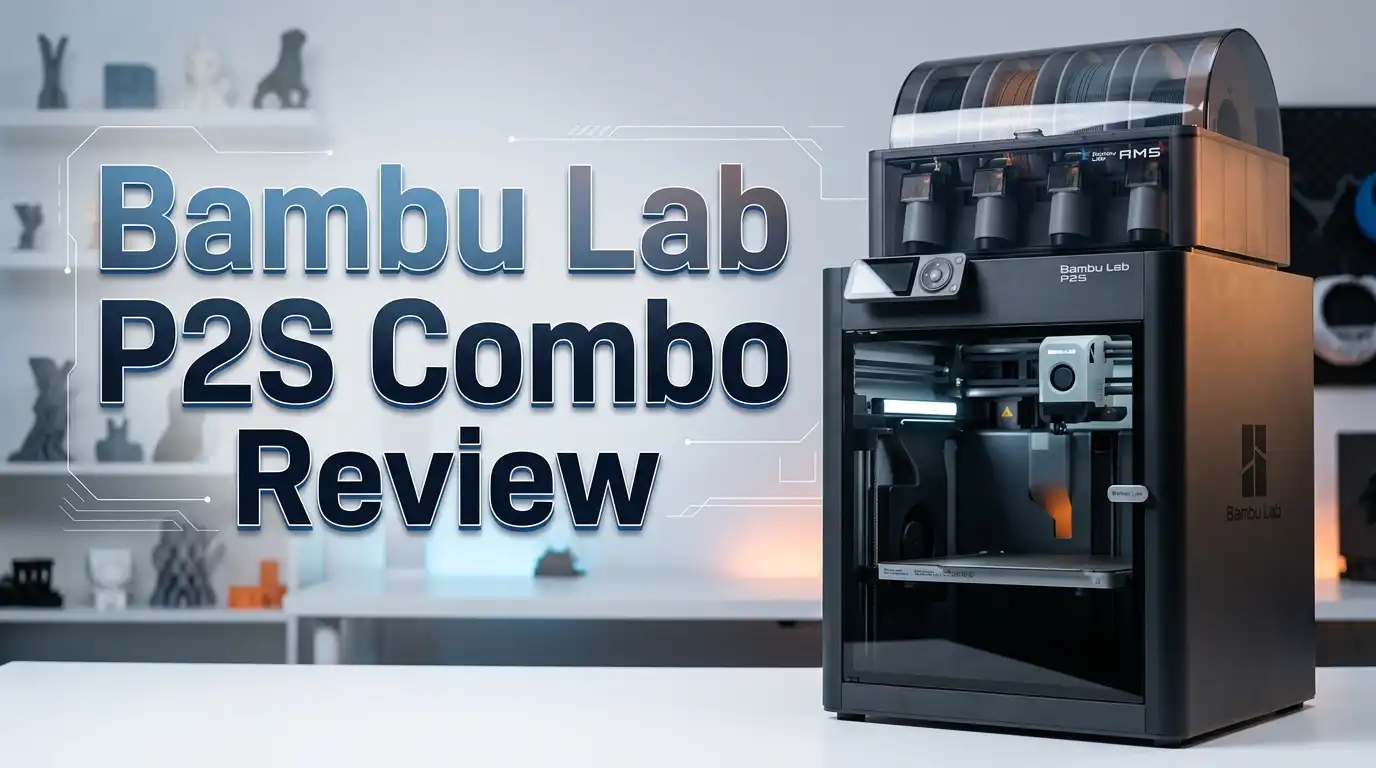
Bambu Lab P2S Combo Review: Best Mid-Range 3D Printer?
The 3D printing space has changed fast. Every few months, a new printer shows up and promises better speed, easier setup, or sharper prints. But few brands have shifted the game like Bambu Lab. Their P1S became one of the best-selling enclosed 3D printers of all time. Now, Bambu Lab has released the P2S Combo, and it feels like the P1S grew up.
I have spent serious time digging into this machine. I looked at the specs, the print quality, the new AMS 2 Pro, and every upgrade Bambu packed into this refresh. If you are shopping for a CoreXY enclosed printer under $800, this review will help you decide if the P2S Combo is worth your money. I cover what changed, what stayed the same, and where this printer fits in a crowded market.
Stick around. By the end of this post, you will know if the Bambu Lab P2S Combo belongs on your desk or if you should look elsewhere.
Key Takeaways
- The Bambu Lab P2S Combo retails at $799 and comes bundled with the new AMS 2 Pro for up to four-color printing right out of the box. The standalone P2S costs $549.
- Print speeds reach up to 600 mm/s with a maximum acceleration of 20,000 mm/s², making it one of the fastest enclosed printers in its price range. Default slicer speeds are lower for quality, but Ludicrous mode pushes the machine hard.
- The new DynaSense PMSM servo extruder delivers 8.5 kg of extrusion force, which is 70% more than the P1S. This means better results with high-flow filaments and fewer clogs.
- A 5-inch touchscreen replaces the old D-pad LCD, giving the P2S the same quality screen found on the flagship H2 series. Setup and monitoring feel smooth and modern.
- The AMS 2 Pro doubles as a filament dryer with an active venting system that dries filament 30% faster than sealed heating. It cannot dry filament during a print, but it stores spools at low humidity.
- The Adaptive Airflow System lets you print PLA with the door closed, pulling cool air from outside the chamber. You no longer need to leave the door open for low-temp materials.
Bambu Lab P2S Combo Overview

- Vibrant 5-inch Touchscreen: Enjoy a crisp, responsive display for seamless navigation
- Efficient Cold-Air Cooling: Keeps your prints cool and clean
Last update on 2026-06-09 / Affiliate links / Images from Amazon Product Advertising API
The Bambu Lab P2S Combo is a fully enclosed CoreXY FDM 3D printer. It replaces the P1S as Bambu Lab’s mid-range machine. The build volume is 256 x 256 x 256 mm, the same as its predecessor. The combo version ships with the AMS 2 Pro for multi-color printing.
Bambu Lab launched this printer as a significant upgrade over the P1S. It borrows features from both the budget A1 line and the premium H2 series. The quick-swap nozzle, the 5-inch touchscreen, and the improved AI monitoring all came from higher-end models.
The P2S still sits between the entry-level A1 and the premium H2D. It gives you enclosed printing, fast CoreXY speeds, and multi-material support without the price tag of a flagship. At $799 for the combo, it holds a strong position in the market. For anyone stepping up from a bed-slinger or a basic open-frame printer, this machine represents a real jump in capability.
Unboxing and First Setup
The Bambu Lab P2S Combo arrives mostly assembled. You do not need tools or technical skill to get started. The box includes the printer, the AMS 2 Pro unit, a filament buffer, a PEI textured build plate, a spool holder, and an accessory box with spare parts.
Setup takes about 15 to 20 minutes. You attach the touchscreen, connect the AMS tubes, plug in the cables, and power on the machine. The printer runs a self-test after first boot. This test checks belt tension, vibration compensation, and bed leveling. Everything is automatic.
Bambu Lab includes a QR code on the inner box flap that links to a step-by-step unpacking video. The printed guide also walks you through each stage. A 0.5 kg spool of white PLA comes in the box, so you can start printing immediately. Several test models are preloaded onto the printer’s memory. One of them is a handy bed scraper you can print and assemble with parts from the toolbox.
The 5-Inch Touchscreen Experience
The old P1S had a small LCD screen with a D-pad controller. It worked, but it felt dated and clunky. The P2S fixes this problem completely. It now has a 5-inch full-color touchscreen running Bambu Lab’s second-generation UI.
The screen is responsive and sharp. You can browse files, adjust settings, monitor prints, and even change filament colors on sliced files right from the printer. No phone or computer needed. The interface shows clear graphics and step-by-step instructions for tasks like filament loading or nozzle changes.
This screen matches the one found on the premium H2 series. It makes the P2S feel like a much more expensive machine. If you ever struggled with the P1S screen, this upgrade alone may justify the switch. The touchscreen also shows helpful troubleshooting info with QR codes when errors pop up. You can scan them with your phone for guided fixes from the Bambu Wiki.
DynaSense Extruder and Extrusion Power
The P2S uses a PMSM servo extruder called DynaSense. This motor delivers up to 8.5 kg of maximum extrusion force. That is 70% more power than the P1S extruder. The increase matters most with high-flow filaments like PETG-CF, ABS, and fast PLA profiles.
The servo architecture samples resistance and position at 20 kHz. This means the printer can detect filament grinding and nozzle clogs in real time. If something goes wrong during a print, the system catches it fast. You get fewer failed prints and less wasted filament.
Both the nozzle and the extruder gears are made of hardened steel. This gives the P2S strong resistance to wear from abrasive filaments like carbon fiber blends. If you plan to print fiber-reinforced materials often, the P2S can handle the load without frequent part replacements. The extrusion system feels like a clear step up from the P1S and brings the P2S closer to flagship performance.
Top 3 Alternatives for Bambu Lab P2S Combo
If you want to explore other options before committing, these three printers are strong competitors in the same price range and feature set.

- 【Dual Z-axis & CoreXY, Fast 3D Printer】Q1 Pro 3D Printer has independent dual Z-axis motors and...
- 【Full-Auto Calibration & Filament Smart detection】Automated dual sensors allow for more precise...
Last update on 2026-06-09 / Affiliate links / Images from Amazon Product Advertising API
The QIDI Q1 Pro is a fully enclosed CoreXY printer with a 60°C heated chamber and a nozzle that reaches 370°C. It handles engineering filaments like PA-CF and PC with ease. It also costs less than the P2S Combo. If you print a lot of high-temp materials, the Q1 Pro is a serious contender.

- Support Multi-Color 3D Printing - By connecting up to four CFS units together, you can achieve the brilliance...
- 13.78x13.78x13.78in Large Printing Size - The K2 Plus Combo boasts an impressive printing size of...
Last update on 2026-06-09 / Affiliate links / Images from Amazon Product Advertising API
The Creality K2 Plus Combo offers a much larger build volume at 350 x 350 x 350 mm. It supports multi-color printing through the CFS system and reaches speeds up to 600 mm/s. For users who need bigger prints, this machine gives you more room to work with.
No products found.
The AnkerMake M5C is an open-frame printer with 500 mm/s speeds and a simple, beginner-friendly design. It costs significantly less than the P2S. If you do not need an enclosure or multi-color support, the M5C delivers solid results at a lower entry point.
Adaptive Airflow System Explained
One of the biggest upgrades on the P2S is the Adaptive Airflow System. This system pulls cool air from outside the chamber through a dedicated intake. The cool air feeds into the auxiliary cooling fan on the toolhead. This approach solves a long-standing problem with enclosed printers.
Older enclosed Bambu printers recycled hot air inside the chamber for part cooling. This caused issues with PLA and other low-temp filaments. Overhangs drooped, and nozzles sometimes clogged from heat creep. Users had to leave the door open during PLA prints, which defeated the purpose of having an enclosure.
The P2S changes this. You can now print PLA with the door closed and still get clean overhangs. During testing, chamber temperatures stayed around 33°C with PLA. For high-temp materials like ABS, the system closes internal flaps and pushes air through a carbon filter. This seals heat inside the chamber while keeping your workspace air clean. The system handles both ends of the filament temperature range without manual intervention.
Print Speed and Motion System
The Bambu Lab P2S uses a CoreXY motion system with belt-driven X and Y axes. The printhead moves at the top of the machine while the build plate lowers layer by layer. This design allows faster, smoother movements compared to bed-slinger printers.
The rated maximum speed is 600 mm/s with an acceleration of 20,000 mm/s². Bambu Studio defaults to lower speeds in standard profiles for the best quality. You also get Sport mode (124% faster) and Ludicrous mode (164% faster) for quick draft prints. Ludicrous mode trades some surface quality for speed, so it works best for prototypes or functional parts where looks matter less.
Vibration-damping input shaping keeps prints clean even at higher speeds. The machine adjusts motor signals to cancel out resonance that causes ringing artifacts. Combined with automatic belt tensioning, the motion system stays tuned without manual calibration. The P2S prints fast and looks good doing it. For most users, standard speed gives the best balance of time and quality.
AMS 2 Pro: Multi-Color Printing and Filament Drying

- Vibrant 5-inch Touchscreen: Enjoy a crisp, responsive display for seamless navigation
- Efficient Cold-Air Cooling: Keeps your prints cool and clean
Last update on 2026-06-09 / Affiliate links / Images from Amazon Product Advertising API
The P2S Combo ships with the AMS 2 Pro, Bambu Lab’s latest Automatic Material System. It holds four spools and enables multi-color or multi-material printing. You can connect up to four AMS 2 Pro units for a maximum of 16 colors. Bambu Lab also supports expanding with AMS HT units for up to 24 filaments total.
The AMS 2 Pro adds a feature users have asked for since the original AMS launched: filament drying. An active venting system uses automated electromagnetic air vents. It dries filament 30% faster than a sealed heating approach. The unit seals tightly for weeks of low-humidity storage after drying.
There is one catch. The dryer does not run while the printer is active. You need to dry your filament before starting a print job. Still, having a built-in dryer saves you from buying a separate filament dryer box. The AMS 2 Pro also has exposed tubes for easier maintenance. Clearing snapped filament scraps is much simpler than before. The PMSM feeding motor speeds up filament changes by 60%, saving about 10 minutes per 100 color swaps.
Build Quality and Design Improvements
The P2S looks similar to the P1S at first glance. But Bambu Lab made many small changes that add up to a better experience. The carbon fiber X-axis rods are gone. Steel rods replace them for improved durability and easier cleaning.
The printer now has integrated lift handles on the frame. These make it safer and easier to move the machine. The front glass panel has a shatter-resistant film for added safety in your workspace. A new flat base plate inside the chamber makes cleanup simple. You can swipe away filament debris without fighting raised edges.
Bambu Lab also removed the dead zone in the forward left corner of the build area. The old P1S had a permanently mounted prong there for the cutter system. The P2S uses a foldable prong that deploys from the side of the frame. This gives you the full 256 mm build area without obstacles. A USB port on the front panel is another welcome addition. You can transfer files and store timelapse footage without relying on Wi-Fi or a micro SD card.
Camera and AI Monitoring Features
The P2S comes with an upgraded 1080p high-frame-rate camera and enhanced LED lighting inside the chamber. The live view feed is smooth and clear. You can monitor your prints remotely through the Bambu Handy mobile app or Bambu Studio on your computer.
The camera works with an AI computer vision system powered by a 2 TOPS NPU. It actively detects common print failures. Spaghetti detection catches prints that detach from the bed and turn into a tangled mess. Blob detection spots nozzle buildup before it causes damage. The system also checks your print start settings to make sure the right build plate is installed.
These AI features add a real safety net for unattended printing. If you run the P2S overnight or while away at work, the monitoring system reduces the risk of coming home to a failed print or a damaged machine. Combined with a tangle sensor in the filament hub, the P2S has multiple layers of failure prevention. The timelapse feature captures high-quality clips with the improved lighting, perfect for sharing your projects online.
Bed Leveling and Calibration
Auto bed leveling on the P2S is excellent. The printer uses a high-resolution eddy current sensor that maps the bed surface before each print. It adjusts the first layer in real time for perfect adhesion. You do not need to set a Z offset or touch any leveling knobs.
The eddy current sensor also handles active flow-rate compensation. It reads pressure at the nozzle and adjusts the flow rate based on those readings. This means you get consistent extrusion across every layer, corner, and infill pattern. Over-extrusion and under-extrusion become much less common.
The self-test that runs after initial setup checks belt tension, vibration response, and bed flatness. After that, the printer runs a shorter calibration before each print. This takes a few minutes, but you can disable it in settings if you want faster starts. For most users, leaving it on is the best choice. The PEI textured spring steel sheet provides strong adhesion for PLA, PETG, and ABS. Parts pop off easily once the plate cools.
Filament Compatibility and Material Range
The P2S handles a wide range of filaments. It supports PLA, PETG, ABS, ASA, TPU, PC, PA (Nylon), and carbon fiber blends. The hardened steel nozzle and extruder gears mean abrasive materials will not wear out your printer quickly.
The enclosed chamber reaches about 50°C passively during high-temp prints. There is no active chamber heater. For most engineering materials, passive heating is enough. ABS and ASA print well with the door closed and the carbon filter running. TPU works too, but you should bypass the AMS and feed it through the side spool holder. TPU is too flexible to reliably run through the Bowden tubes in the AMS system.
If you need to print high-performance filaments like PPS-CF or PAHT-CF that require chamber temperatures above 50°C, the P2S is not your best choice. You would need the Bambu Lab H2 series or a printer with an active chamber heater like the QIDI Q1 Pro. For the vast majority of hobbyist and prosumer materials, the P2S handles everything without issues.
Software: Bambu Studio and Bambu Handy
Bambu Studio is the free slicer software that comes with the P2S. It is based on PrusaSlicer but has a custom layout and added features. The default presets work well for most prints. You can slice a model and send it to the printer in under a minute.
The Device tab in Bambu Studio lets you monitor your printer, watch the camera feed, view timelapse videos, and adjust speed and temperature remotely. You can send files over your local network (LAN mode) or through Bambu Lab’s cloud service. LAN-only mode is available for users who prefer to keep their printer offline.
Bambu Handy is the companion mobile app. It gives you remote monitoring, print status notifications, and camera access from your phone. You can also browse MakerWorld, Bambu Lab’s model library with over a million printable files. Some models on MakerWorld are pre-sliced, so you can send them straight to the printer without touching the slicer. The software ecosystem is polished, fast, and easy to learn for beginners.
Who Should Buy the Bambu Lab P2S Combo?
The P2S Combo fits a few different users well. Beginners will appreciate the automatic calibration, the guided setup, and the touchscreen that walks you through every step. You do not need prior 3D printing experience to get great results from this machine.
Experienced makers will value the speed, the material range, and the multi-color capability. If you already own a P1S, the P2S offers enough upgrades to justify the switch. The new extruder, the touchscreen, the airflow system, and the AMS 2 Pro with drying are all meaningful improvements.
Print farm operators will like the reliability and the remote monitoring features. You can run the P2S unattended with confidence thanks to the AI failure detection and tangle sensor. At $799, it is priced well for scaling up. If you want an enclosed, fast, multi-color printer that just works, the Bambu Lab P2S Combo is one of the strongest options available right now.
Bambu Lab P2S Combo Pros and Cons
The P2S Combo gets a lot right. The touchscreen, the DynaSense extruder, the Adaptive Airflow System, and the AMS 2 Pro with drying are all strong upgrades over the P1S. Print quality is sharp at standard speeds. Setup is fast and requires no technical knowledge.
On the downside, the printer does not have an active chamber heater. This limits its usefulness for the highest-temperature engineering filaments. The AMS wastes some filament during color changes, which is a known trade-off with any multi-color system. The filament dryer in the AMS 2 Pro cannot run during active printing, which means you need to plan drying sessions ahead of time.
Bambu Lab also does not officially sell the P2S through Amazon in the United States, so buying from third-party sellers carries some warranty risk. The official Bambu Lab store, Best Buy, and Micro Center are the safest places to buy. Despite these small drawbacks, the P2S Combo delivers excellent value at its price point. Few printers offer this combination of speed, quality, ease of use, and multi-color support for under $800.
Final Verdict on the Bambu Lab P2S Combo
The Bambu Lab P2S Combo is one of the best mid-range 3D printers you can buy right now. It takes everything good about the P1S and adds a proper touchscreen, a stronger extruder, a smarter airflow system, and a drying-capable AMS unit. The price holds steady at $799 for the combo, which feels fair given the upgrades.
If you are buying your first serious 3D printer, this is a safe and smart pick. If you already own a P1S and want more features, the P2S is a worthy upgrade. It prints fast, it prints clean, and it requires very little effort from you. The Bambu Lab P2S Combo earns a strong recommendation.
Frequently Asked Questions
Is the Bambu Lab P2S Combo worth the upgrade from the P1S?
Yes, for most users. The P2S adds a 5-inch touchscreen, 70% more extrusion force, the Adaptive Airflow System, a USB port, and the AMS 2 Pro with filament drying. If you print often and want a smoother experience, the upgrade makes sense. If your P1S still works well and you do not need multi-color drying, you can wait.
Can the Bambu Lab P2S print TPU?
Yes. The P2S prints TPU well. You should feed TPU through the external spool holder on the side rather than through the AMS. TPU is too flexible for the Bowden tubes inside the AMS system. Many users report clean results with standard TPU settings and no adjustments.
Does the Bambu Lab P2S have a heated chamber?
The P2S has a fully enclosed chamber that heats passively from the bed. It can reach about 50°C during high-temp prints. There is no active chamber heater. For PLA, PETG, ABS, ASA, and most nylons, passive heating is enough. For filaments that need temperatures above 50°C, look at the QIDI Q1 Pro or the Bambu Lab H2 series.
Is the Bambu Lab P2S available on Amazon?
Bambu Lab does not officially sell printers through Amazon in the United States. You may find third-party listings, but these may not carry official warranty support. The safest places to buy are the Bambu Lab online store, Best Buy, and Micro Center.
How loud is the Bambu Lab P2S during printing?
The P2S runs quieter than most open-frame printers because of its enclosed design. Noise levels stay reasonable during standard speed prints. Ludicrous mode is louder due to higher motor speeds and fan activity. For home use in a shared space, standard speed keeps noise levels comfortable.
What is the maximum number of colors the P2S Combo can print?
The P2S Combo comes with one AMS 2 Pro for four colors. You can add up to three more AMS 2 Pro units for 16 colors. With AMS HT expansion, the system supports up to 24 filament slots. Most users find four to eight colors cover their needs.
Disclosure: This content is part of an Amazon Creator Connections campaign, meaning I earn a commission from qualifying purchases. Using these links costs you nothing extra but directly supports my blog and future content.

DK is a technology expert who specializes in AI tools, software, and tech gadgets. He writes for How to Tech Info, providing detailed reviews and practical guides. DK helps readers discover the best AI applications, navigate new software, and choose the right tech gadgets.


